
Cindy – Open-Source AI Agent Workbench Review: Multi-Engine Integration and Real Automation with Browser Login State
Executive Summary:
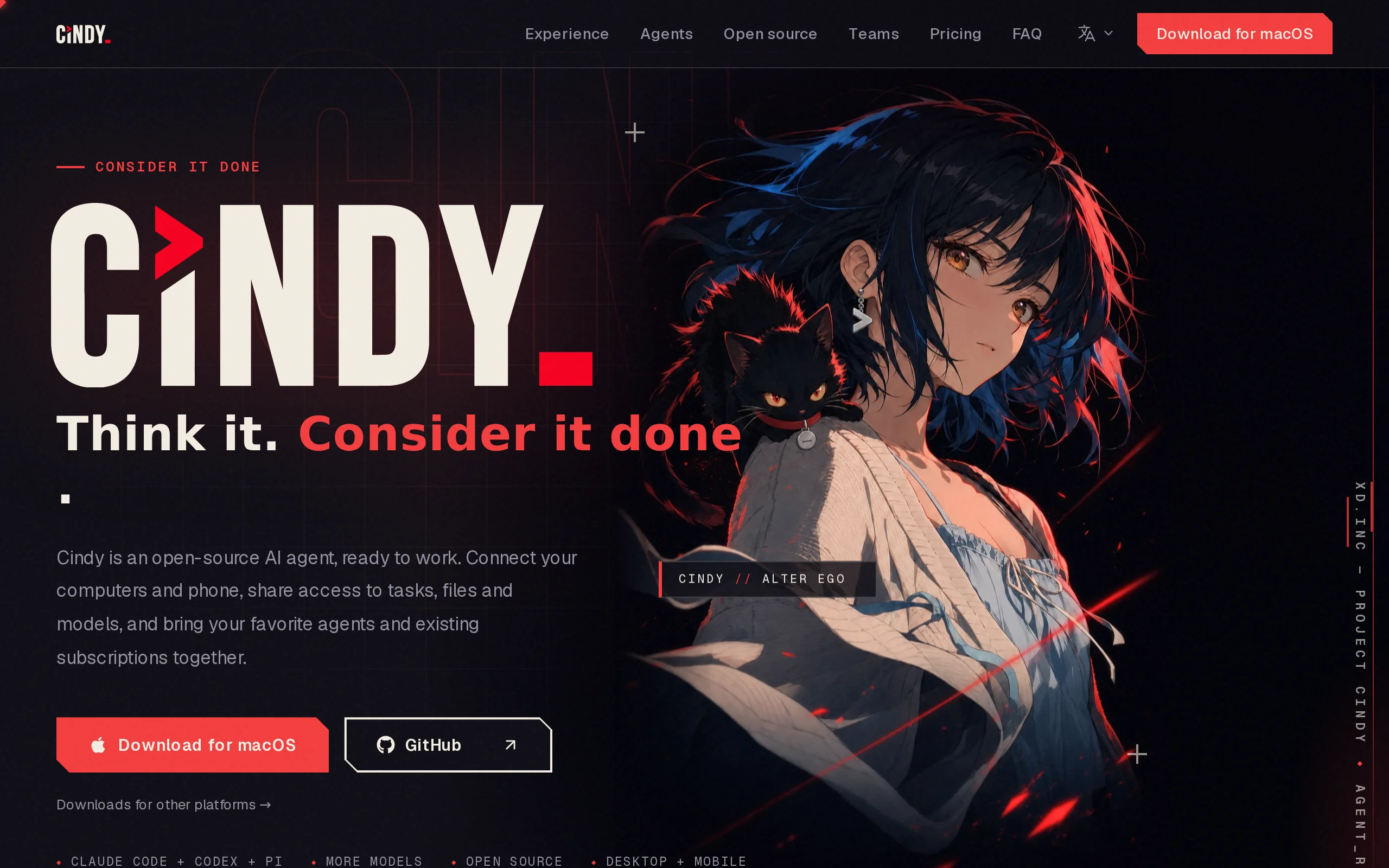
Cindy is an open-source AI Agent workbench that users can deploy on their own devices. It integrates multiple mainstream Agent engines, such as Claude Code, Codex, and Pi, through a unified graphical ...
1. What is Cindy
Cindy is an open-source AI Agent workbench that users can deploy on their own devices. It integrates multiple mainstream Agent engines, such as Claude Code, Codex, and Pi, through a unified graphical interface, enabling seamless switching between engines during tasks without interrupting the context. Its core breakthrough lies in its "real work" capability—Agents can directly operate on local files, command lines, and browser sessions that are already logged in. By leveraging an isolated workspace and a step-by-step approval mechanism, every change is first isolated and reviewed, and only implemented after approval, thereby achieving a balance between automated execution and security control.
Technical Positioning and Domain: Cindy belongs to the AI Agent orchestration and management tool domain, focusing on multi-engine scheduling, cross-device collaboration, and browser-based automation operations. It serves as an intermediate platform connecting large model capabilities with local computing resources. It does not directly provide basic language models, but instead encapsulates and schedules engines like Claude Code, Codex, and Pi in the form of a "workbench," creating an executable Agent environment on personal computing devices. Its technology stack covers desktop clients (macOS/Windows/Linux) and mobile platforms (iOS/Android), with the core architecture involving task queue management, session context retention, a permission isolation layer, and cross-device synchronization protocols.
Development Background: Cindy was developed by the open-source community project makecindy. The core team noticed the fragmented nature of current Agent tools: users often need to switch between multiple tools like Claude Code and Codex, but these tools are independent and cannot share context, making cross-device usage even more challenging. Cindy was designed with the philosophy of "one workbench, multi-engine scheduling, full platform coverage." The client is open-sourced under the Apache-2.0 license, while the backend service remains closed-source. Its development motivation is to reduce the usage barriers of Agent technology, allowing non-deep developers to gain multi-Agent collaboration capabilities through a graphical interface. At the same time, it introduces the user's high-frequency digital identity—browser login state—into the Agent execution process, enabling more realistic automation operations in work scenarios.
Core Value: Cindy addresses three levels of practical issues. First, multi-engine integration and context retention—users can switch between different Agent engines during tasks, and task progress and conversation memory will not be interrupted, avoiding the pain point of having to start over when switching tools. Second, cross-device task resumption—computers, phones, and tablets are seamlessly connected, allowing model configuration in one place and usage everywhere, without the need to rent servers or set up internal network penetration. Third, secure reuse of browser login states—using the user's already logged-in browser account (such as GitLab, Confluence, or Feishu) to perform automation tasks, without exposing account passwords. The isolated review mechanism ensures that each external operation is secure and controllable. These capabilities elevate AI Agents from "text suggestion generators" to "real work executors."
2. Key Features
Multi-engine Integration and Seamless Switching: Unifies multiple Agent engines such as Claude Code, Codex, and Pi into a single workspace interface. Users can switch engines at any point during task execution, with the task queue and conversation context fully preserved. The greatest value of this design is avoiding the limitations of a single engine—using Claude Code during the planning phase and switching to Codex during the implementation phase, leveraging the strengths of each. Technically, the engine adaptation layer uses a unified input/output protocol to serialize and restore session states of different engines, enabling "non-disruptive task flow" hot-switching between engines. This feature is relatively rare in the current Agent tool market.
Real Workspace Execution: Directly manipulate the local file system, command-line terminal, and logged-in browser sessions, breaking the traditional AI assistant's limitation of only providing suggestions. For example, a user can ask Cindy to "write a Python script to organize photos on the D drive by shooting date," and the Agent will actually create the script on the disk and execute the file organization. At the bottom layer, an isolated workspace (sandbox directory) is created locally, with full read/write permissions for the Agent. File changes are recorded through difference detection, providing a basis for subsequent approvals and rollbacks.
Isolated Review and Rollback Mechanism: Each change first enters a review panel, where it is displayed as a diff entry one by one. Users can independently approve or reject each change; if unsatisfied with the result, they can roll back to the previous checkpoint with one click. This mechanism addresses the risk control issues of automated operations—Agent actions are not directly applied to the real environment, but instead follow a three-step process: "run in isolation, get approval, then apply to the real environment." The review panel not only displays file changes but also records command execution history and browser operation logs, forming an auditable operation trail, which is ideal for users with high data security requirements.
Cross-device Task Resumption and Remote Control: Supports collaboration across five platforms: macOS, Windows, Linux, iOS, and Android. Users can view task progress and approve operations from their phone, and even use it as a remote controller to operate their computer—opening applications, executing commands—without the need for a VPN or internal network penetration, enabling local network or internet connectivity. The cross-device synchronization protocol securely transmits task status and control instructions between clients, and model configurations can be shared across devices, achieving "configure once, use everywhere."
Multi-Agent Team Collaboration: Supports collaborative work among multiple Agents—each Agent can be responsible for different tasks, such as one for planning and decomposing tasks, one for parallel execution, and an independent Agent for code review, with all Agents sharing the same goal context. This feature is tailored for complex project scenarios: when a single Agent is handling large-scale tasks, Cindy breaks the task into multiple subtasks and assigns them to different engines for parallel execution, finally aggregating the results. During the collaboration, the outputs of each Agent are cross-verified, reducing the error rate of a single engine.
Skill and MCP Extension Ecosystem: Access community tools and services through the MCP (Model Context Protocol). The SkillHub marketplace supports the installation, sharing, and reuse of workflows. Users can package common operation processes (such as weekly report organization or document archiving) into Skills, which can be triggered with a single sentence next time. Skills are essentially executable step templates, containing prompts, operation sequences, and approval strategy configurations, enabling the "productization and accumulation of personal workflows." This is a key design for enhancing the long-term value of the tool.
Memory Accumulation and Personalization: After a user corrects something once, the system automatically remembers their preference and applies it in subsequent tasks. For example, if a user specifies "use third-size SimSun for report titles and fourth-size Songti for the body text," future document generation will automatically apply this format. The memory module stores preference vectors locally and works with Skills to gradually solidify personal knowledge and work habits into reusable digital assets, continuously optimizing the user experience over time.
Scheduled Task Automation: Supports automated workflows triggered at scheduled times, such as daily GitHub Trending summaries, regular project dependency checks, and weekly team report generation. Scheduled tasks run independently in the background and push results to the user's bound IM tools (Feishu, Slack), achieving "unmanned" periodic automation.
3. Application Scenarios
Cross-device Task Continuation: Use Claude Code on your company computer to plan and initiate a code refactoring task. When the task is halfway done and you leave for the day, take out your phone on the subway and open the Cindy App to check the real-time progress and review pending changes. When you get home, continue the task on your personal computer. No manual saving or restoring of context is required; Cindy's task queue and session state seamlessly migrate across devices. This scenario is especially useful for developers and consultants who frequently switch work locations, eliminating the efficiency loss of having to start over on a new device.
Browser Session Automation: Automatically perform document organization, data synchronization, and other operations using already logged-in GitLab, Confluence, or Feishu accounts. For example, a user might request, "Every Friday, summarize the MRs merged on GitLab this week, generate a draft weekly report, and upload it to Confluence." Cindy will drive the Agent to open the logged-in GitLab/Confluence page in the browser, read the data, generate the document, and execute the upload—all without requiring the user to provide their account password. The core value of this scenario lies in leveraging browser sessions to achieve "identity reuse," avoiding password exposure risks while connecting the Agent to real business systems.
Team Daily Report Automation: Set up scheduled tasks to fetch updates from GitHub Trending and designated project repositories (commits, Issues, PRs) every morning at 9 AM, and compile them into a summary using a fixed template, then push it to a Feishu or Slack group. The entire process requires no human intervention, maintaining consistent formatting for information aggregation and reducing the time cost for team members to manually gather information. For technical team managers, this scenario provides a low-cost "team activity radar"—without relying on additional BI tools or crawling services.
Multi-Agent Collaboration for Complex Projects: In large-scale software development tasks, configure Claude Code to handle architectural planning and task breakdown, Codex to implement the core module code, and an independent Pi instance to perform code reviews and generate test cases. The three Agents share the same task goal and acceptance criteria, while Cindy coordinates their execution order and aggregates outputs from each stage. Every change is sent to a review panel for developers to individually approve. This scenario demonstrates a collaborative model where multiple engines "leverage their respective strengths," suitable for development projects with large codebases and requiring role-based division of labor.
Personal Knowledge Management and Workflow Standardization: The first time, it takes the user 20 minutes to teach Cindy the process of "organizing this week's materials, categorizing them by project, and generating a weekly report," which is then saved as a Skill. Thereafter, every week the user only needs to say, "Organize this week's materials and write the weekly report," and Cindy will automatically execute the entire workflow, with output format and content style perfectly aligned with the user's personal preferences. As the usage frequency increases, the memory module continuously refines preferences, and the quality of the Skill's output keeps improving, forming a "personal automation assistant" that becomes more efficient with each use.
4. How to Use
Environment Requirements and Prerequisites: Cindy client supports macOS, Windows, and Linux desktop systems, and mobile platforms support iOS and Android. For desktop systems, it is recommended to have at least 8GB of memory and 10GB of available disk space. The operating system versions are suggested to be macOS 12+, Windows 10 1809+, and Ubuntu 20.04+. Cindy itself does not run large models but instead schedules external engines such as Claude Code and Codex. Therefore, before using, ensure that at least one Agent engine's CLI tool is installed and configured, and that you have the corresponding API key or login credentials for the service. Browser automation functionality depends on Chrome/Edge browsers (requiring the installation of the corresponding version of the WebDriver component).
Download and Installation: Visit Cindy's official product page at https://cindy.app/ or the GitHub Releases page (https://github.com/makecindy/cindy), and select the appropriate installation package based on your operating system. macOS users drag and drop the .dmg file to install; Windows users download the .exe installer; Linux users obtain .deb/.rpm or AppImage packages. After installation, on the first launch, the system will guide the user through the engine configuration wizard — select the Agent engine type to be connected and enter the respective API Key or CLI path. The client is released under the Apache-2.0 open source license and can be used freely for both personal and commercial purposes.
Create a Task and Describe the Requirements: Click on 「New Task」 in the main interface and describe the specific requirements in natural language. The clearer the description, the better the execution results. For example: 「Write a Python script to archive images in the D drive photo folder into subdirectories by year/month based on the photo's capture date and generate an archiving report.」 Users can specify which engine to use for the task or choose 「Smart Assignment」 — Cindy will automatically match the most suitable engine based on the nature of the task. After creating the task, Cindy will launch the Agent in an isolated workspace and display in real-time the Token consumption, execution progress, and current operation steps.
Monitor Execution Process and Review/Approval: During task execution, the interface displays the Agent's operation logs in real-time (command execution, file read/write, browser operations). After execution is complete, all changes will be displayed in the 「Review Panel」 in a diff format, item by item. Users can approve each change individually, approve in bulk, or reject certain changes. If the overall result is unsatisfactory, click 「Rollback to This Checkpoint」 to restore the system state to the previous approval node. Only after the review is passed will the changes be actually written to the local file system or external operations executed — this is the most critical part of the usage process. Be sure to confirm each change individually before proceeding to fully leverage the security value of the isolation and review mechanism.
Configure Extended Capabilities (Optional): Browse and install pre-built Skills in SkillHub based on your needs, or connect to external services (such as databases, API tools) via the MCP protocol. You can also bind a Feishu/Slack bot in the settings to dispatch tasks and receive approval notifications via IM messages. The binding process is as follows: create a bot in the IM platform → obtain the Webhook URL → enter it into Cindy's 「Notifications and Collaboration」 settings page → verify the connection and then use it. After completing the extended configuration, users can directly issue task instructions to Cindy via IM.
Enable Mobile Synchronization (Optional): Search for and install the Cindy mobile client in the iOS/Android app store. After logging in with the same account, an encrypted connection can be established with the desktop version. The mobile app supports viewing task progress, performing approval operations, and receiving push notifications for scheduled tasks. In 「Remote Desktop」 mode, the phone can act as a remote controller for the computer — touchpad control, launching applications, and sending shortcut commands, without the need for additional configuration of a VPN or internal network penetration tool. The first connection requires the phone and computer to be on the same local network or to complete pairing via scanning a QR code; subsequent connections can be made across networks.
Best Practices Recommendations: First, regularly convert frequently used operations into Skills to reduce the cost of repeated descriptions. Second, when executing tasks involving external systems (such as GitLab, production databases), first preview the complete diff in the isolated workspace and confirm there are no side effects before approving. Third, for important tasks, enable 「Checkpoint Mode」 to automatically create snapshots after each critical step, making it easier to roll back to any node. Fourth, keep an eye on GitHub repository Release updates to ensure the client version remains compatible with all engines.
5. Pros and Cons Analysis
| Pros |
|---|
| Multi-engine flexible scheduling: Integrates engines such as Claude Code, Codex, and Pi into a unified platform, allowing seamless engine switching during tasks without interrupting the context, significantly enhancing processing flexibility and fault tolerance for complex tasks. |
| Strong real-world execution capability: Directly operates on local files, terminals, and logged-in browsers, rather than just providing textual recommendations, elevating AI from an "advisor" to an "executor" and enabling the completion of actual work outcomes. |
| Comprehensive security review mechanism: Features isolated workspaces, line-by-line diff approval, and rollback checkpoints, providing three layers of protection to ensure automated operations are controllable and auditable, significantly reducing data risks caused by agent errors. |
| Seamless cross-device collaboration: Covers five platforms, allowing mobile devices to resume tasks and control computers without requiring a server or complex network configuration, delivering a lightweight collaborative experience with "one-time configuration, universal access." |
| Open and extensible ecosystem: Supports the MCP protocol and the SkillHub workflow marketplace, enabling access to community tools and reuse of pre-established workflows. The open ecosystem provides a foundation for long-term value growth. |
| Memory and Skill accumulation: Corrected preferences automatically take effect, and workflows are encapsulated as reusable assets. The more it is used, the more it adapts to personal habits, reducing the description cost of repetitive tasks and improving long-term efficiency. |
6. Comparative Analysis with Similar Tools
Below is a horizontal comparison between Cindy and current mainstream Agent development tools:
| Comparison Dimension | Cindy | Claude Code | OpenHands |
|---|---|---|---|
| Core Architecture | Multi-engine integration platform, where external engines handle reasoning and the local scheduling layer handles task orchestration and approval | Single Agent engine, deeply integrated with Claude series models, runs locally on the terminal | Self-coded Agent, runs within a cloud IDE container, supports Docker deployment |
| Engine Switching | Can switch between Claude Code / Codex / Pi during tasks, with uninterrupted context | No switching mechanism, the engine itself is fixed | Does not support engine switching, fixed to use the built-in model in OpenHands |
| Cross-device Capabilities | Five-platform (macOS/Windows/Linux/iOS/Android) collaboration, mobile devices can remotely control computers | Limited to terminal environments, cross-device scenarios require manual configuration of SSH or synchronized environments | Based on cloud containers, accessible via browser, weak cross-device support (highly dependent on network conditions) |
| Execution Scope | Files + terminal + browser session + mobile remote control, the broadest operational scope | Primarily targets code repositories, terminal commands, and file read/write operations | Code writing, terminal execution, and file operations, limited to container environments |
| Security Mechanism | Isolated workspace + line-by-line diff review + rollback checkpoints, triple protection | Command authorization whitelist + permission configuration, relies on user-initiated authorization | Container-level isolation (natural sandbox), changes require manual confirmation |
| Deployment Method | Local client installation, backend synchronization service depends on official cloud | Command-line installation, runs locally, no cloud dependency | Docker / cloud IDE, requires setting up a container environment |
| Open Source License | Client side Apache-2.0, backend closed source | Core closed source, partial openness with SDK | MIT license, fully open source, supports self-hosting |
| Community Ecosystem | SkillHub workflow marketplace + MCP protocol integration, ecosystem in early stages | Official support from Anthropic, bound to Claude ecosystem | High GitHub stars, numerous contributors, comprehensive documentation |
| Input Threshold | Provides a graphical interface, ready to use out-of-the-box, accessible even to non-developers | Developer-oriented, requires familiarity with command-line operations and API configuration | Requires some container and command-line knowledge, suitable for technical users |
Selection Recommendations: If you are a cross-platform user who frequently switches tasks between office computers, personal computers, and mobile devices, and you want the Agent to directly operate on a logged-in browser to perform real automation workflows—Cindy is currently the most comprehensive option available. Its "isolation review + approval execution" mechanism is also suitable for users with clear requirements for security and controllability who are unwilling to allow the Agent to directly operate on real environments. However, it's important to note that Cindy's multi-engine integration relies on API services and costs from external engines such as Claude Code and Codex, and its backend synchronization depends on official cloud services. Teams with high data sovereignty requirements and needing fully offline deployment should carefully evaluate these factors.
If you mainly use it for programming assistance within code repositories and prefer to use a single engine (e.g., Claude) long-term, the native Claude Code offers a more focused terminal experience and deeper code understanding. If you prefer a fully open-source and self-hostable solution, OpenHands' MIT license and containerized architecture are more suitable for deep customization—but you will need to bear the costs of environment setup and maintenance yourself. AutoGPT is better suited for technically exploratory users who can freely write Agent logic based on Python, but it lacks the "out-of-the-box" graphical security approval process that Cindy provides.
7. Editor's Summary
Cindy has carved out a differentiated path within the current AI Agent tool ecosystem—it does not compete for the "stronger base model," but instead positions itself as a "workbench" and "scheduling hub," addressing practical pain points such as the fragmentation of multiple engines, the difficulty of cross-device collaboration, and the lack of safety mechanisms for automated operations. This design philosophy follows a clear value logic: in the current landscape where model capabilities are becoming increasingly homogenized, innovation in the orchestration layer and execution layer holds greater practical significance. In terms of technical innovation, Cindy's "isolated workspace + item-by-item approval + checkpoint rollback" mechanism provides near-enterprise-level operational governance capabilities within consumer-grade Agent products. The "browser login state reuse" feature cleverly integrates users' existing digital identities into the Agent execution process, avoiding the security pitfalls of password management. The combination of SkillHub and memory accumulation lays the foundation for the productization and standardization of personal workflows. In terms of practical value, Cindy significantly lowers the usage threshold for Agent technology—its graphical interface, out-of-the-box usability, and natural language task descriptions allow non-depth technical users to manage multi-Agent collaboration and browser automation. Its "computer-as-server" zero-cost cross-device linkage solution is especially friendly to individual developers, freelancers, and small teams. It is suitable for developers, operations personnel, data enthusiasts, and efficiency seekers who want to automate repetitive tasks and frequently switch between devices. It is important to note that Cindy's effectiveness is constrained by the model capabilities of the engines it integrates, and its cross-device synchronization relies on the official backend, which may raise concerns for some users who prioritize complete data autonomy. Looking ahead, as the backend synchronization mechanism becomes open, the Skill ecosystem continues to expand, and support for more engine formats is added, Cindy has the potential to grow into an important foundational tool in the field of AI automation. For users who want "AI to actually do the work" rather than just停留在 the conversational level, Cindy offers a compelling option worth keeping an eye on.
8. FAQ
Q: Which Agent engines does Cindy support, and how can I switch between them?
A: Currently, Cindy supports three mainstream engines: Claude Code, Codex, and Pi. More engines will be added in the future. When creating a new task, you can directly specify the engine. During task execution, you can switch engines at any time via the engine switcher in the interface. All task queues, conversation context, and intermediate outputs will be fully preserved, and you won't need to re-describe your requirements. API configurations for each engine are completed during the first-time setup wizard, and they can also be modified in the settings page.
Q: What's the difference between using Cindy and using Claude Code directly in the terminal?
A: The two serve different purposes. Using Claude Code directly in the terminal is a deep workflow for a single engine, ideal for developers focused on code repository scenarios. Cindy, on the other hand, is a unified management platform for multiple engines. It provides a graphical interface and brings three added values: seamless switching between engines without losing context; task resumption across devices and remote control from a mobile phone; and an isolation review mechanism that makes every operation controllable and reversible. If your workflow involves collaboration across multiple engines or cross-device interaction, Cindy's integration advantages become more apparent.
Q: How are mobile and desktop devices connected and synchronized?
A: The mobile and desktop versions of Cindy establish an encrypted connection through the official backend service. On first use, you can bind the mobile device to the desktop by scanning the pairing QR code on the desktop. After that, task status, review messages, and Token consumption data will be synchronized in real time to the mobile device. In remote desktop mode, the mobile device sends control commands to the desktop through a secure channel. The entire connection process does not require a VPN, port mapping, or internal network penetration tools. However, cross-device synchronization depends on network connectivity and the availability of the official backend service.
Q: How does the isolation review mechanism work, and does every operation require approval?
A: Cindy creates an isolated workspace (sandbox directory) locally, where the Agent performs all operations and generates detailed operation logs and file difference reports. After task execution is complete, the review panel will display these changes one by one — including diffs for each file change, the content of each executed command, and descriptions of each browser action. Users can approve or reject each item individually. Only after all items are approved will the changes be written to the real system. Users can also roll back the system to a previous checkpoint at any time. This mechanism applies to all operations that involve writing to the real environment and is a mandatory process, not an optional one.
Q: Can Cindy run completely offline?
A: Not entirely. Cindy's local task orchestration, isolation review, and file operations can run on the local machine. However, actual inference relies on external engine API services such as Claude Code and Codex, so core task execution requires an internet connection. Additionally, cross-device synchronization and mobile remote control depend on the official backend service, which will be unavailable when offline. If you need full offline operation, you must wait for the official backend of Cindy to be open-sourced or set up a compatible Agent engine service locally. However, this is beyond the current scope of official support.
Q: What's the difference between MCP and Skill, and do I need programming knowledge to create a new Skill?
A: MCP is a protocol standard used to allow the Agent to access external tools and services (such as databases, APIs, and file systems), similar to a "plug." Skill, on the other hand, is a pre-packaged, reusable workflow that includes prompts, operation steps, and approval strategy configurations, similar to a "complete process template." The two can be used together — Skills can internally call external tools that are connected via MCP. Creating a Skill does not require programming knowledge: users can run a task once and save it as a template, or automatically generate it by describing the steps in text, and it will become a new Skill. Ready-made Skills from the SkillHub marketplace can be directly installed and used, and users can also share custom Skills with the community.
9. Project Links
- Product Official Website: https://cindy.app/
- GitHub Releases (Package Download): https://github.com/makecindy/cindy/releases
- GitHub Repository: https://github.com/makecindy/cindy
Related
Gemini 4 Carbon – Google DeepMind's Latest Flagship Large Model
Gemini 4 Carbon is the latest flagship large model introduced by Google DeepMind. As the next-generation product of Gemini 4 Argon, it ranks first globally in the Artificial Analysis Smart Index 5.0 w...
Genie 4 – A New Generation World Model from Google DeepMind
Genie 4 is a new generation world model introduced by Google DeepMind, capable of generating virtual worlds that can be freely explored in real-time. Users can control character movement via a keyboar...
Voyager – Open-Source Desktop Creative Agent Covering the Full Production Workflow
Voyager is an open-source desktop creative Agent developed by Nullframe, designed to directly embed AI capabilities into creators' existing professional software workflows through natural language int...
In-Depth Review of GPT-6.1 Terra – OpenAI's High-Efficiency Execution Large Model
GPT-6.1 Terra is a high-efficiency execution large model introduced by OpenAI, designed for office automation and high-frequency Agent task scenarios. It emphasizes enhanced visual understanding, comp...
© All Rights Reserved. Some content on this site is partially generated by AI with human review.