
Voyager – Open-Source Desktop Creative Agent Covering the Full Production Workflow
Executive Summary:
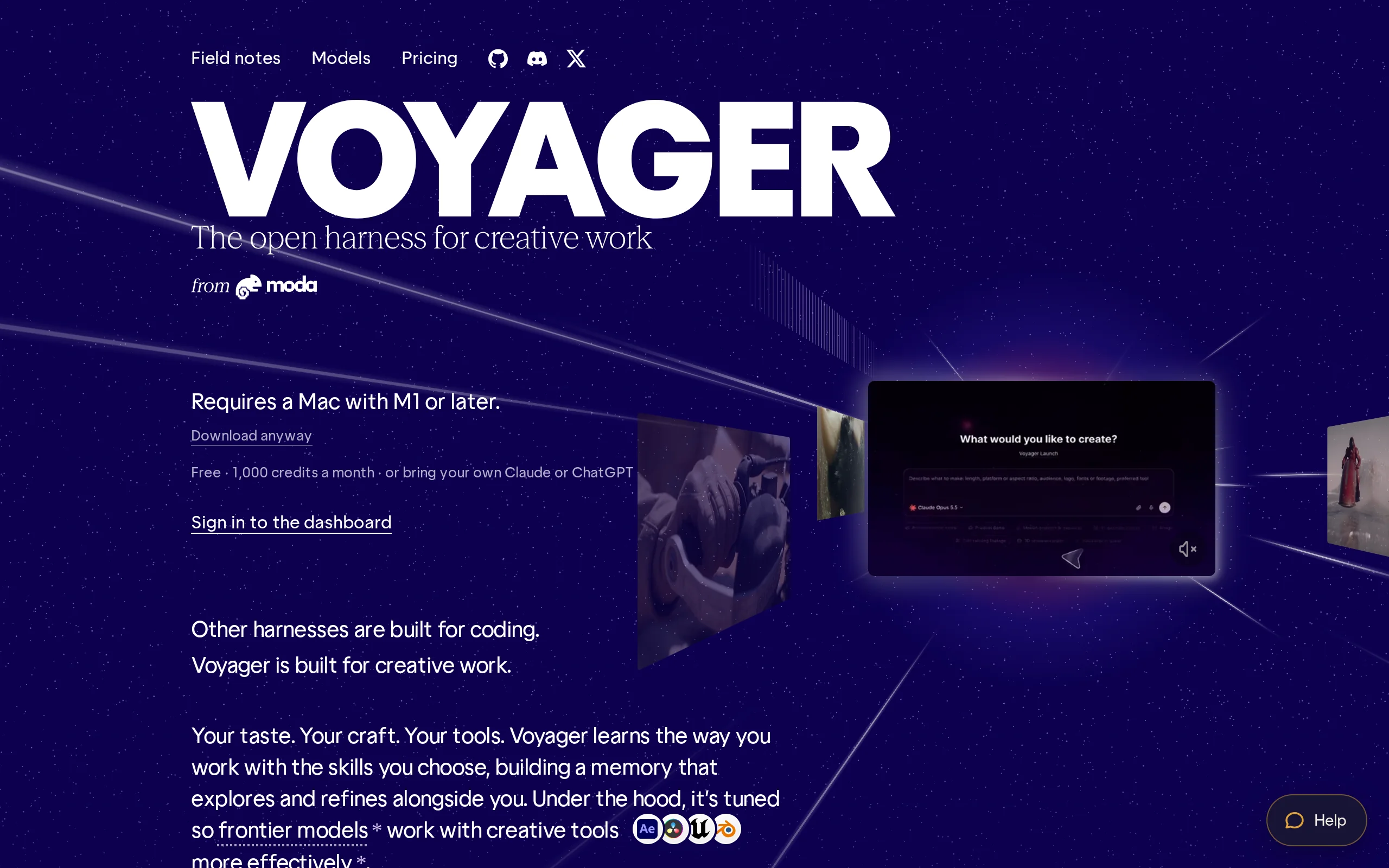
Voyager is an open-source desktop creative Agent developed by Nullframe, designed to directly embed AI capabilities into creators' existing professional software workflows through natural language int...
1. What is Voyager
Voyager is an open-source desktop creative Agent developed by Nullframe, designed to directly embed AI capabilities into creators' existing professional software workflows through natural language interaction. Unlike cloud-based AI creative platforms, Voyager can locally invoke professional software such as Photoshop, Premiere, After Effects, DaVinci Resolve, and Blender. It also includes built-in design, video, and audio generation tools, covering the complete production pipeline from asset generation, editing, animation, to voiceover, music composition, and export. Its core differentiator lies in retaining editable project files as deliverables—layers, timelines, and project structures are all traceable, allowing creators to return to the original software at any time for further refinement. Currently, Voyager is primarily compatible with Apple Silicon Macs, supports integration with users' own Claude, ChatGPT, and various generative model accounts, and can expand its Agent capabilities through the MCP and Skills mechanisms.
Technical positioning and domain: It belongs to the intersection of AI Agents and creative toolchains, focusing on deeply integrating the planning and execution capabilities of large language models with desktop-level professional creative software. Its positioning is not to replace existing tools, but rather to act as an orchestration layer, uniformly scheduling generative models, local software, and asset resources to achieve an automated pipeline from concept to final product.
Development background: Developed by the Nullframe team, which focuses on the deep integration of AI with creative industry workflows. The motivation behind Voyager's development stems from the current "engineering gap" between AI creative tools and professional software—generated content is difficult to seamlessly integrate into professional production pipelines. Voyager aims to address this pain point through an Agent layer, promoting community ecosystem development via open-source methods.
Core value: It solves the core issue of disconnection between AI-generated content and professional post-production workflows. Traditional AI tools output finished files, after which creators still need to manually transfer them to professional software for further refinement. Voyager enables the Agent to directly operate professional software, completing automated production while preserving full editability, significantly reducing the intermediate costs from concept to final product.
Technical features: It employs a hybrid architecture combining "Agent + professional software API/script control + multimodal generative models," supporting cross-software task orchestration driven by natural language. It also features an open model integration layer and an MCP/Skills extension mechanism, allowing the system's capabilities to continuously grow alongside the ecosystem.
2. Key Features
Professional Software Operation and Orchestration: Control software such as Photoshop, Premiere, After Effects, DaVinci Resolve, and Blender to execute specific tasks through scripts, APIs, or interface automation. The Agent can understand the task objective and break it down into a sequence of operations across multiple software applications, enabling cross-application automated workflows. For example, extracting clips from a screen recording and automatically importing them into Premiere for timeline editing.
Multimodal Content Generation: Integrate with various image, video, audio, and music generation models, allowing the system to automatically invoke the appropriate model based on task requirements to generate the necessary materials. The system supports user configuration of their own model accounts (such as Fal, Google, Runway, etc.), and during content generation, it can select the optimal model based on the project context, enabling direct transformation from text descriptions to visual and auditory assets.
Video Search and Intelligent Editing: Describe the target scene using natural language, and the Agent can locate relevant clips from the media library, verify time points, and perform initial editing. This feature is especially useful for processing long-form video materials, significantly reducing the time cost of manually browsing through footage. The Agent generates editing decision logs, making it easier for creators to understand its editing logic and make adjustments.
Animation and 3D Production: Create explanatory animations using Remotion or invoke Blender to complete 3D advertisements and similar tasks. Voyager incorporates programmatic animation frameworks and 3D creation software into its toolchain, allowing the Agent to execute complex tasks requiring dynamic graphics or 3D rendering, thereby expanding the boundaries of AI-assisted creation.
Audio Production and Music Composition: Use built-in DAW tools or external software like Ableton Live to compose, record, mix, voice over, and add background music to videos. The audio engine collaborates with the video editing module to automatically adjust the music tempo based on the visual rhythm, achieving audio-visual synchronization. Creators can perform parameterized adjustments on the generated audio tracks, preserving their creative control.
Retain Editable Projects: After production, retain layers, timelines, and project files so that creators can return to the original software for further refinement. This design addresses the industry pain point of AI-generated content being "non-editable," enabling a positive feedback loop between AI-assisted creation and manual refinement, rather than a replacement relationship.
Agent Capability Expansion: Supports integration with Claude, Codex, ChatGPT, and custom MCPs or Skills. It can also invoke its creation tools within Claude Code and Codex. The open expansion protocol allows Voyager to connect with new models and tools as they emerge, maintaining the cutting-edge nature of its technology stack.
3. How to Use
Environment Requirements: The official version currently primarily supports Apple Silicon Macs (M1/M2/M3/M4 series), while Windows and Linux versions are still in the Alpha stage. Before use, ensure that the required professional software (such as Photoshop, Premiere, etc.) is installed on your system, and prepare a usable model service account (Claude, ChatGPT, or fal, Google, Runway, etc.).
Download and Installation: Download the desktop version installer from the Voyager official website (https://voyager.so/) or the GitHub release page (https://github.com/usevoyager). After downloading, open the application and follow the prompts to complete the installation. On first launch, the application will guide the user through basic setup, including Agent selection, model account connection, and permission settings.
Connect Agent and Model: Choose the Agent built-in to Voyager, or integrate your own Claude or ChatGPT subscription account, as well as model services such as fal, Google, and Runway. In the settings interface, enter your API key or complete OAuth authorization. The system will automatically detect the list of available models. It is recommended to prioritize using subscription-based model accounts to manage calling costs.
Create a New Project and Import Materials: After creating a project, add video, images, audio, or existing project files, and specify the creative tools to be used for the task. Voyager supports importing common media formats and can recognize the project file structure of software such as Premiere and After Effects. Once the import is complete, you can view and manage all material resources in the project panel.
Complete Software and System Authorization: Enable script execution, screen recording, or computer control permissions based on the task requirements, allowing the Agent to operate the corresponding applications. When calling a specific software for the first time, the system will prompt for permissions, which must be granted in the system settings to allow accessibility access. It is advisable to complete all relevant authorizations before starting a task to avoid interruptions during execution.
Issue Tasks in Natural Language: Specify the production goal, material scope, style, duration, and output format, for example, "Extract the functional demonstration segments from the screen recording and edit them into a vertical video." Voyager supports multi-turn conversations, allowing users to supplement or modify requirements during task execution. It is recommended to include clear time ranges, style preferences, and output specifications in the instructions to improve execution accuracy.
Preview and Provide Feedback for Modifications: Review the Agent's execution process and generated results, and adjust the editing, animation, voiceover, or background music through continued dialogue. Voyager will display the execution steps and intermediate results, and users can pause the process at any time to provide modification suggestions. The more specific the feedback, the more precise the Agent's adjustments will be.
Export or Continue Refinement: Confirm the final output and export the finished product, or retain the editable project file and return to software such as Premiere, After Effects, or Blender for manual refinement. Export formats support mainstream video, audio, and image specifications, meeting the requirements for multi-platform publishing.
4. Pros and Cons Analysis
| Pros |
|---|
| Deep Integration with Existing Workflows: Directly operates on professional software that creators are already using, eliminating the need to migrate projects or relearn an entirely new set of tools, resulting in low learning costs and seamless integration with current production pipelines. |
| Full Coverage of the Production Process: From asset generation, editing, and animation to voiceover, music, and export, all tasks are continuously coordinated by a single Agent, reducing intermediate losses from switching between multiple tools and manual handoffs. |
| Maintains Editability of Results: What is delivered is not just the final file, but also layers, timelines, and projects, allowing creators to take over and refine at any time, addressing the industry pain point of AI-generated content being non-editable. |
| Open Agent and Model Selection: Supports integration with Claude, Codex, ChatGPT, and various other generative models, and can also extend capabilities through MCP and Skills, avoiding lock-in with a single model provider. |
| Driven by Open Source Ecosystem: The open source license allows the community to contribute plugins and extensions, offering strong potential for ecosystem growth, and enabling users to customize their toolchain and Agent behavior. |
5. Comparative Analysis with Similar Tools
| Comparison Dimension | Voyager | Runway | ComfyUI |
|---|---|---|---|
| Product Positioning | A desktop Agent designed for creative work, completing tasks by coordinating models, materials, and professional software through natural language | A cloud-based AI creative platform offering image, video, and audio generation and editing tools, along with Agents and reusable Workflows | A node-based AI image generation workflow tool emphasizing process controllability and modular composition |
| Professional Software Collaboration | Can operate local software such as Photoshop, Premiere, After Effects, DaVinci Resolve, Blender, and retain editable projects | Primarily based on its own cloud workspace, offering DaVinci Resolve plugins and professional format exports, but not centered on comprehensive local software operation | Focuses mainly on image generation, can be linked with software like Photoshop through plugins, but lacks cross-software orchestration capabilities |
| Core Capabilities | Covers material retrieval, rough editing, design, animation, 3D production, voiceover, music composition, and audio mixing | Focuses on generative visual creation, including Gen-4.5 video generation, Aleph video editing, character performance, and multi-modal Workflows | A highly flexible node-based image generation and editing pipeline, supporting fine-grained control with ControlNet, LoRA, etc. |
| Model and Agent Support | Can integrate with Claude, Codex, ChatGPT, and multiple model services, supporting custom Skills and MCP | Provides its own Agent, Runway, and third-party generative models; Pro and higher-tier plans support Runway MCP | Supports local deployment of multiple open-source models (SDXL, Flux, etc.), without reliance on a specific Agent framework |
| Deployment Method | Local desktop application, primarily supports Apple Silicon Macs, with Windows/Linux in Alpha stage | Cloud SaaS, accessible via browser, no local installation required | Local deployment, supports Windows/Mac/Linux, community-distributed workflows |
| Open Source License | Open source, code hosted on GitHub, with community contributions for extensions | Closed-source commercial product | Open source (GPL-3.0), with an active community ecosystem |
| Community Ecosystem | An open source community is emerging, with extension mechanisms (MCP/Skills) showing potential for ecosystem growth | A mature commercial ecosystem with numerous enterprise clients and tutorial resources | Extremely active community, with thousands of custom nodes available in the node market |
Selection Recommendations: For creators who are deeply integrated with professional software such as Adobe, DaVinci Resolve, or Blender, and who have local materials and project files, and wish to incorporate AI into their existing workflows, Voyager offers a unique "AI orchestration + professional software execution" path. Its ability to retain editable projects is difficult to replace with other tools. Especially for teams handling complex tasks such as rough editing of long video materials, creating software tutorials, or 3D advertisements, Voyager's cross-software coordination capabilities can significantly improve efficiency.
For teams that prioritize cloud collaboration, rapid iteration of visual creativity, and prefer not to deal with local software licensing and permission configurations, Runway's managed workflows and mature generative model ecosystem are more appealing. For technically oriented users requiring precise control over image generation processes, ComfyUI's node-based architecture offers the greatest flexibility and reproducibility. Adobe ecosystem users can directly access Firefly's generative capabilities within their Creative Cloud subscription, without needing to install a desktop Agent separately. Overall, Voyager is ideal for users seeking to "integrate AI into professional workflows," while Runway, ComfyUI, and Firefly each emphasize different strengths in cloud-based creation, process control, and ecosystem integration.
6. Editor's Summary
Voyager has chosen a clearly differentiated technical path — rather than building a closed AI creation platform, it positions the Agent as an "orchestration layer" above professional software. This design is technically sound: professional software, accumulated over decades, offers functionality and stability far exceeding any AI-native tools. By using the Agent to schedule these mature capabilities, Voyager can achieve near-professional-level automation in content creation within a short timeframe. Its design that retains editable engineering also reflects respect for creators' working habits, avoiding the awkwardness of AI-generated content being treated as a "one-time-use disposable item."
In terms of practical value, Voyager's most direct benefit comes from scenarios involving high repetition, clear rules, but lengthy processing times, such as long video material retrieval and rough cutting, standardized production of tutorial-style content, and batch generation of multi-size advertising materials. In these scenarios, Voyager can reduce hours of manual work to just a few minutes, while still allowing the delivered results to be reviewed and edited. For creative decision-making intensive tasks, Voyager is currently more suitable as an auxiliary tool rather than a complete replacement for human labor.
Voyager's open architecture is a significant technical asset. Its support for mainstream model services and the provision of MCP and Skills extension mechanisms mean its capability boundaries can continuously expand alongside the ecosystem's development. The current limitation of primarily supporting Apple chip-based Macs, as well as the lack of stability in executing complex tasks, are key issues that need to be addressed before it can reach a broader user base. With the involvement of the open-source community and the refinement of cross-platform versions, Voyager has the potential to become an important bridge connecting AI capabilities with professional creative toolchains. Its development is definitely worth keeping an eye on.
7. Application Scenarios
Long Video Material Rough Cutting: Locate target scenes, verify time points, and complete preliminary editing from multiple segments of footage. Creators can describe desired visual characteristics in natural language, and Voyager automatically scans the media library and generates a rough-cut timeline, significantly reducing the time cost of manually browsing footage. Suitable for projects with large volumes of material such as documentaries, interviews, and event recordings.
Software Tutorial Production: Add animated annotations, subtitles, and voiceover to screen recordings, and adjust time relationships after content trimming. Voyager can understand the screen recording content, identify key operational steps, and automatically generate synchronized narration scripts and annotation animations, simplifying the production process for tutorial-style content.
Brand Marketing Content Creation: Generate visual materials around the same product concept, then create advertisements and short videos in different sizes. Voyager can generate multiple sets of visual materials in one go and automatically adapt to the size and format requirements of different platforms, meeting the needs of multi-channel distribution. Ideal for marketing teams to quickly produce multiple versions of creative content.
Animation and 3D Advertising Production: Use Remotion to create product explanation animations, or invoke Blender and After Effects to produce 3D advertisements and post-production composites. Voyager incorporates programmatic animation and 3D rendering into an automated workflow, enabling teams without professional 3D skills to produce high-quality dynamic visual content.
Music and Video Soundtrack Production: Compose music, add sound effects, mix audio, and create video soundtracks that match the visual rhythm using the built-in DAW or Ableton Live. Voyager can generate or adjust soundtracks based on the emotional tone and rhythm changes of the video, achieving audio-visual synchronization. Suitable for audio production in short videos, promotional videos, and podcast videos.
8. FAQ
Q: Does Voyager support Windows and Linux systems?
A: The official version currently mainly supports Apple Silicon Macs (M1/M2/M3/M4 series). The Windows and Linux versions are still in the Alpha stage, with limited functionality and stability. We recommend Apple Silicon Mac users to use the official version for full feature experience, while users on other platforms can follow the GitHub repository for the latest updates on the Alpha version.
Q: Is Voyager completely free?
A: Voyager itself is open-source software, hosted on GitHub, and users can download and use it for free. However, API costs incurred from using third-party model services (such as Claude, ChatGPT, fal, Runway, etc.) during usage must be borne by the user. It is recommended to use a subscription-based model account to control costs.
Q: What is the difference between Voyager and directly using software like Photoshop?
A: Voyager's value lies in embedding AI capabilities into professional software workflows through natural language, enabling automated task orchestration across different software. Creators do not need to manually operate each software's menu and tools; instead, they can describe their goals through dialogue, and the Agent will handle the execution. Additionally, Voyager retains editable projects, allowing creators to return to the original software for fine-tuning after AI processing.
Q: Which model services does Voyager support?
A: Voyager supports integration with mainstream large language models such as Claude, Codex, and ChatGPT, as well as generative model services like fal, Google, and Runway. Users can configure their own model accounts in the settings, and the system will automatically select the appropriate model based on the task type. Furthermore, through the MCP and Skills mechanisms, Voyager's capabilities can be further extended.
Q: Do I need programming knowledge to use Voyager?
A: No. The core interaction method of Voyager is natural language dialogue, and users only need to describe their production goals, material scope, and style requirements. For advanced users who wish to extend Voyager's capabilities, custom configurations can be made through the MCP and Skills mechanisms. However, this is an optional operation and does not affect basic usage.
9. Project Links
- Product Homepage: https://voyager.so/
- GitHub Repository: https://github.com/usevoyager (open-source code, release versions, Issue tracking)
Related
In-Depth Review of GPT-6.1 Terra – OpenAI's High-Efficiency Execution Large Model
GPT-6.1 Terra is a high-efficiency execution large model introduced by OpenAI, designed for office automation and high-frequency Agent task scenarios. It emphasizes enhanced visual understanding, comp...
In-Depth Review of Kimi K3.1 Pro: Technical Breakthroughs and Ecosystem Strategy of Moonshot AI's Flagship Model
Kimi K3.1 Pro is the first flagship model in the K3.1 series launched by Moonshot AI, positioned as the most powerful open-weight model with 3 trillion parameters to date, natively supporting a 1 mill...
Sage-A1.5 – A Scientific Agent from the Shanghai AI Lab with General and Specialized Capabilities
Sage-A1.5 is a 35B-scale scientific agent with general and specialized capabilities, developed by the Shanghai Artificial Intelligence Laboratory. It is built upon the long-range task capabilities of ...
WorkForge – In-Depth Review of the Smart Agent Training Environment Construction Framework Jointly Launched by Tencent and Fudan University
WorkForge is a framework for constructing training environments for intelligent agents, jointly developed by Tencent HunYuan and Fudan University. It aims to address the core bottleneck of scarce high...
© All Rights Reserved. Some content on this site is partially generated by AI with human review.