
dots.tts.edit V1.1 – In-Depth Review of Xiaohongshu's Open-Source End-to-End Speech Editing Model
Executive Summary:
dots.tts.edit V1.1 is an end-to-end speech editing model open-sourced by Xiaohongshu, built upon a continuous autoregressive generation architecture. It supports localized style description editing of...
1. What is dots.tts.edit V1.1
dots.tts.edit V1.1 is an end-to-end speech editing model open-sourced by Xiaohongshu, built upon a continuous autoregressive generation architecture. It supports localized style description editing of existing recordings. This model can directly modify existing audio files, enabling operations such as replacing individual words, converting the sentiment of a sentence (e.g., adjusting tone to be sad), and adjusting the speaking rate of a segment, while keeping the text content and speaker's voice of the unedited parts completely unchanged. Compared to the previous version, the model shows significant improvements in prosody and emotional editing effects, with overall performance ranking among the top in open-source solutions. Its core design philosophy treats speech editing as a conditional generation task that can be precisely controlled through external instructions, achieving fine-grained local editing via a structured instruction interface anchored to the transcript.
Technical Positioning and Domain: Belongs to the end-to-end speech editing direction within the field of speech processing. Unlike traditional TTS (text-to-speech) which follows a full-segment synthesis paradigm, this model focuses on precise local modifications of existing recordings, establishing a differentiated technical position in the speech editing domain.
Development Background: The model was developed by the dots-studio team at Xiaohongshu, extending from the previously open-sourced dots.tts continuous autoregressive speech generation architecture. The motivation behind its development was to address the inefficiency in speech content production where changing a single word required re-recording the entire segment, providing more flexible post-production editing capabilities for scenarios such as podcasts, voice acting, and short videos.
Core Value: Solves the pain point of balancing local modifications with global consistency in speech editing scenarios. Traditional approaches often require full re-synthesis when modifying individual words, leading to a disconnect in tone, prosody, and the original recording. This model anchors editing regions through structured instructions based on the transcript, re-generating only the target segment while preserving the original audio waveform word-by-word, thus maintaining the natural flow of the overall speech while ensuring editing flexibility.
Technical Features: Utilizes a continuous autoregressive architecture combining 48kHz AudioVAE, Qwen2.5-1.5B LLM, and flow-matching DiT acoustic head. It does not use discrete tokens, avoiding the impact of quantization errors on audio quality. The instruction interface is based on a semi-formal editing specification anchored to the transcript, requiring no explicit timestamp alignment, and supports multiple types of combined edits in a single operation.
2. Key Features
Structured Text Editing: Supports replacing, inserting, or deleting individual words or phrases within recordings. Modifications are precisely bound to corresponding text segments in the transcription using operation tags such as
<sub>,<ins>, and<del>. For example, to replace "brave" with "small" in "Hello brave world," simply write the instruction'Hello <sub targ="small">brave</sub> world.'. The model will accurately perform the replacement, preserving the original speech content and timbre for parts not modified. This is ideal for correcting verbal slips or updating expressions.Local Emotional Editing: Enables adjustment of the tone of a specified sentence to a target emotional state by binding emotional parameters with the
<emo>tag. The V1.1 version enhances the ability to edit natural language style descriptions in free-form, allowing users to directly describe the desired stylistic effect in natural language without specifying discrete emotional categories. The model shows a significant improvement in the naturalness and subtlety of emotional expression compared to the previous version, offering flexible performance adjustments for voice-over creation.Rhythm Fine-Tuning: Achieve independent control over local pitch and speaking rate using
<pitch>and<rate>tags. This allows for slowing down, speeding up, or adjusting the pitch of a specific segment without affecting the temporal and rhythmic characteristics of other areas. This capability is particularly useful for adjusting speaking pace, emphasizing key words, and offers control granularity down to the text boundary level.Intelligent Pause Editing: Supports adding or removing pauses at specified text boundaries using the
<pause/>tag to control sentence rhythm and punctuation logic. This feature is highly effective for optimizing speech pacing, simulating natural breathing pauses, and adjusting the density of information delivery, ensuring the edited speech better aligns with the rhythm requirements of the target expression scenario.Speaker Migration Control: The built-in
<spk_transfer/>tag enables local speaker transitions, combined with a frozen CAM++ speaker x-vector side input mechanism to achieve voice timbre migration. By default, the model disables x-vector speaker guidance during pure emotional or background operations, and enables it during text, pitch, or rate edits. Users can also force-enable or disable it using the--use-xvector on/offparameter, balancing editing flexibility with voice stability.Composite Editing: Multiple different types of modifications can be executed in parallel within a single inference request. Text replacement, emotional adjustment, speaking rate changes, and pause additions or deletions can all be combined into a single structured instruction, allowing the model to complete all editing operations in one go while maintaining the coherence and smoothness of the entire audio segment. This design significantly reduces the engineering complexity of multi-round editing and improves the efficiency of post-production audio work.
3. Application Scenarios
Podcast and Audiobook Post-Production: When mistakes occur in word pronunciation or unsatisfactory tone expressions during recording, there is no need to re-record the entire segment. Editors can simply use editing instructions to locate the target text segment and make localized corrections, significantly reducing rework costs. For example, adjusting a sentence to a more composed tone or replacing a mispronounced technical term, while keeping the rest of the content unchanged.
Voice Acting and Film Production: When directors or voice directors need to quickly generate multiple emotional versions of the same line for comparison and selection, they can leverage the emotional editing capabilities to adjust the same raw audio into different states such as sad, excited, or calm. This allows for rapid production of candidate versions while maintaining consistent speaker tone, shortening the voice acting selection process.
Short Video and Voice-over Content Creation: When creators make verbal mistakes or wish to adjust the pacing of a certain section during voice-over recording, they can precisely locate and modify the erroneous segment without altering the original tone or background audio track, enabling multiple reuses of a single piece of content and improving production efficiency.
Online Education and Course Recording: When errors or outdated information in course videos need revision, corresponding audio segments can be directly edited through text replacement or pause adjustment, without the need to re-record the entire course. This also allows for adjusting the teaching pace, adding pauses to emphasize key content without changing the speaker's tone.
Voice Assistants and Customer Service Systems: When scripts in the voice prompt library require bulk corrections or tone adjustments, localized edits can be made using structured instructions, avoiding the need to re-record the entire library. The style description editing capabilities in V1.1 can also be used to quickly customize distinct response tones for different business scenarios.
Speech Data Augmentation and Annotation: When building a speech dataset, fine-grained corrections can be made through localized edits to generate training samples with specific emotional and prosodic annotations, providing diverse data resources for downstream speech understanding models.
4. How to Use
Environment Setup: Create and activate a conda environment using Python 3.10–3.12 by running the command
conda create -n dots_tts python=3.10 -y && conda activate dots_tts. This model requires a newer Python version to support bfloat16 precision computation and related deep learning libraries.Install Dependencies: Install via PyPI by running
pip install dots.tts; or clone the repository from GitHub and install locally by runningpip install -e . -c constraints/recommended.txt. It is recommended to use a constraints file to lock dependency versions and avoid environment conflicts.Prepare Source Audio and Write Instructions: Prepare a recorded audio file (WAV format) that needs to be edited. Transcribed text is optional — if not provided, the model will automatically infer the required context from the editing instructions. Editing instructions are written using a structured tag syntax, for example, replacing "brave" with "small" would be written as
'Hello <sub targ="small">brave</sub> world.'. Supported tags include<sub>,<del>,<ins>,<emo>,<pitch>,<rate>,<enhance>,<pause/>,<spk_transfer/>.Execute Edits via Command Line: Run the command
dots.tts.edit --model-name-or-path dots-studio/dots.tts.edit --source-audio /path/to/source.wav --instruction '...' --output edited.wavto perform the edit. Model parameters are automatically downloaded and cached during the first use. For purely emotional/background modifications, the system defaults to disabling x-vector speaker guidance to preserve the original voice; for text/pitch/rate edits, this guidance is enabled by default, but can be forcibly set to on or off using the--use-xvector on/offparameter.Python API Call: When integrating into a business system, load the model using
DotsTtsEditRuntime.from_pretrained("dots-studio/dots.tts.edit", precision="bfloat16"), then call thegenerate_edit(source_audio_path=..., instruction=...)method to generate the edited result. Using bfloat16 precision can significantly reduce memory usage on compatible hardware.Web Visualization Interface: Enter the
apps/edit_playground/frontenddirectory and runnpm ci && npm run buildto build the frontend resources. Then runpython apps/edit_playground/app.py --model-name-or-path dots-studio/dots.tts.edit --optimizeto start the local service. You can then operate through the visualization interface in the browser, which supports uploading audio, writing instructions, and online listening to the edited results.Sampling Parameter Optimization: The system defaults to
num_steps=10andguidance_scale=1.2. If the generation quality does not meet expectations, you can increase the number of steps to between 10–32 and regenerate. A higher number of steps typically results in more refined generation quality, but increases inference time. A balance must be struck based on actual needs.Online Quick Experience: Users who do not wish to set up a local environment can directly access the Hugging Face Space at dots-studio-dots-tts-edit.hf.space, upload audio, and input instructions to listen to the edited results online. This is ideal for quickly verifying whether the model's capabilities meet business requirements.
5. Pros and Cons Analysis
| Pros |
|---|
| Precise editing anchored to transcription drafts: Structured instructions bind operations to specific text segments in the transcription, eliminating the need for explicit timestamp alignment. Ambiguous instructions are directly rejected, and the controllability and verifiability of edits are significantly superior to implicit editing schemes based on text prompts. |
| Strong local retention capability: Edits only affect the target area, and the text content, timbre, and prosody of the unmodified parts are preserved word-for-word from the original audio signal, avoiding timbre drift caused by full re-synthesis of segments. The overall performance is ahead of open-source solutions. |
| Combination edits can be completed in a single pass: Multiple types of modifications can be executed in parallel during a single inference, allowing text replacement and emotional adjustment to be performed simultaneously. The resulting speech remains smooth and natural, significantly reducing the engineering complexity and time cost of multi-round editing. |
| Continuous generation architecture preserves audio quality: A continuous latent variable generation approach using 48kHz AudioVAE + LLM + flow-matching acoustic head is adopted, without using discrete tokens, thereby avoiding the impact of quantization errors on audio quality. The audio quality after editing is comparable to the base TTS synthesis results. |
| Friendly open-source license: The Apache-2.0 license is used, with full openness of the code, model weights, and data pipeline. Commercial use and secondary development are allowed, providing convenient conditions for academic research and industrial applications. |
6. Comparative Analysis with Similar Tools
| Comparison Dimension | dots.tts.edit V1.1 (Xiaohongshu) | IndexTTS 2 (Bilibili) | F5-TTS (Open Source Community) |
|---|---|---|---|
| Core Positioning | End-to-end speech editing model that directly modifies local segments of existing recordings | Industrial-grade zero-shot TTS, cloning voice to generate new speech | Speech synthesis model based on flow matching, supporting zero-shot voice cloning |
| Working Method | Preserves the original recording, only regenerating the edited local segments | Resynthesizes entire text segments, without preserving the original audio waveform | Resynthesizes entire text segments, with reference audio to control voice style |
| Editing Capabilities | Supports five types of edits: replacement/insertion/deletion, emotion, rhythm, pauses, and speaker migration, with unmodified parts preserved word-for-word | Supports text editing but requires full resynthesis, with no guarantee of consistency with the original recording | No local editing capability, requires full resynthesis |
| Instruction Interface | Structured tags anchored to the transcription script, no timestamps required, programmable validation, supports combined edits | Text prompt + emotion vector, applied to entire sentences | Text input + reference audio, no structured editing instructions |
| Core Architecture | 48kHz AudioVAE + Qwen2.5-1.5B LLM + flow matching DiT, continuous latent variable generation | 1.5B autoregressive GPT-style TTS architecture | Flow Matching + DiT, based on ConvNeXt text encoding |
| Language Support | Bilingual (Chinese and English), with 2081 bilingual test cases in doteBench | Mainly Chinese and English, version 2.5 expands to Japanese, Spanish, and Arabic | Multilingual, primarily English |
| Open Source License | Apache-2.0, full open access to code, weights, and data pipeline | Bilibili custom license, commercial use requires confirmation of terms | MIT license, code and model weights are open |
Selection Recommendations: If the core requirement is to make precise local modifications to existing recordings (such as correcting verbal errors or adjusting the emotion or speaking rate of a specific sentence), dots.tts.edit V1.1 is currently the most comprehensive open-source solution in terms of feature coverage. Its structured instruction interface anchored to the transcription script provides clear advantages in editing controllability. The Apache-2.0 license also offers legal protection for commercial integration.
If the main requirement is to synthesize new speech from scratch with high-quality voice cloning, IndexTTS 2 and F5-TTS each have their own strengths in terms of voice quality and stability for zero-shot TTS. However, note that IndexTTS 2's custom license imposes certain restrictions on commercial use. For scenarios requiring multilingual support and high-level emotion control, CosyVoice's multilingual coverage and emotion instruction capabilities are more advantageous, although it does not support local editing of existing recordings. Overall, speech editing and speech synthesis are complementary rather than substitutable. In practical business deployment, the appropriate tool can be selected based on the task type, or they can be used in combination.
7. Editor's Summary
dots.tts.edit V1.1 demonstrates a clear path of technological innovation in the voice editing domain. From an architectural perspective, it adopts a continuous autoregressive generation paradigm—encoding 48kHz audio into continuous latent variables via AudioVAE, combining the Qwen2.5-1.5B language model as the generation backbone, and using a flow-matched DiT acoustic head to perform denoising generation. This architectural design avoids the inherent quantization distortion issues of discrete token approaches, laying a solid foundation for high-quality voice editing. More notably, its semi-formalized editing instruction design anchored to the transcription script: binding editing operations to text segments in the transcription rather than explicit timestamps, not only avoids the technical complexity of timestamp alignment but also makes composite editing an externally verifiable and checkable operation contract. Ambiguous instructions will be directly rejected, which represents a differentiated design approach in open-source voice editing tools.
In terms of practical value, this model fills a capability gap in the open-source ecosystem for "localized voice editing." Scenarios such as podcasts, voice-over, and course recordings have long faced the pain point of needing to re-record entire segments when making minor text changes. The multi-dimensional editing capabilities provided by dots.tts.edit V1.1, including text replacement, emotional adjustment, prosody control, and pause editing, shift voice post-production from "full re-recording" to "precise editing," significantly improving production efficiency and content reuse rates. The accompanying doteBench bilingual benchmark also provides a quantifiable evaluation standard for this field, with its assessment framework designed across three dimensions: instruction-following, local retention, and audio quality. This evaluation system offers reference value for the standardization of future research in this direction.
This model is suitable for voice content creators, TTS researchers and developers, and AI audio tool integrators. For creators with programming skills, the command-line interface and Python API offer flexible integration options. For users with less technical background, the Playground web interface and Hugging Face Space reduce the experience barrier. However, it should be noted that the structured instruction syntax and high inference resource requirements make it more suitable for professional production workflows rather than mass consumer applications. Multilingual expansion, support for ultra-long audio, and the natural language formalization of the instruction interface are expected to be key directions for future iterations of the model. Overall, dots.tts.edit V1.1 establishes a technically valuable paradigm in the open-source voice editing domain.
8. FAQ
Q: What is the core difference between dots.tts.edit V1.1 and a standard TTS model?
A: Traditional TTS models synthesize new speech from entire input text segments, without preserving waveform information from the original recording. dots.tts.edit V1.1 performs localized edits on existing recordings, regenerating only the target segments specified by the instruction, while retaining the original audio content and voice characteristics in the unedited portions. Its fundamental nature is a conditional generation task rather than full synthesis from scratch, making it suitable for post-production editing needs such as correcting errors or adjusting expressiveness.
Q: How should the tag syntax in structured editing instructions be understood?
A: The tag syntax uses a structure similar to XML, binding operation types and parameters to specific text segments or boundaries in the transcribed script. Core tags include: <sub targ="new text"> for replacement, <del> for deletion, <ins> for insertion, <emo> for emotional editing, <pitch> for pitch adjustment, <rate> for speech rate control, <pause/> for inserting pauses, and <spk_transfer/> for speaker transfer. Editing instructions must be based on the transcribed text of the source audio. The model will directly refuse to execute if the instructions are ambiguous.
Q: What audio formats and sampling rates does the model support?
A: The model is built on a 48kHz AudioVAE encoder, with 48kHz being the optimal input sampling rate. The source audio should be in WAV format; other formats must be converted to WAV and resampled to a uniform rate beforehand. When running on low sampling rate audio, the model will automatically resample, but the editing quality may be limited by the information content of the original audio.
Q: Will the edited audio show inconsistencies in voice quality or a drop in overall quality?
A: According to officially published experimental results, the quality of edited audio is comparable to that of the base TTS synthesis. On the Seed-TTS-Eval benchmark, the speaker similarity difference between the edited audio and the base TTS model is negligible. The continuous latent variable generation architecture avoids quantization loss from discrete tokens, but extremely complex editing requests (such as long segment style rewriting) may still impact the final output. It is recommended to conduct subjective listening tests in critical scenarios.
Q: Can different types of operations be used simultaneously in composite editing?
A: Yes. The model's instruction design supports combining multiple operation types—such as text replacement, emotional adjustment, prosody editing, and pause insertion/deletion—within a single instruction. Multiple edits are executed in parallel during a single inference, and the model can complete all specified edits while maintaining the coherence and fluency of the entire speech segment.
Q: What preparations are needed to fine-tune the model on a proprietary dataset?
A: The model provides a complete data pipeline as open source, but fine-tuning requires constructing training sample pairs with controlled "operation-range" for each type of editing task, ensuring that the target regions are modified according to the instructions while the regions outside remain as the original source audio context. You will need corresponding GPU resources, experience in processing speech data, and a deep understanding of the model's architecture. It is recommended to first evaluate the pre-trained model's performance on the doteBench benchmark before deciding whether to proceed with fine-tuning.
9. Project Links
- GitHub repository: https://github.com/studio-dots-ai/dots.tts
- Hugging Face model library: https://huggingface.co/dots-studio/dots.tts.edit
- Hugging Face online demo: https://huggingface.co/spaces/dots-studio/dots-tts-edit
- arXiv technical paper: https://arxiv.org/pdf/2608.02673
Related
Hy4 flash – Tencent HunYuan's High-Cost-Performance Large Model
Hy4 flash is a high-cost-performance large model launched by Tencent HunYuan, which employs a sparse mixture-of-experts (MoE) architecture with a total of 224B parameters and 12B active parameters. It...
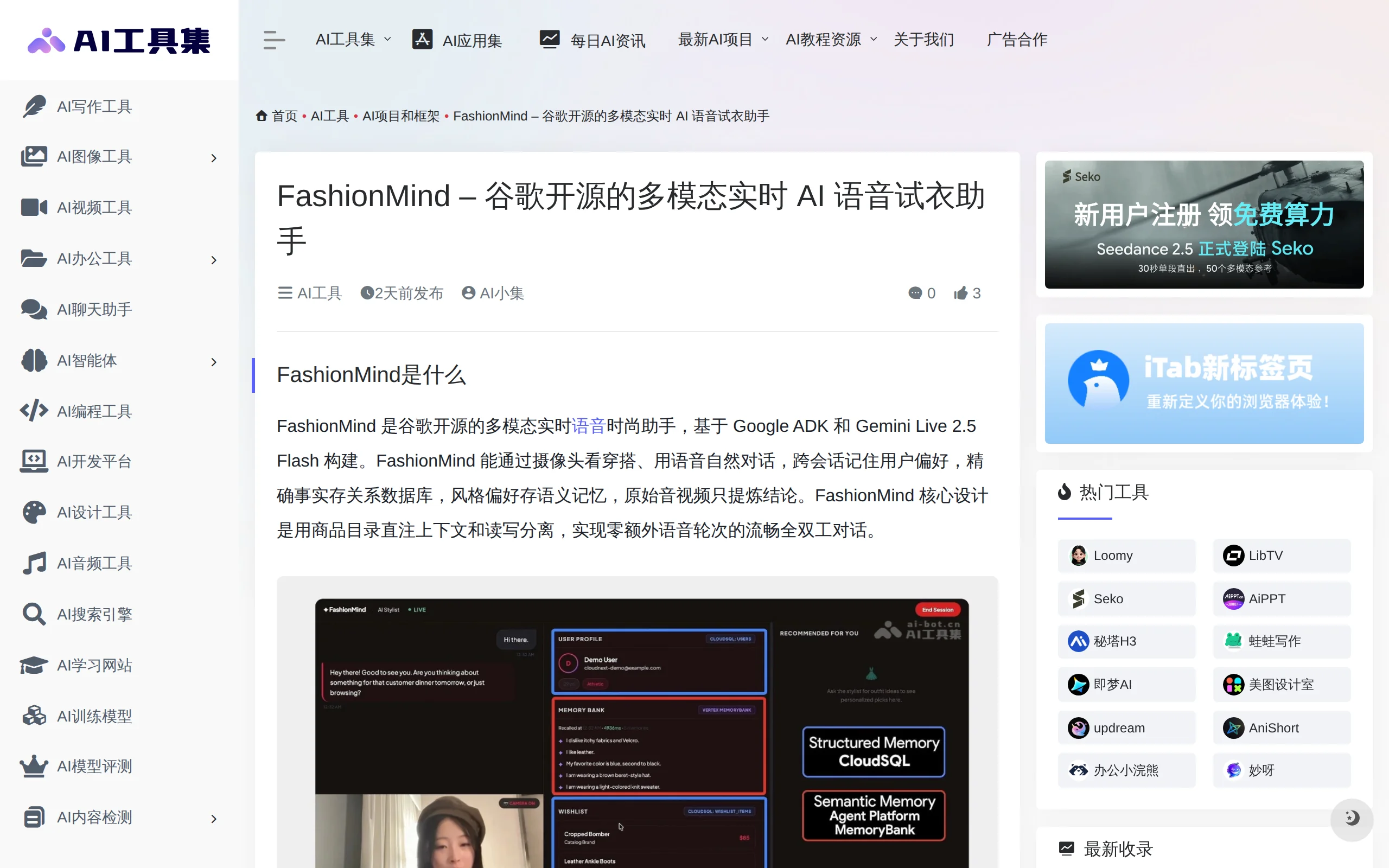
FashionMind – Google's Open-Source Multimodal Real-Time AI Voice-Fashion Assistant
FashionMind is a multmodal real-time voice fashion assistant open-sourced by Google, built on the Google ADK agent framework and the Gemini Live 2.5 Flash model. This project centers on camera-based v...

Duo v1 – Full-duplex Audio-Visual Interaction Model Open-sourced by Ant Group and West Lake Heart
Duo v1 is a full-duplex audio-visual interaction model open-sourced jointly by Ant Group's Technology Research Institute and West Lake Heart. It is also the first complete implementation of a Reciproc...
Aure – DeepL's Speech Translation Model
Aure is DeepL's next-generation speech translation model and serves as the core driving force behind all DeepL Voice products. Unlike traditional speech translation systems, Aure can continuously and ...
© All Rights Reserved. Some content on this site is partially generated by AI with human review.