
In-Depth Review of ArtCraft: Open-Source AI Image and Video Creation Workbench, Reimagining the Creative Workflow with "Control前置"
Executive Summary:
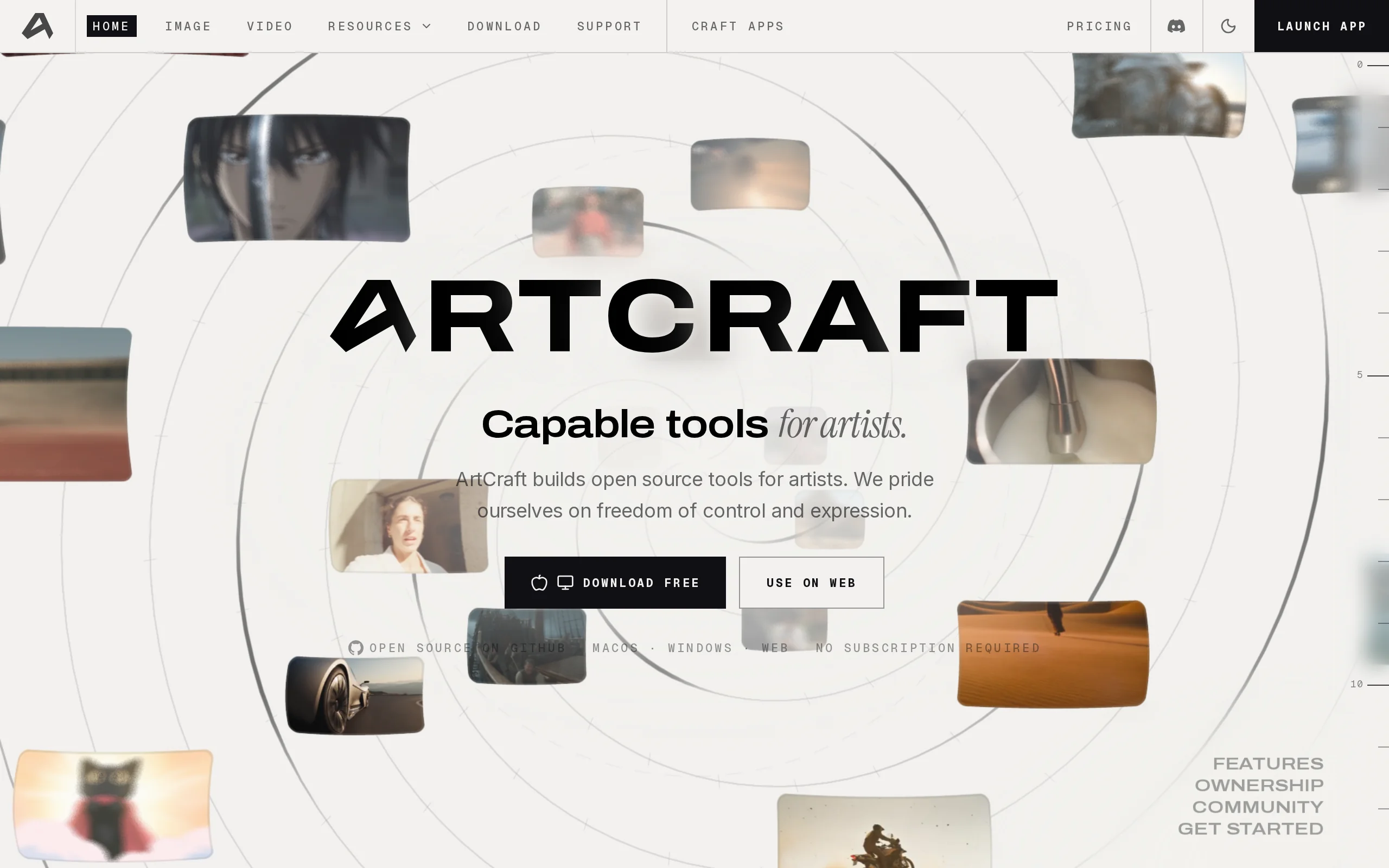
ArtCraft is an open-source AI image and video creation workbench, with its core design philosophy centered around "prioritizing controllability." This means that before generating the final image, it ...
1. What is ArtCraft
ArtCraft is an open-source AI image and video creation workbench, with its core design philosophy centered around "prioritizing controllability." This means that before generating the final image, it uses methods such as 3D spatial layout, character posing, and scene construction to completely address the industry pain points of traditional AI painting tools, which often suffer from uncontrollable outputs and inconsistencies between characters and scenes. It allows creators to fix virtual actors within real environment photos, ensuring that the character positions remain consistent regardless of camera movements. At the same time, it supports collage creation within a 3D space and the use of 3D mannequins to precisely control poses and camera positions. In addition, ArtCraft retains lightweight features such as prompt-based rapid image generation, instruction-based image editing, canvas editing, and image-to-video conversion, balancing efficiency and precision.
Technical Positioning and Domain: ArtCraft is an AI creation tool that sits at the intersection of computer vision and computer graphics. It is specifically applied in professional scenarios such as film pre-visualization, animation storyboarding, e-commerce visuals, and game concept design. Technically, it integrates 2D/3D compositing, pose estimation, image segmentation, and generative AI model orchestration, positioning itself as a bridge between traditional DCC (Digital Content Creation) tools and pure prompt-based generative AI.
Development Background: ArtCraft is driven by the open-source community, with its core code hosted under the GitHub organization "storytold." Its development was motivated by the limitations of mainstream tools like Midjourney and Stable Diffusion in professional creative workflows—high randomness, poor character consistency, and a lack of spatial awareness. The team aims to create an "IDE-style" creative environment that integrates the spatial imagination of artists and the directorial mindset into the AI generation process.
Core Value: This tool solves the usability issues of AI-generated content in industrial production. By adopting a reverse workflow of "first building the scene, then generating the image," ArtCraft transforms the unpredictable "gacha-style" generation into a predictable "engineering-style" output. This significantly reduces rework costs in multi-image storytelling, series posters, and storyboard creation, while improving team collaboration efficiency.
Technical Features: Its core technical advantages lie in the 3D spatial synthesis engine and the character identity transfer mechanism. The former automatically handles perspective, occlusion, and lighting relationships, enabling natural fusion of multi-layer materials within a depth space. The latter uses a 3D mannequin as an intermediate reference to transfer precise poses and positions to AI-generated characters, achieving a separation between pose control and identity preservation—a feat that most pure 2D editing tools currently cannot accomplish.
2. Key Features
Scene Positioning (Multi-Camera Consistency): This is ArtCraft's most distinctive feature. After anchoring a virtual actor to a specific coordinate in a real environment photo, the system records the spatial information of that location. In subsequent generations, regardless of how the user adjusts the virtual camera angle, the relative position, perspective ratio, and occlusion relationships between the character and environment will remain physically accurate, completely solving the issue of "character drifting" in traditional AI tools. This is ideal for film pre-visualization and multi-camera ad production.
3D Composition: This feature places the background, foreground, and props in a three-dimensional space with depth information. The system automatically calculates occlusion relationships (e.g., foreground objects blocking background characters) and light attenuation based on Z-axis depth, simulating realistic physical camera effects. Compared to Photoshop's flat layers, 3D composition provides a more immersive and spatially authentic experience.
2D Composition and Canvas Editing: Maintains the flexibility of traditional flat design. It includes built-in layer collage, one-click background removal, and brush tools, allowing users to make precise pixel-level adjustments to the generated results. This feature complements 3D composition and is used for quickly fixing minor details or expressing creative ideas in a collage style.
Image-to-3D Model Conversion: Users can upload a regular photo, and ArtCraft can convert it into a rotatable, scalable 3D mesh object. This means creators can transform 2D assets (such as a table or prop) into reusable 3D assets that can be placed into a 3D scene to participate in perspective and lighting calculations, greatly enriching the dimensionality and reusability of the asset library.
Character Pose Adjustment and Identity Transfer: Creators can rotate joints, adjust spinal curvature, and fine-tune finger details on an internal 3D puppet to achieve the desired pose. Then, using the "identity transfer" feature, the puppet's skeletal pose data can be mapped onto AI-generated characters. This feature decouples "pose control" from "character appearance," allowing animators to intuitively lock in movements without relying on complex ControlNet parameters.
Scene Building and Asset Library: Provides pre-set 3D asset packages (such as indoor furniture, outdoor vegetation, and architectural modules). Users can drag and drop assets like building blocks to plan camera positions, character movement, and scene depth. This lowers the technical barrier for 3D creation, enabling storyboard artists unfamiliar with Maya or Blender to quickly build white-box scenes for composition verification.
Hybrid Material Creation: Supports mixing image clippings, 3D meshes, and scene models on the same canvas for unified arrangement. For example, a real photo can be used as the background, a 3D prop as the foreground, and an AI-generated 2D character added, with all three elements undergoing unified perspective and lighting adjustments within a single view, enabling cross-dimensional mixed reality creation.
Model Ecosystem Integration: Includes 62 model directories and has integrated external API services such as Grok, Midjourney, and Sora. Users don't need to frequently switch software; they can call different underlying models within the workspace based on various generation needs (such as realism, illustration, and video animation), achieving a consolidated workflow of "one-time arrangement, multi-model output."
3. How to Use
Environment Requirements and Installation: Visit the GitHub Releases page to download the stable version installer for Windows or macOS. Linux users need to compile from source code and should set up the Rust and Node.js environments. The installer package is large, so ensure there is sufficient space on your system drive, and your graphics card driver must support OpenGL 4.5 or higher for rendering the 3D viewport.
Launch and Account Login: After installation, launch the application for the first time and follow the client prompts to register and log in to an account. This account is used to synchronize local workspace configurations and verify the open-source license, but the core generation functionality relies on the user's own model API Key.
Configure Model Services: In the "Settings" section, enter the required model API Key (such as OpenAI, Stability AI, or Grok). If you need to use Midjourney or Sora, bind the corresponding account Token in the integrated plugins. After configuration, you can test the connectivity in the model dropdown menu.
Select Workflow Mode: The main interface provides two entry points: "Quick Image Generation" and "Advanced Creation." The former is suitable for exploring ideas, allowing you to quickly generate images by entering a Prompt. The latter leads to a visual workspace, used for professional creation where precise control over scenes, poses, and composition is required.
Build a 3D Scene: In the advanced creation mode, click "Import" to load environment photos or 3D assets. Use the "Move/Rotate/Scale" tools from the left toolbar to place characters and props at the desired positions within the scene. Adjust the camera view to confirm whether the occlusion relationships between foreground and background meet your expectations.
Pose the Character and Generate: Select the 3D character and drag the skeletal control points to set the pose. After confirming the composition, click the "Generate" button. ArtCraft will compile the current viewport's camera parameters, object coordinates, and skeletal data into control conditions, which are then sent together with the Prompt to the selected AI model. The model will return an image or video that conforms to the spatial constraints.
Iterative Refinement and Export: If the generated result has local imperfections, return to the canvas and use the mask tool to lock the area, then input instructions for local inpainting. After confirming the final effect, click "Export" to choose PNG, JPEG, or MP4 formats. The maximum resolution supported is 4K (depending on the capabilities of the underlying model).
4. Pros and Cons Analysis
| Pros |
|---|
| Front-loaded controllability design: By using 3D spatial layout and posing a 3D mannequin, composition, perspective, and character actions are locked in before generation, addressing the core issue of high randomness in AI image generation from the source, significantly reducing the need for revisions in professional creation. |
| Multi-camera consistency guarantee: The virtual actor is fixed in a real environment, and the system automatically calculates perspective and occlusion across different camera angles, providing reliable cross-image consistency for film pre-visualization and series poster production—something pure image generation models struggle to achieve. |
| Realistic 3D compositing: Automatically handles depth, lighting, and occlusion relationships, making multi-material composites more physically realistic than flat layer tools, especially suitable for professional visual projects that require complex scene choreography. |
| Open-source and potential for secondary development: Open-sourced under the dual MIT/Apache-2.0 licenses, developers can freely modify the source code, expand plugins, or integrate internal models, which is highly attractive for studios with customized needs. |
| Dual-mode coverage of the full workflow: The quick image generation mode meets the efficiency needs of early-stage idea exploration, while the advanced creation mode satisfies the precision requirements of final drafts. One software covers the complete workflow from concept to final product. |
5. Comparative Analysis with Similar Tools
| Dimension | ArtCraft | Midjourney | ComfyUI |
|---|---|---|---|
| Product Form | Open-source desktop workstation, IDE-style 3D creation environment | Closed-source online service, prompt-driven generation | Open-source node-based workflow engine, requires local deployment |
| Core Idea | Build 3D scenes first, then generate content with control prioritized upfront | Text description + style parameters, card-drawing style generation | Modular node connections, deep control over the generation process |
| Control Precision | High, supports precise control of 3D positioning, skeletal poses, camera positions, and occlusions | Low, composition depends on prompts and reference images, with high randomness | Moderate, partial control can be achieved through ControlNet and masks, but lacks 3D space concepts |
| Consistency Capability | Strong, characters can be fixed in the same environment across multiple camera angles, ensuring cross-image consistency | Weak, maintaining character and scene consistency across images is difficult and requires repeated card-drawing | Medium, style consistency can be maintained through seeds and reference images, but lacks spatial anchoring |
| Usage Cost | Open-source and free, model API costs are self-paid, and local compilation is possible | Subscription-based payment (starting at around $10/month), no free tier | Open-source and free, requires self-provided GPU hardware and model weights |
| Model Selection | 62 model directories, supports integration with external models like Grok, Midjourney, and Sora | Only its own model series, closed-source and non-extensible | Supports any Hugging Face model, with rich community resources |
| Video Capabilities | Built-in image-to-video generation, can integrate with multiple video generation models | Has video generation capabilities, but with limited model choices | Achieves video generation through nodes like AnimateDiff, but configuration is complex |
| Secondary Development | Yes, dual-licensed under MIT/Apache-2.0, with strong extensibility | No, closed ecosystem | Yes, fully open-source, with customizable nodes |
| Target Audience | Film pre-visualization, animation storyboarding, professional creative teams | Idea exploration, social media content creation, individual users | Technical creators, researchers seeking full control |
Selection Recommendations: For film pre-visualization or animation storyboarding teams requiring precise control over camera movements and character positioning, ArtCraft provides a more intuitive 3D space operation interface compared to ComfyUI, and is more focused on AI generation than a pure Blender workflow. It is a balanced choice that combines efficiency with control precision. If the team already has a mature Blender pipeline and is proficient in Python scripting, the AI plugin-based solution on Blender may offer better deep integration advantages.
For individual creators aiming for rapid social media content production: Midjourney remains the preferred choice due to its low barrier to entry and high-quality output, despite its limited controllability. Combined with the "prompt padding" and style reference features, it can meet the needs of most non-professional scenarios. ComfyUI, on the other hand, is more suitable for users who are willing to invest time in learning node logic and seek full transparency and reproducibility in the generation process.
6. Editor's Summary
The emergence of ArtCraft precisely addresses a critical bottleneck in the transition of AI-generated content from "toys" to "productivity tools" — controllability. Its design philosophy of "preemptive controllability" essentially redefines the workflow of generative AI: rather than trying to compensate for randomness through post-generation editing, it eliminates uncertainty by imposing constraints in 3D space before generation. This approach restores the director's mindset and spatial imagination to creators, transforming AI from an unpredictable "black box" into a controllable "virtual production team."
From a technical implementation perspective, ArtCraft combines 3D puppet pose control, skeletal data migration, and multimodal generative models, achieving decoupling between pose control and appearance generation. This mixed-reality approach retains AI's strengths in texture and lighting generation while leveraging the precision of traditional 3D computer graphics, making it a practical solution that balances efficiency and accuracy under current technological conditions. Its aggregated ecosystem of 62 model directories also reflects an industry trend where tools are evolving from single-model dependency toward multi-model orchestration.
Of course, ArtCraft is still in its early stages, and the richness of its 3D asset library, the completeness of its community tutorials, and the demand for local GPU computational power present potential barriers to widespread adoption. However, for professional scenarios that prioritize "determinism" such as film pre-visualization, animation storyboarding, and e-commerce poster series, the value provided by ArtCraft is substantial. It represents an important branch in the evolution of AI creation tools toward professionalization and industrialization, and is worth in-depth exploration by all professionals interested in innovation within the AI content production workflow.
7. Application Scenarios
Film Pre-visualization (Previs): Before live-action filming, directors and cinematographers use ArtCraft to import venue photos or 3D scene models, place virtual stand-ins, and plan their movements. By previewing multi-camera transitions, they can validate the feasibility of storyboards, shot composition, and staging logic at zero cost, reducing communication overhead and trial-and-error during actual filming.
Animation and Storyboarding: Animators pose keyframes on 3D puppets and use the identity transfer feature to apply these poses to AI-generated characters, quickly producing storyboards with smooth motion. Compared to traditional hand-drawn storyboards, this method provides a more intuitive representation of character-to-scene proportions, and pose adjustments can be made simply by dragging skeleton points, significantly accelerating the storyboard iteration process.
E-commerce and Advertising Visuals: Brands often need to create a series of posters from different angles for the same product. Using ArtCraft, the product can be "pinned" into a unified 3D scene, and by rotating the virtual camera, different perspectives of the product can be generated. This ensures consistent lighting, background, and perspective across all images, maintaining a cohesive visual style and strong brand recognition for the advertising series.
Game Concept Design: Concept artists use ArtCraft's 3D asset library to quickly build "white boxes" for world-building scenes. On this foundation, they can blend 2D digital painting materials with 3D mesh models to explore different artistic directions. This workflow allows designers to freely experiment with composition variations while maintaining accurate perspective, providing a solid spatial foundation for the final concept art.
Short Video and Social Media Content Creation: Content creators upload a single static image and use the "image-to-video" feature to generate short video clips with dynamic camera movements in one click. Combined with pre-defined camera paths in 3D scenes, they can batch produce creative videos with zoom, pan, tilt, and track effects, ideal for social media content that requires frequent updates.
8. FAQ
Q: Is ArtCraft completely free to use?
A: The software itself is open-source under the MIT/Apache-2.0 dual license, and the code and client are fully free. However, the generation features rely on API calls to third-party AI models, and users must bear the API costs for services such as Grok, Midjourney, or Sora. If using open-source models deployed locally (e.g., Stable Diffusion), only the electricity cost for the hardware needs to be considered.
Q: Can I run ArtCraft smoothly on a low-end computer?
A: ArtCraft's 3D viewport rendering requires a dedicated GPU, and it is recommended to have at least a 4GB VRAM GPU (e.g., NVIDIA GTX 1650 or higher). If you only use the "Quick Image Generation" mode and call cloud APIs, the local computational power requirements are low. However, the real-time viewport interaction in the "Advanced Creation" mode is sensitive to GPU performance, and low-end devices may experience lag.
Q: How can I resolve the issue of generated characters not matching the 3D puppet's pose?
A: First, ensure that the skeletal proportions of the 3D puppet are not significantly different from the target character, as extremely exaggerated poses may lead to migration distortion. Second, check if the "Pose Lock" option is enabled during generation and appropriately increase the weight parameters for ControlNet or pose guidance. If the inconsistency persists, try exporting the puppet's pose as a PNG depth map and submit it to the model as a reference image.
Q: Does ArtCraft support offline use?
A: Some offline features are supported. Users can import local 3D models and image assets to build scenes, and the 2D editing tools do not require an internet connection. However, AI image generation and image-to-video functions must call model APIs online. If you need fully offline generation, you can configure the local address of the Stable Diffusion WebUI in the model settings.
Q: Can I use content generated by ArtCraft for commercial projects for free?
A: Yes. The open-source license of ArtCraft allows for commercial use, and there are no restrictions on the copyright ownership of the generated content. However, please note that the third-party models you use (e.g., Midjourney, Sora) may have their own commercial usage terms. Be sure to review and comply with the service agreements of the underlying model providers.
Q: How can I add custom 3D model assets to ArtCraft?
A: Currently, ArtCraft supports importing 3D model files in the OBJ, FBX, and glTF formats. Click the "Import" button in the "Asset Library" panel and select the local file. It is recommended to export the model in glTF format for the best material compatibility. After importing complex models, manual adjustments to the scale and axis orientation may be required.
9. Project Links
- Product Website: https://getartcraft.com/
- GitHub Repository: https://github.com/storytold/artcraft
Related AI Model Articles
HeyGen Voice – HeyGen's Self-Developed Voice Model
HeyGen Voice is a self-developed voice model launched by HeyGen, an AI digital human company, on October 9, 2026. It has topped the Controlled Voice sub-list on the Artificial Analysis TTS leaderboard...
In-Depth Review of PixelUMM: NVIDIA and the University of Waterloo's Encoder-Free Unified Multimodal Model
PixelUMM is an encoder-free unified multimodal model jointly developed by NVIDIA and the University of Waterloo. Its core innovation lies in completely eliminating the VAE and visual encoder from trad...
TalkLikeYou — In-Depth Review of the Open-Source Real-Time Digital Human Framework from the Institute of Automation, Chinese Academy of Sciences
TalkLikeYou is an open-source real-time digital human (talking head) generation framework developed by the Institute of Automation, Chinese Academy of Sciences. Its core capability lies in generating ...
Vidu Q4 Preview: A Masterful Demonstration of Expressive Performance and Multi-Subject Consistency in ShengShu Technology's Flagship Video Generation Model
Vidu Q4 Preview is the first publicly available preview version of ShengShu Technology's next-generation flagship video generation model, launched on October 7, 2026. It emphasizes "expressive perform...
© All Rights Reserved. Some content on this site is partially generated by AI with human review.