
In-Depth Review of FLUX 3 Image Klein: A New Benchmark for Image Generation with 5.6B Parameters
Executive Summary:
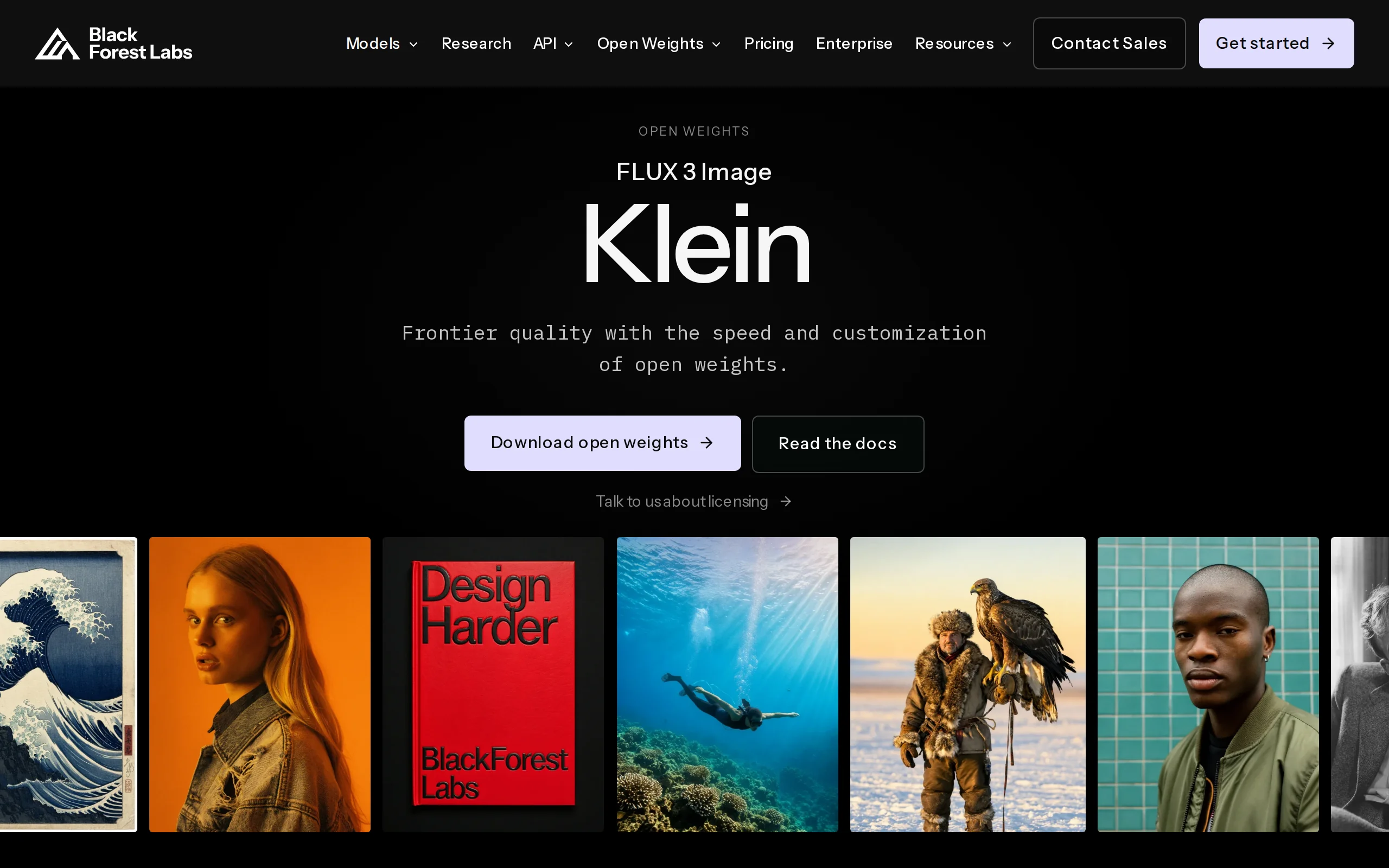
FLUX 3 Image Klein is an open-source AI image generation model developed by Black Forest Labs. With its lightweight parameter count of just 5.6B, it achieves capabilities that previously required mode...
1. What is FLUX 3 Image Klein
FLUX 3 Image Klein is an open-source AI image generation model developed by Black Forest Labs. With its lightweight parameter count of just 5.6B, it achieves capabilities that previously required models with billions of parameters or even closed-source large models. The model supports text-to-image generation, instruction-based image editing, and multi-image generation with up to 10 reference images. It offers differentiated features such as native 4K output, pixel-level precise editing, and coordinate box layout control. According to internal blind tests conducted by the official team, it ranks first in three tasks: Chinese image generation, editing, and multi-reference image generation, surpassing models of similar levels like Qwen-Image 2.1 and Krea 2. Thanks to support for INT8 quantization, the model can run on consumer-grade GPUs with 8GB VRAM, significantly lowering the barrier to entry for high-quality image generation technology.
Technical positioning and domain: FLUX 3 Image Klein belongs to the latest application of diffusion models in the field of image generation, situated at the intersection of text-to-image synthesis, image editing, and reference image generation. It is released as an open-source model, targeting the pain point in the current AIGC toolchain where "high-quality generation" and "low deployment cost" are difficult to achieve simultaneously. In the open-source image model domain, it is positioned as a lightweight yet flagship-capable solution.
Development background: Black Forest Labs is a well-known research team in generative AI, with its former members being core contributors to Stable Diffusion. The team has deep technical expertise in the field of diffusion models. The motivation behind developing the Klein version was that current high-performance image generation models (such as the full version of FLUX 3) typically require substantial memory and computational resources, making them inaccessible to individual developers and small-to-medium-sized enterprises. The Klein project aims to compress the model size into a range that can be supported by a single consumer-grade GPU without significantly compromising image quality, thereby expanding the reach of open-source communities.
Core value: This model addresses the long-standing "trilemma" in open-source image generation—where quality, speed, and controllability are difficult to balance simultaneously. By using a unified weight architecture, the model performs three major tasks—text-to-image generation, image editing, and multi-reference image generation—under the same set of parameters, eliminating the overhead of switching between different models for different tasks. Native 4K output removes the need for a super-resolution upscaling chain, while coordinate box layout control upgrades element positioning from random, "lottery-style" arrangements to predictable and reproducible deterministic operations, providing a more practical foundation for real-world applications such as e-commerce design and advertising material production.
Technical features: The model employs the Rectified Flow generation paradigm, significantly reducing the number of sampling steps by learning an approximate straight-line path between noise and data. The distilled version only requires 4 steps to generate an image. Structurally, it uses the MMDiT dual-stream Transformer backbone, where text and image tokens are jointly processed and share attention information in the前置 dual-stream blocks, achieving deep cross-modal semantic coupling. The independent text encoder architecture (with Qwen3-VL-4B-Instruct attached externally) decouples the image backbone from the semantic understanding module, allowing each subsystem to be independently upgraded and iterated.
2. Key Features
Native 4K Text-to-Image Generation: The model directly outputs images with a maximum resolution of 4096×4096, without requiring any super-resolution or upscaling post-processing. This capability is extremely rare among open-source image models, eliminating the image quality degradation and detail blurring effects that typically occur in traditional workflows where low-resolution images are first generated and then upscaled. It is ideal for scenarios with strict resolution requirements, such as print media and e-commerce product images.
Instruction-Based Pixel-Level Image Editing: The model allows for modifying any region of an image using natural language, while keeping the pixels in unspecified regions completely unchanged. Unlike other models that may cause global style drift or unintended color shifts in non-target areas during editing, FLUX 3 Image Klein demonstrates strict locality in its editing behavior. This feature is critically valuable for use cases such as e-commerce seasonal updates and product image background replacements that require zero damage to the original image.
Multi-Reference Image Generation (up to 10 images): The model can accept up to 10 reference images in a single inference, maintaining consistency in character features, stylistic tone, or product appearance under multi-reference conditions. This functionality provides technical support for the bulk production of brand materials—uploading multi-angle product images allows the generation of a series of images with consistent product appearances, without the need for manual fine-tuning of each image individually.
Coordinate Box Layout Control: Utilizing a 0–1000 grid coordinate system, users can annotate elements such as text and subjects with
[y_min, x_min, y_max, x_max]coordinate boxes within the prompt. The model will precisely place elements based on the grid. This feature is currently unmatched in the open-source community, upgrading layout design from vague "prompt descriptions" to precise "numerical definitions," significantly enhancing the determinism and iterability of layout-related tasks.Unified Weight Three-Task Architecture: The three tasks—text-to-image generation, instruction-based image editing, and multi-reference image generation—share the same set of 5.6B parameter weights, eliminating the need to load different model files for different tasks. This not only saves storage space and switching latency, but also means the model has learned general representations across all three tasks within the same weight space, enabling capabilities to enhance each other rather than being isolated.
Consumer-Grade Hardware Quantization Compatibility: The model provides quantized versions in INT8 and FP8 formats. The INT8 version can natively run on GPUs with 8GB of VRAM, while the FP8 weight file is only 5.6GB in size. The distilled version can generate images with just four sampling steps, avoiding reliance on A100-level data center GPUs. This makes it possible for individual creators and small-to-medium teams to achieve near-flagship generation quality on local hardware.
LoRA Fine-Tuning Ecosystem Support: The model supports low-rank adaptation (LoRA) training with open weights, allowing users to customize the model's style using their own data. Thanks to its lightweight 5.6B parameter size, a single consumer-grade GPU is sufficient to complete LoRA fine-tuning training, lowering the barrier for private brand style customization. This is particularly meaningful for design teams aiming to produce a large volume of uniformly styled materials.
3. How to Use
Hardware Verification and Precision Selection: The distilled version with BF16 weights requires 11.2GB of VRAM. If using a GPU with 8GB VRAM, it is recommended to select the quantized version with INT8/FP8 precision. FP8 weights occupy only 5.6GB, making it a reasonable choice for VRAM-constrained environments. Additionally, reserve VRAM for the text encoder (Qwen3-VL-4B-Instruct), as the total VRAM consumption during deployment must account for both components.
Download Model Weights and Encoder: Pull the model files for the desired precision weights from the Hugging Face repository
black-forest-labs/FLUX.3-Klein, and download the corresponding Qwen3-VL-4B-Instruct text encoder weights. It is advisable to verify the integrity of the downloaded files using their SHA checksums to prevent inference anomalies caused by corrupted weight files.Sign the Community License Agreement: Click the "Agree and access repository" button on the Hugging Face repository page to accept the FLUX Kommunity License and gain download access. Before commercial deployment, verify that your annual revenue is below the 5 million USD threshold. For commercial use exceeding this limit, contact the official team separately to obtain a commercial license.
Select Deployment Method: ComfyUI users can install the official BFL plugin via the Manager plugin manager, then select the Klein model in the node graph to configure a visual workflow. Developers can opt for the Diffusers library, loading the model weights with just a few lines of Python code to integrate inference. Both methods support text-to-image generation, image editing, and multi-reference image generation.
Write Prompts and Coordinate Box Annotations: For standard text-to-image scenarios, simply write a description of the desired image. For complex layout tasks, it is recommended to enable the official Prompt Upsampler to automatically optimize the prompts. When layout control is needed, annotate elements in the prompt with coordinate box parameters in the format
[y_min, x_min, y_max, x_max]. The model will precisely place elements on a 0–1000 grid.Perform Image Editing and Multi-Reference Image Operations: During image editing, upload the original image and describe the modifications in natural language (e.g., "turn this street into a snowy scene"). The model will retain the pixel values of unspecified regions. For multi-reference image operations, upload up to 10 reference images along with textual descriptions via the API parameters or UI interface. The model will generate a new image while maintaining consistency with the reference subjects.
Parameter Tuning and VRAM Optimization: The distilled version can be used without CFG (Classifier-Free Guidance), and image generation quality is sufficiently stable with default parameters. For the Base version, it is recommended to set CFG to 3.5 and sampling steps to 50 for the best detail performance. If VRAM is insufficient, reduce the output resolution or enable quantized inference mode to lower peak VRAM usage.
4. Pros and Cons Analysis
| Pros |
|---|
| Exceptional parameter efficiency: With only 5.6B parameters, it outperforms Qwen-Image 2.1 (7B) and Krea 2 (12.9B) in official blind tests, and some metrics even surpass the closed-source Ideogram V4.5, achieving a good balance between small parameters and strong capabilities. |
| Low hardware requirements: The INT8 quantized version can run on standard consumer-grade GPUs with 8GB VRAM. The distilled version generates images in just 4 steps, making it one of the most cost-effective open-source solutions for deploying flagship capabilities, ideal for individual developers and small teams. |
| Single-weight design for three tasks: Image generation, image editing, and multi-reference image generation all share the same set of weights, eliminating the need to switch between model files. This simplifies workflow configuration and maintains consistent style across all three tasks. |
| Pixel-level editing fidelity: When editing, pixels not specified remain completely unchanged, meeting the high requirements of e-commerce and design scenarios that demand zero damage to the original image. It is currently one of the highest fidelity editing solutions in the open-source community. |
| Native 4K output: It can directly generate images with a maximum resolution of 4096×4096, eliminating the need for super-resolution upscaling and avoiding image quality degradation from secondary processing. This makes it suitable for printing and large-format display scenarios. |
5. Comparative Analysis with Similar Tools
| Comparison Dimension | FLUX 3 Image Klein (BFL) | Qwen-Image 2.1 (Ali Qwen) | Krea 2 |
|---|---|---|---|
| Main Generation Parameters | 5.6B | 7B (7.12B, 32-layer single-stream DiT) | 12.9B |
| Text Encoder | Qwen3-VL-4B-Instruct (external) | Qwen3-VL-8B (external) | Not disclosed |
| Full Pipeline Size | ~11.2GB (BF16 main model), ~5.6GB (FP8) | ~33GB (including 8B encoder) | Not disclosed |
| Minimum Deployment Threshold | INT8 version can natively run on consumer-grade GPUs with 8GB VRAM | Requires CPU offloading to reach ~16GB peak, only Q4 GGUF勉强 runs on 8GB cards | Requires larger VRAM |
| Maximum Native Resolution | 4K (4096×4096) | 2K (2048×2048, up to 2752×1536) | Not explicitly disclosed |
| Maximum Number of Reference Images | Up to 10 images | Up to 10 images | Not explicitly disclosed |
| Region Control Method | Coordinate box (0–1000 grid) for precise layout positioning | Selection/Freehand annotation/Independent mask | Not explicitly disclosed |
| Editing Fidelity | Pixel-level precision, unchanged pixels in unspecified regions | Region-limited editing, no guarantee of pixel consistency | Not explicitly disclosed |
Selection Recommendation: For developers or design teams requiring a complete text-to-image and image editing workflow on local hardware, FLUX 3 Image Klein's 8GB VRAM deployment threshold, unified weight architecture, and coordinate box layout control capabilities make it a high-cost-performance open-source option. Especially in business scenarios with strict requirements for editing fidelity and element positioning accuracy, such as batch production of e-commerce main images and brand-specific LoRA customization, Klein's pixel-level editing capability and 4K output provide a rare combination of features among existing open-source solutions.
Supplementary Notes on Comparison: If the project is deeply integrated with the Alibaba Cloud ecosystem and has a special preference for rendering long Chinese text, Qwen-Image 2.1 offers continuous optimization advantages in its multimodal understanding pipeline and alignment with Chinese semantics. However, its full pipeline size of 33GB imposes higher hardware requirements for local deployment. The proprietary Ideogram V4.5 performs comparably in some blind tests, but lacks open weights and local deployment capabilities, making it unsuitable for evaluation by enterprises sensitive to data privacy. Krea 2's 12.9B parameter scale is relatively large in its class, but it ranked lower than Klein in official blind tests, and its reference image capabilities remain incompletely disclosed.
6. Editor's Summary
FLUX 3 Image Klein's primary technical innovation lies in the engineering integration of the correction flow generation paradigm with a unified weight multi-task architecture. Correction flow learns an approximate linear path between noise and data, compressing the dozens of sampling steps required by traditional diffusion models into just 4 steps in the distilled version. This efficiency gain is not achieved by simply reducing generation quality, but rather by maintaining the level of detail in the output, demonstrating the value of optimizing the generation paradigm itself. The design choice of a unified weight architecture is also noteworthy—it means the model learns shared semantic and visual representations across three tasks: text-to-image generation, image editing, and multi-reference generation, all within the same parameter space. This approach is more parameter-efficient than training separate models for each task.
From a practical standpoint, the model's most significant contribution is narrowing the gap between "flagship-level capabilities" and "consumer-grade deployment." With an 8GB GPU memory requirement, individual creators, small design studios, and university labs can now run functionalities that previously required cloud API or data center-grade GPUs locally. The combination of pixel-level editing fidelity, native 4K output, and coordinate box layout control provides a differentiated competitive edge within the open-source community, directly addressing pain points in real-world commercial scenarios such as e-commerce asset production, ad layout design, and cover creation.
The primary users of this model include: e-commerce designers and brand operations teams with customized image generation needs; developers looking to integrate image generation capabilities into their own products; and enterprise users who require data privacy and prefer localized deployment. Additionally, its support for LoRA fine-tuning makes it an excellent experimental platform for researchers and advanced users exploring style customization.
Looking ahead, the "small parameters, multi-task, high resolution" approach established by FLUX 3 Image Klein offers a reference direction for the development of open-source image models. The performance of its subsequent versions, as well as the capabilities of larger-scale models using the same architecture, deserve continued attention. The Black Forest Labs team's prior community operations experience during the Stable Diffusion era also lays a foundation for the ecosystem development of this series of models.
7. Application Scenarios
Bulk Production of E-commerce Main Images for Cross-border Platforms: E-commerce operations teams can upload up to 10 product reference images from multiple angles. By specifying the positions of the product主体, core selling point labels, and price tags using coordinate boxes, the model can generate 4K main images in multiple languages all at once. This process compresses the previously labor-intensive task of having designers manually layout each image into a streamlined, batch-generation operation, meeting the large-scale demands for quantity and specifications across multiple marketplaces.
Seasonal Image Editing for E-commerce: For existing product images, input editing instructions such as "turn this street into a snowy scene." The model transforms the background into a winter scene while preserving the product's original pixel-by-pixel details. This capability allows e-commerce teams to produce seasonally appropriate marketing materials without needing to reshoot product images, significantly reducing reshoot costs and delivery timelines through natural language editing.
Fast Poster and Banner Layout: Designers can precisely position the headline text, Logo, and main image within a 0–1000 grid coordinate box. The model generates fully laid-out promotional posters based on these coordinates, avoiding common issues in traditional generation workflows such as text misalignment and element drift. The layout task transitions from a trial-and-error process involving multiple attempts to a deterministic, one-time operation, ideal for quickly producing operational materials.
Book and Magazine Cover Design: Publishing designers use the coordinate box feature to fix the relative positions of the book title and illustration content. The native 4K resolution directly meets print-quality requirements, eliminating the need for secondary scaling in layout software. This process simplifies the intermediate steps between conceptual design and print delivery, shortening the production cycle for cover designs.
Brand-specific LoRA Customization and Social Media Material Production: Brands can train their own LoRA models using their proprietary image collections. Once trained, all generated images automatically lock in brand colors, recognized fonts, and product visual characteristics. Combined with the multi-reference image generation feature, this allows for the bulk production of consistently styled social media promotional materials while maintaining brand tone, reducing repetitive manual adjustments.
8. FAQ
Q: What are the minimum hardware requirements for FLUX 3 Image Klein?
A: The distilled version with BF16 weights requires 11.2GB of VRAM. For GPUs with 8GB VRAM, you must use the INT8/FP8 quantized version, where FP8 weights occupy only 5.6GB. Note that the external Qwen3-VL-4B-Instruct text encoder also consumes additional VRAM. When deploying in practice, you should sum the VRAM requirements of both the image backbone and the encoder.
Q: Is the FLUX 3 Image Klein license suitable for commercial use?
A: This model is licensed under the FLUX Kommunity License, which allows free commercial use but includes a revenue threshold of $5 million annually. Companies with annual revenue below this amount can use the model freely for commercial purposes. Those exceeding the threshold must contact Black Forest Labs to obtain a commercial license agreement. It is recommended to carefully review the specific terms of the license before commercial deployment.
Q: How can coordinate box layout control be achieved?
A: In the prompt, annotate the elements with coordinate box parameters in the format [y_min, x_min, y_max, x_max], based on a 0–1000 grid coordinate system. For example, when specifying that text should be located in a certain area, add the coordinate box tag to the corresponding element in the prompt. The model will then precisely place the elements according to the grid positions. This feature is suitable for scenarios requiring precise control of element placement, such as poster layout and e-commerce main image design.
Q: How to choose between FLUX 3 Image Klein and Qwen-Image 2.1?
A: Both are excellent representatives of open-source image models. Klein's main advantage lies in its lower VRAM consumption (INT8 version can run on 8GB VRAM), native 4K output, and pixel-level editing fidelity. Qwen-Image 2.1, on the other hand, offers a larger full-pipeline size (approximately 33GB, including an 8B encoder), which corresponds to stronger text understanding capabilities. If your local hardware is limited or you have strict requirements for editing fidelity, Klein is a more suitable choice. If you prioritize deep Chinese semantic understanding and have sufficient hardware resources, consider Qwen-Image 2.1.
Q: What is the maximum number of reference images supported for multi-reference image generation?
A: A single inference can accept up to 10 reference images. The model generates new images while maintaining consistency with the reference subject (such as character appearance, product shape, or style). This feature requires uploading the reference images and providing corresponding textual descriptions via API parameters or the graphical interface. The quality of the reference images and the clarity of the descriptions will affect the final consistency performance.
Q: How to use the Klein model in ComfyUI?
A: Install the official BFL plugin via the Manager plugin manager in ComfyUI. After installation, select the Klein model in the node graph to load and perform visual workflow editing. This method supports three types of tasks: text-to-image generation, image editing, and multi-reference image generation, making it ideal for users who prefer node-based workflow management.
9. Project Links
- Product Official Website: https://bfl.ai/models/flux-3-image-klein
- Hugging Face Model Collection: https://huggingface.co/collections/black-forest-labs/flux-3-image-klein (includes model weight and accompanying text encoder download links)
Related
FLUX 3 Max – In-Depth Review of the Video Generation Model from fal and Black Forest Labs
FLUX 3 Max is a post-training video generation model jointly developed by fal Research and Black Forest Labs, based on BFL's self-developed FLUX 3 multimodal foundation model. It supports three workfl...
DMAD – Diffusion Model Adversarial Distillation Framework Jointly Open-Sourced by ByteDance and Texas A&M University
DMAD (Distribution Matching as Adversarial Distillation) is an open-sourced few-step distillation framework jointly developed by ByteDance and Texas A&M University. Its core objective is to significan...
Hy Image3.5 preview – A High-Value Professional-Level Image Generation Model from Tencent HunYuan
Hy Image3.5 preview is a high-value professional-level image generation model launched by Tencent HunYuan, designed to address the complex needs of high-quality image generation, precise text renderin...
Qwen-Image-2.1 Review: How a 7B Lightweight Open-Source Model Balances Text-to-Image Generation, Image Editing, and Native Transparency Channels
Qwen-Image-2.1 is a new generation of open-source image generation model developed by the Qwen team at Alibaba. Despite having only 7B parameters in its visual generation component, it achieved a comp...
© All Rights Reserved. Some content on this site is partially generated by AI with human review.