
Qwen-Image-2.1 Review: How a 7B Lightweight Open-Source Model Balances Text-to-Image Generation, Image Editing, and Native Transparency Channels
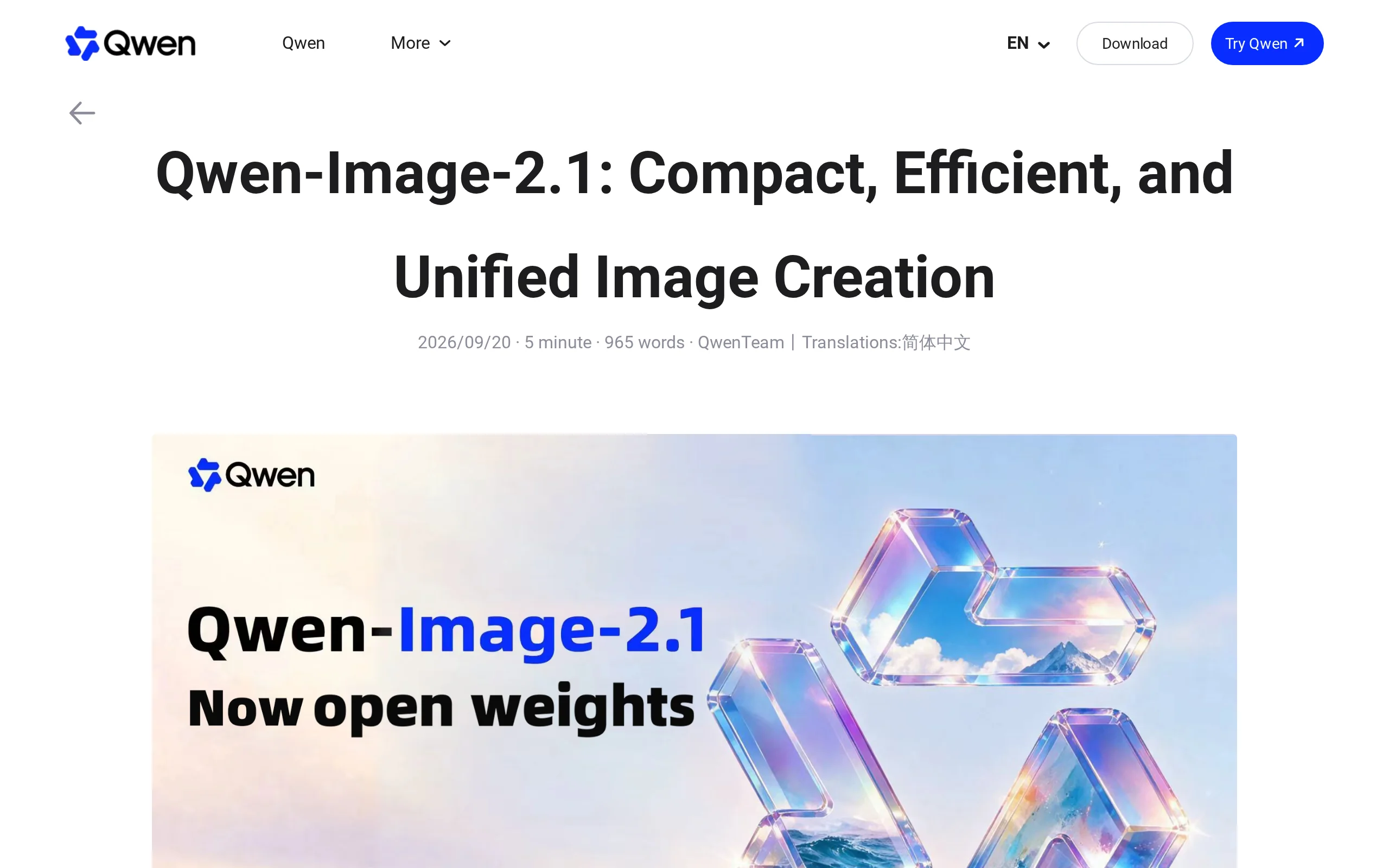
Executive Summary:
Qwen-Image-2.1 is a new generation of open-source image generation model developed by the Qwen team at Alibaba. Despite having only 7B parameters in its visual generation component, it achieved a comp...
1. What is Qwen-Image-2.1
Qwen-Image-2.1 is a new generation of open-source image generation model developed by the Qwen team at Alibaba. Despite having only 7B parameters in its visual generation component, it achieved a comprehensive score of 60.28 in official evaluations, ranking at the top of the open-source leaderboard and even surpassing closed-source commercial models such as Nano Banana 2.0 and GPT Image 1.5. This model integrates text-to-image generation and image editing within the same architecture, natively supporting the generation and editing of transparent images (RGBA). It can take up to 10 reference images for multi-subject synthesis and provides three local editing control methods: selection, painting, and masking. Thanks to its outstanding text rendering quality and inference acceleration design, Qwen-Image-2.1 demonstrates strong practical value in scenarios such as e-commerce design, content creation, and interior previews.
Image source: Official article
Image source: official article
Technical Positioning and Domain: Qwen-Image-2.1 is a specific application of diffusion models (Diffusion Model) in the field of visual generation, covering subtasks such as text-to-image generation, image editing, transparency channel generation, and multi-image conditional synthesis. Its positioning is as a lightweight open-source solution that integrates creation and modification, aiming to provide a complete workflow from material generation to detailed editing with a low deployment threshold.
Development Background: This model was developed by the Qwen team under Alibaba Group. Previously, the team has launched multiple multimodal models, including the Qwen2.5-VL and Qwen-Image series, accumulating solid experience in visual-language alignment. The release of the 2.1 version is a further integration of capabilities based on the earlier specialized transparent image model Qwen-Image-Layered, unifying text-to-image generation, editing, and transparent output into a single model weight.
Core Value: Qwen-Image-2.1 addresses the long-standing pain point in the image generation field where "generation models are not good at editing, editing models do not support transparency channels, and transparent models cannot generate." It allows users to complete the entire process—from image generation, local modification, multi-image synthesis, to exporting transparent materials—with just one model load, significantly reducing the tool-switching cost and GPU memory usage when handling multiple tasks.
Technical Features: The model employs a 32-layer Single-Stream Diffusion Transformer (DiT) architecture, where text and image tokens are uniformly processed within the same Transformer stream. Its attention mechanism is designed with mixed granularity—text processing uses token-level causal masking, while image processing uses chunk-level masking. Additionally, the KV Cache reuse mechanism treats reference images and editing instructions as static context, precomputing and caching them during the first inference step, and directly reusing them in subsequent steps, effectively reducing inference latency in multi-image input scenarios.
2. Key Features
Text-to-Image Generation: Based on a lightweight DiT architecture with 7B parameters, it can generate images up to 2K resolution. In official evaluations, its quality score (60.28) ranks first among open-source models and surpasses some closed-source competitors. The text rendering, compositional integrity, and color representation all reach high standards.
Transparent Image Generation: The model can directly output RGBA images with an Alpha channel based on prompts, without requiring users to perform additional masking operations. This capability is inherited from the specialized model Qwen-Image-Layered, eliminating the traditional workflow of "first generating the background, then masking," making it ideal for quickly producing design assets.
Transparent Image Editing: While maintaining the transparent background, the model supports operations such as modifying facial expressions and replacing text within layers. The output remains an RGBA image with a transparent channel, which can be directly used in design software for layer stacking without further processing.
Photo Masking: By inputting an RGB photo, the model can automatically extract the main subject and output a transparent layer. This feature performs well on fine edges such as hair strands and semi-transparent objects, providing a low-cost automated solution for extracting e-commerce product images and personal portrait materials.
Multi-Image Reference Editing: Supports up to 10 reference images as input simultaneously. The model can integrate human figures, products, and home décor elements from multiple images into a single cohesive new scene. This feature is suitable for complex tasks such as composite group photos, multi-item outfit visualization, and interior design previews, where the model jointly encodes features from multiple images and text instructions.
Local Editing: Offers three precise methods for specifying editing regions: selection (directly framing a region on the image), painting (manually covering the area to be modified), and "original image + mask" (uploading a pre-defined mask as a dual-image input). Users can modify only the selected area while keeping the rest unchanged, achieving a level of control finer than most competitors driven purely by text instructions.
Portrait Fidelity: After editing, the model highly preserves facial details such as the proportions of facial features, skin texture, and expressions, ensuring consistency in the subject's identity. This capability relies on specialized optimization during training for portrait-identity alignment, making it suitable for portrait refinement and group photo compositing scenarios.
Product Fidelity: After editing or compositing, the text, texture, and shape information on the product remains consistent with the original input. The model enhances the preservation of product details through a conditional injection mechanism, avoiding common distortion issues such as text warping or logo deformation, making it ideal for refining e-commerce product images.
Text Rendering: Supports multi-language text layout in both Chinese and English, while maintaining text clarity and visual harmony. The generated text can be embedded into posters, e-commerce banners, and infographics, not just existing as an independent text layer. It performs better than most open-source models in complex layout scenarios.
Panorama Generation: Can expand a single selfie into an interactive panoramic scene, where the model automatically fills in the background beyond the original perspective, generating a complete image with spatial continuity. This is suitable for lightweight VR content creation.
Inference Acceleration: A hybrid granularity attention mechanism (Token-level + Chunk-level masking) combined with KV Cache reuse reduces memory usage and computational overhead significantly. Key-Value caches from reference images and editing instructions are stored and reused during the initial computation, achieving notable efficiency improvements, especially in scenarios with 10 input images.
3. How to Use
Environment Preparation: Ensure the operating system is Linux or Windows, and install Python 3.10 or higher. Configure the PyTorch and Diffusers dependency libraries. It is recommended to use an NVIDIA GPU that supports CUDA, with a VRAM capacity of at least 16GB, to ensure smooth operation of the 7B-scale visual generation model.
Obtain Model Weights: Download the model weights for Qwen-Image-2.1 from GitHub, Hugging Face, or ModelScope. The Hugging Face path is
Qwen/Qwen-Image-2.1, and the GitHub repository isQwenLM/Qwen-Image-2.1. After downloading, extract the files to a local directory and confirm that the directory structure is complete.Load the Model: Load the model using the
QwenImagePipelinefrom the Diffusers library and transfer it to the GPU. The official repository also provides standalone inference scripts that can be used directly without Diffusers. Once the model is loaded, it will remain in the GPU memory, waiting for inference instructions.Write Prompts: Use natural language to describe the generation target. For text-to-image tasks, clearly specify the subject, style, composition, and image quality requirements. For editing tasks, you need to describe the modification area, the target state, and the positional relationship with the reference image. The more specific the prompt, the higher the controllability of the model's output.
Execute Text-to-Image Generation: After entering the prompt, run the inference. The model will automatically determine whether to output a standard RGB image or an RGBA image with an alpha channel. You can set sampling parameters such as resolution (default maximum 2048×2048), inference steps (recommended 20~50 steps), and guidance strength (CFG Scale) as needed before inference.
Execute Reference Image Editing: Input up to 10 reference images along with the prompt into the model. The model will jointly encode the features of multiple images and the text instructions, producing results such as multi-subject synthesis and outfit try-on. In this mode, the system will automatically enable KV Cache reuse to accelerate inference.
Perform Local Editing: Mark areas on the reference image by circling or painting, or upload a "source image + mask" pair of images, and then combine them with modification instructions to complete local editing. The model will only reconstruct the content within the masked area, keeping the rest unchanged.
Export Results: After confirming the generated results, save the image. Transparent images are exported directly in PNG format, including the alpha channel, and can be dragged into design software such as Photoshop or Figma for layer composition and layout.
4. Pros and Cons Analysis
| Pros |
|---|
| Exceptional Cost-Effectiveness: With a 7B parameter scale, it is considered lightweight among open-source models and can run on a single 16GB GPU card. Combined with hybrid granularity attention and KV Cache reuse, it achieves high inference efficiency, and the deployment cost is close to what consumer-grade GPUs can handle. |
| Unified Generation and Editing: A single set of weights covers three tasks: text-to-image generation, image editing, and transparent image generation, eliminating the need to switch and load different specialized models, thus saving time for model switching and reducing memory overhead. |
| Native Transparency Channel Support: Rare in the industry, this model directly supports RGBA generation and editing, allowing output without the need for background removal, significantly compressing the workflow steps of "generate → remove background → composite" in design processes. |
| Support for Multiple Reference Images: Accepts up to 10 conditional images as input, covering complex scenarios such as group photos, multi-item outfit creation, and interior decoration. It performs better than most open-source models that only support a single reference image in maintaining consistency across images. |
| Rich Local Editing Methods: Three explicit control methods—selection, painting, and masking—allow users to precisely define the modification area and avoid unintended interference with other parts of the image, which is superior to editing methods that rely solely on natural language descriptions. |
| Excellent Chinese Text Rendering: Thanks to the Qwen team's accumulation of multilingual corpora, the model appropriately handles details such as Chinese character shapes, spacing, and outlines, giving it a clear advantage over many open-source models primarily trained on English data. |
5. Comparative Analysis with Similar Tools
| Comparison Dimension | Qwen-Image-2.1 | Nano Banana 2.0 | GPT Image 1.5 |
|---|---|---|---|
| Developer and Openness | Qwen, open source, weights available on GitHub, Hugging Face, and ModelScope | Google, closed source, only API available via paid access | OpenAI, closed source, only API available via paid access |
| Model Scale | 7B parameters in the visual generation component, deployable on a 16GB GPU | Not disclosed, only cloud service available, no deployment burden on the user side | Not disclosed, only cloud service available |
| Official Evaluation Score | 60.28 points, leading among open-source models | 59.82 points, outperformed by 2.1 | No unified evaluation score published |
| Text-to-Image Generation and Editing Integration | Unified model for generation and editing, a single set of weights handles both tasks | Supports editing, but generation and editing interfaces are separate, requiring service switching | Supports editing, with interfaces driven by conversational prompts |
| Transparent Image (RGBA) | Native support for generating and editing images with transparent channels, no need for background removal | No support for transparent channel output, requires external background removal tools | No support for transparent channel output |
| Reference Image Input Limit | Up to 10 reference images, supports multi-subject synthesis | Approximately 14 images/multiple references, slightly better in quantity | At least a few reference images per single image, focuses on conversational interaction |
| Local Edit Control | Three explicit region control methods: selection, painting, and masking | Primarily controlled via natural language instructions, with precision dependent on prompts | Primarily controlled via natural language instructions, weak region control |
| Portrait Fidelity | A key focus area for official promotion, with high facial detail fidelity | Industry benchmark, with slightly better overall consistency | Strong realism, but facial consistency requires multiple attempts |
| Text Rendering | Excellent performance in both Chinese and English, suitable for posters and infographics | Good English support, average Chinese support | Excellent English, Chinese precision is weaker than Qwen |
| Deployment Method | Local deployment supported, with compatibility for Diffusers and official inference scripts | Only cloud API available, no local deployment option | Only cloud API available, no local deployment option |
Selection Recommendations: For teams sensitive to data privacy and requiring localized batch processing, Qwen-Image-2.1 and FLUX.1 [dev] are the only two open-source options available. Qwen-Image-2.1 clearly outperforms in transparent image support, multi-image synthesis, and Chinese text rendering, making it more suitable for e-commerce and design material production. FLUX.1 [dev] has a more mature ecosystem and a wide range of third-party plugins, making it ideal for studios that have already established a Stable Diffusion toolchain. For teams that prioritize ultimate quality and have ample budget, Nano Banana 2.0 excels in prompt understanding depth and realistic portrait generation, but it lacks support for transparent channels, requiring a background removal step downstream. GPT Image 1.5 is better suited for interactive creation scenarios that closely integrate with the ChatGPT conversation flow, rather than for batch design production pipelines.
6. Editor's Summary
The core innovation of Qwen-Image-2.1 in its technical approach lies in "achieving multi-task unification with a lightweight 7B parameter model." Its Single-Stream DiT architecture eliminates the independent text-image encoding branches found in traditional dual-stream Transformers, instead using a shared attention stream to accomplish cross-modal alignment. This design maintains a performance edge over closed-source competitors while reducing the parameter scale. Another key design is the introduction of a hybrid granularity attention mechanism—textual components retain causal masking to ensure the sequential execution of instructions, while image components use chunk-level masking to balance global consistency with computational cost. This differentiated approach is a relatively new attempt in technical literature and warrants attention for future academic interpretations and reproductions.
The KV Cache reuse mechanism significantly improves efficiency in multi-image input scenarios. In practical use, inputting 10 reference images simultaneously results in memory usage and inference latency that are within acceptable limits, providing a feasible engineering solution for "multi-condition synthesis" tasks.
In terms of practical value, the model's most scarce capability is the native generation and editing of transparent channels. In the e-commerce and design industries, image segmentation is a frequent and time-consuming task. Qwen-Image-2.1 integrates this step directly into the generation process and supports secondary editing of the content within transparent layers. This combination of capabilities is virtually unmatched in the open-source community. Additionally, its high-quality rendering of both Chinese and English text gives it a distinct competitive advantage in localized design scenarios, such as Chinese posters or e-commerce banners. For individual creators and small to medium-sized design teams, the 7B model with 16GB of VRAM represents a moderate entry barrier. A single set of weights covers the entire workflow from "generation to editing to producing materials," and the simplification of the toolchain provides clear time savings.
The model's limitations are also clear: although the local editing methods are diverse, precise control over image composition when synthesizing multiple images still relies on language descriptions, lacking pixel-level positional constraints. The community ecosystem is still in its early stages, and peripheral tools and training extensions require more time to develop. In the long term, if this model introduces position-based layout control (similar to the Layout Transformer concept) in its next version and gradually accumulates third-party compatible tools, its position in the open-source image generation field will become even more solid. For now, it is more suitable as the primary generation engine within a design workflow, complemented by a few external tools.
7. Application Scenarios
E-commerce Visual Design: The product fidelity capability ensures that product text, texture, and form remain unchanged in new images. Combined with reference image editing features such as model outfit swapping and multi-product styling, this enables an automated workflow for product image processing, from capture to refinement. Transparent background outputs allow PNG product assets to be directly overlaid onto marketing banners, significantly shortening the production cycle for e-commerce materials.
Graphic Design and Asset Creation: Native transparent image generation eliminates the need for manual background removal, allowing designers to directly obtain PNG assets with an Alpha channel. They can then replace text within layers or modify the subject's expression in editing mode, and with excellent Chinese and English typography capabilities, quickly produce posters, logo drafts, and infographics. In this scenario, users can reduce the frequency of switching between Photoshop and generative models.
Portrait Photography Post-Processing: The high-fidelity facial detail restoration capability supports operations such as editing without altering the face, changing expressions, or swapping clothing. The multi-image compositing feature can merge multiple individual portraits into a single group photo. Photo studios and independent photographers can use this model to batch process portrait assets, quickly replacing expressions and attire while maintaining consistent identity of the subject.
Interior Design Preview: By inputting a floor plan and referencing up to 10 furniture and home decor images, the model can generate complete interior design renderings with a single click. Designers and clients can visually preview different styles and furniture combinations before starting the renovation, reducing communication costs and the need for rework, and improving the efficiency of confirming design proposals.
8. FAQ
Q: Is Qwen-Image-2.1 available for free use?
A: Yes, the model weights are fully open-sourced under an open license, and users can download them for free from Hugging Face, ModelScope, or GitHub. The model supports commercial use without any licensing fees, but users must bear the hardware costs of local GPU deployment themselves.
Q: What hardware configuration is required to run Qwen-Image-2.1?
A: The official recommendation is an NVIDIA GPU with at least 16GB of VRAM. Recommended models include the RTX 4090 (24GB) or A100 (40GB or more). If VRAM is insufficient, users can attempt to reduce VRAM usage by model quantization or by decreasing the generation resolution, although inference speed and generation quality will be affected accordingly.
Q: What is the relationship between Qwen-Image-2.1 and Qwen-Image-Layered?
A: Qwen-Image-Layered was a previously released specialized model for transparent image generation. The 2.1 version integrates its transparency capabilities into a unified visual generation model, replacing the use of a standalone model. Users now only need to load the Qwen-Image-2.1 weights once to perform both regular image generation and transparent image generation.
Q: What is transparent image editing? How does it differ from regular editing?
A: Transparent image editing refers to the ability to modify the main content in the RGB layer (such as expressions, text, or local details) while keeping the Alpha channel unchanged. The output after editing remains an RGBA image with a transparent channel, which can be used directly as design material without the need for re-masking. Regular editing does not involve the Alpha channel.
Q: What is the maximum number of reference images that can be input at the same time? Are there any limitations?
A: The model supports inputting up to 10 reference images simultaneously. When multiple images are input, the model jointly encodes all image features with the text instruction to achieve complex composite tasks such as multi-subject synthesis, outfit try-on, and group photo generation. However, note that increasing the number of images will linearly increase the computational load of the initial inference step, and VRAM usage will also rise accordingly.
Q: How can I make the model modify only a specific part of the image without affecting other areas?
A: There are three methods for local editing: one is to select the target area in the interface or script; the second is to paint over the area that needs modification using a brush; and the third is to upload a mask image that combines the original image and a mask. The model will regenerate only the specified area, while the rest remains unchanged.
Q: How does the model render Chinese text?
A: Thanks to the multilingual training experience of the Qwen team, the model's handling of Chinese text structure, layout spacing, and visual harmony is superior to most open-source models trained primarily on English. When generating Chinese posters or e-commerce banners, the text is clear and visually coherent. However, for extremely complex multi-line layouts, it is still recommended to combine with layout software.
Q: Is there an online demo available?
A: Currently, the model weights are mainly distributed in open-source form, and there is no publicly available free online demo page. Users must download the model themselves and run it in a local GPU environment. If computational resources are limited, users can refer to the example code provided in the Qwen official blog and GitHub repository to run the inference process on cloud GPU instances.
9. Project Links
- Project Website: https://qwen.ai/blog?id=qwen-image-2.1
- GitHub Repository: https://github.com/QwenLM/Qwen-Image-2.1
- Hugging Face Model Library: https://huggingface.co/Qwen/Qwen-Image-2.1
Related AI Model Articles
Hy Image3.5 preview – A High-Value Professional-Level Image Generation Model from Tencent HunYuan
Hy Image3.5 preview is a high-value professional-level image generation model launched by Tencent HunYuan, designed to address the complex needs of high-quality image generation, precise text renderin...
AuK – Tencent HunYuan's Open-Source Foundation Model for Speech Generation and Editing
AuK is an open-source foundation model for speech generation and editing developed by the Tencent HunYuan team, featuring 1.5 billion parameters and utilizing a flow-matching diffusion architecture in...
LLaDA-Image – A Unified Image Generation and Editing Model Open-Sourced by Ant Group
LLaDA-Image is a 6B parameter unified image generation and editing model open-sourced by the inclusionAI Lab at Ant Group. This model adopts an innovative training approach, first pre-training purely ...
MAI-Image-2.6-Flash: In-Depth Review of Microsoft's High-Speed Image Generation Model for Production Environments
MAI-Image-2.6-Flash is a high-speed image generation model launched by Microsoft, complementing the flagship MAI-Image-2.6 model by focusing on low-latency, high-throughput production scenarios. Built...
© All Rights Reserved. Some content on this site is partially generated by AI with human review.