
Ming-Image-0.2-Design: Ant Bailing Open-Sources 6B Image Generation Model for Real-World Design Workflows
Executive Summary:
Ming-Image-0.2-Design is a 6B-parameter image generation model open-sourced by the Ant Bailing team, focusing on practical applications in real design workflows. The model has undergone comprehensive ...
1. What is Ming-Image-0.2-Design
Ming-Image-0.2-Design is a 6B-parameter image generation model open-sourced by the Ant Bailing team, focusing on practical applications in real design workflows. The model has undergone comprehensive upgrades in complex composition, lighting effects, and text rendering, enabling it to generate e-commerce main images, UI design drafts, and spatial rendering visuals. It ranks first among open-weight models on the Artificial Analysis Text-to-Image leaderboard. The model is accompanied by the Layer tool, which enables component-level transparent layer decomposition, and can be integrated with Ling-3.2-flash to directly convert design concepts into interactive web pages, covering the entire design delivery pipeline.
Technical Positioning and Domain: Ming-Image-0.2-Design belongs to the Text-to-Image direction within the visual generation domain. Its unique positioning lies in its focus on design production scenarios rather than general image generation. Based on a 6B open-weight foundation, the model has been specifically trained on capabilities such as complex composition, layout design, text rendering, and lighting and material representation, accurately translating design requirements from text prompts into visual outputs.
Development Background: This model was developed by the Bailing team at Ant Group, representing the outcome of Ant's ongoing investment in AI design and creativity. Previously, the Bailing team released the Ling series of multimodal models, while the Ming series reflects their deepening efforts in image generation. Together, they form a complete toolchain from "design generation to code implementation." The open-source strategy continues Ant's commitment to promoting the accessibility of AI technology, allowing developers and designers to freely download and use the model.
Core Value: Ming-Image-0.2-Design addresses multiple pain points in the design workflow—general text-to-image models struggle with complex layout and text information, multi-round editing often leads to visual drift, and there is a significant gap between design drafts and web implementation. By focusing on specialized design training, layer decomposition, layered editing to prevent drift, and integration with Ling-3.2-flash for a closed-loop system, the model provides designers with an end-to-end solution from concept generation to final delivery.
Technical Features: The model's core differentiating capabilities are concentrated in three areas: first, component-level layer decomposition, which refines the layer granularity from text, subject, and background down to individual role components, with sub-layers featuring transparency channels and the ability to be recombined; second, a layered editing mechanism based on layer states, where multi-round modifications only affect the target layer, preventing the accumulation of color and texture errors; third, a generation-encoding-self-check closed-loop system integrated with an encoding model, significantly improving the fidelity of design drafts when converted into web pages.
2. Key Features
Component-level Layer Decomposition: The accompanying Layer model further refines the hierarchical decomposition from the previous "text, subject, background" three-tier split down to the component level of characters. The system first extracts parent layers such as wings, head, and arms from the full image, then further divides them into dozens of child layers with alpha channels. These child layers, when recombined in sequence, can largely restore the original image in terms of outline, color scheme, and detail, ensuring that the extracted materials can be directly used for background replacement and reuse.
Layered Editing Without Drift: During multi-round editing, the system first decomposes and records the state of each layer. The editing model still reads the full scene to maintain semantic coherence, but during the synthesis phase, it only extracts changes made to the target layer and recombines them with unedited layers. This mechanism effectively prevents color and texture errors from being inherited and accumulated in subsequent edits, which often leads to "visual drift" in frame-by-frame full-image editing, significantly improving the consistency of iterative design across multiple rounds.
Handling Complex Layouts and Information Presentation: The model has been specifically trained on design scenarios and can manage multi-module layouts and information hierarchy. In the generated web interface design drafts, brand names, specification parameters, and other text elements remain clear and legible. This capability overcomes the shortcomings of traditional text-to-image models in text rendering, elevating design drafts from conceptual presentations to directly deliverable materials.
Design Image Generation: The model can generate e-commerce main images, web interface design drafts, and spatial rendering visuals, balancing complex composition, lighting effects, and text rendering across three key dimensions. It demonstrates strong performance in material representation, lighting relationships, and text readability, producing images that meet practical design standards rather than merely serving as visual demonstrations.
Generation-Encoding-Self-Check Feedback Loop: When used in conjunction with Ling-3.2-flash, the process begins with a requirement or reference image: Ming is responsible for generating visual references and handling layer materials, while Ling completes the code implementation through tool calling. It then checks and corrects the actual rendering results on both desktop and mobile platforms. This visual self-check mechanism increases the structural similarity (average SSIM) to reference and sample images from 0.512 to 0.809.
Multi-module Information Hierarchy Management: To address common content organization needs in interface and e-commerce design, the model can automatically plan the visual hierarchy of the layout based on the priority and requirements specified in the prompt. This ensures that key information is visually emphasized, secondary information is arranged in order, and a clear and efficient information delivery structure is formed.
3. Application Scenarios
E-commerce Main Visual Generation: E-commerce operators and designers can use the model to generate product main images with fine material textures and clear product information. By specifying the product type, background style, color scheme, and textual information to be displayed through prompts, the generated images can be directly used for detail page header images, promotional page main visuals, etc. The layered functionality supports quick experimentation with different color schemes and decorative elements.
Web and Interface Design: Product designers and front-end developers can first generate design drafts with clear information hierarchy and multi-module layouts, then provide the visual references and layer materials to Ling-3.2-flash for code generation. After implementing the design drafts with code, the model can produce real, interactive pages that are compatible with both desktop and mobile platforms, significantly reducing the time cost from design to development.
Space and Interior Design: Interior designers and architectural designers can input prompts such as space type, style orientation, material requirements, and lighting conditions. The model will generate space renderings with coordinated structure, lighting, and materials. These renderings help designers and clients communicate visually about layout proposals during the early stages of a project, reducing misunderstandings and rework later on.
Character Assets and Animation Effects: Animators and game artists can decompose character images into component-level transparent layers, such as wings, head, and arms, using the Layer model. These layers can be processed and reassembled according to animation requirements. Since the sub-layers include transparent channels and clean edges, the extracted assets can be directly used for background replacement, animation creation, or further creative work, eliminating the tedious process of manual image masking.
Multi-round Design Iteration: When design teams conduct reviews and revisions, they can use the layer editing functionality to modify only the color, accessories, or other elements of the target layer, while retaining the confirmed background and composition. This "localized modification, global consistency" iteration method is ideal for customer communication scenarios requiring repeated adjustments, significantly improving the efficiency of design revisions.
4. How to Use
Environment Requirements: The model has a 6B parameter scale and is recommended to be run on a GPU with 16GB or more of VRAM. It supports mainstream deep learning inference frameworks, requires a Python 3.8 or higher environment, and needs PyTorch and related dependency libraries installed.
Download the Model: Access the HuggingFace model library to download the open-source model weights: https://huggingface.co/inclusionAI/Ming-Image-0.2-Design. After downloading, complete the local deployment configuration according to the instructions in the model card.
Obtain Design Skill (Optional): If you want to complete the full workflow from "design generation to web implementation," you can download the ling-ui-design Skill from the ling-cookbook repository on GitHub. This skill connects design generation, asset layering, and code writing into a seamless process.
Write Prompts to Generate Designs: Use prompts that include requirements for composition, layout, style, and textual content to generate e-commerce main images, interface design drafts, or spatial renderings. The more detailed and specific the prompts, the closer the generated results will be to your actual needs.
Split Layers as Needed: When further editing of assets is required, use the Layer model to decompose the design into transparent layers for text, main subject, background, and even character components. The split layers can be directly used for subsequent localized adjustments and asset reuse.
Edit Layers Individually: Focus changes in color schemes, accessories, etc., on the corresponding target layers, while retaining the confirmed background and composition for localized modifications. This method significantly reduces visual drift issues during multiple rounds of revisions.
Integrate with Ling-3.2-flash for Web Implementation: Provide the visual reference and layer assets to Ling to generate the code. After rendering and checking on both desktop and mobile platforms, produce an interactive real web page. This entire process forms a complete delivery pipeline from the design draft to an operational web page.
5. Pros and Cons Analysis
| Pros |
|---|
| Design Quality Oriented Toward Real-World Scenarios: The model demonstrates solid performance in material representation, lighting relationships, and text readability. Generated e-commerce images, interface drafts, and spatial renderings reach practical usability levels, not just conceptual demonstrations. |
| Component-Level Layer Decomposition Capability: The layer decomposition granularity extends from text, subject, and background to individual character components. The extracted layers include transparency channels and clean edges, making them directly usable for background replacement or animation production, significantly improving material reuse efficiency. |
| Layered Editing Effectively Reduces Image Drift: Multiple rounds of modifications only affect the target layer, preserving the original image's color tone, texture, and scene details. This addresses the pain point of error accumulation in traditional full-image editing. |
| Complete Workflow from Design Draft to Webpage: Integration with Ling-3.2-flash enables the transformation of design drafts into real, operable web pages that are compatible with both ends. All test cases have passed structural and core interaction acceptance, closing the final loop in design delivery. |
6. Comparative Analysis with Similar Tools
| Comparison Dimension | Ming-Image-0.2-Design | Nano Banana Pro (Google) | Flux.1 Kontext (Black Forest Labs) |
|---|---|---|---|
| Open Source Status | Open weights, free download, supports local deployment | Closed source, only available via API or within the product | Open weights, free download |
| Parameter Scale | 6B, deployable on consumer-grade workstations | Not disclosed, relies on cloud-based invocation | 12B, requires higher hardware configuration |
| Design Benchmark Performance | Ranked first overall on AA-Image-T2I v2.1 open-weight leaderboard, leading in UI/UX and architecture subcategories | Strong overall performance, but lags in UI/UX and architecture design subcategories | High general generation quality, design-specific capabilities yet to be validated |
| Layer Decomposition Ability | Comes with a Layer model, supports component-level transparent layer decomposition | No official layer decomposition capability | No official layer decomposition capability |
| Multi-round Editing Mechanism | Layered state editing, effectively reduces image drift | Full-image editing, multi-round operations may lead to color deviation | Full-image editing, relies on external tools for assistance |
| Ecosystem and Workflow | Integrates with Ling-3.2-flash, enabling deployment as an interactive web page | Primarily embedded in the Gemini ecosystem, with good native integration | Ecosystem revolves around community tools like ComfyUI |
| Usage Cost | Open source and free, self-built inference costs are controllable | Billed per API call, higher long-term usage costs | Open source and free, but with high hardware requirements |
Selection Recommendations: If the primary requirement is a design workflow (e-commerce main images, interface design, spatial renderings) and the need for layer editing and web deployment capabilities, Ming-Image-0.2-Design is currently the most targeted open-weight model. Its accompanying Layer model and integration capabilities with Ling-3.2-flash form a complete design delivery pipeline that other competitors lack. This model is particularly suitable for design teams or AI application developers looking to use it as a foundational model for self-built design generation services.
If the focus is more on ecosystem integration convenience and out-of-the-box experience, Nano Banana Pro can quickly integrate into the Google product ecosystem via Gemini. However, its closed-source nature and pay-per-use billing model limit cost control in scenarios requiring large-scale generation. Flux.1 Kontext and Stable Diffusion 3.5 are both excellent open-source models, but compared to Ming-Image-0.2-Design, they lack differentiated features such as layer decomposition and multi-round editing drift prevention for design-specific capabilities. Users should make their choice based on their own hardware conditions, usage frequency, and dependency on design-specific capabilities.
7. Editor's Summary
Ming-Image-0.2-Design represents a significant evolutionary direction for open-source image generation models, transitioning from "general generation" to "professional scenario deployment." Its technological innovation is evident in three key aspects: component-level layer decomposition elevates the connection accuracy between image generation and material editing to a new level, while the ordered recombination capability of dozens of sub-layers with transparency channels provides designers with truly reusable material assets; the hierarchical editing mechanism based on layer states addresses the issue of image drift during multi-round iterations at a methodological level, a bottleneck that traditional full-image editing modes have struggled to overcome; collaboration with the Ling-3.2-flash model across models completes the pipeline from design drafts to interactive web pages, extending the value of image generation models from visual output to the complete delivery process. In terms of practical value, its ranking as the top open-weight model on the Artificial Analysis leaderboard validates its technical capabilities, and its 5B parameter size, which can be locally deployed, gives it a competitive advantage in terms of cost and data privacy. The target users of this model mainly include: e-commerce designers who require high-frequency visual material generation, UI/UX design teams seeking rapid prototype validation, interior designers who need spatial rendering visuals for communication, and AI application developers aiming to build automated design delivery pipelines. In terms of growth potential, with continued investment from the BaiLing team, the synergy between the Ming series and the Ling series is expected to further enhance, unleashing greater productivity value within the complete service loop of "design generation - code implementation - user feedback - iterative optimization."
8. FAQ
Q: What is the core difference between Ming-Image-0.2-Design and general text-to-image models?
A: This model is a specialized optimization model tailored for design scenarios, with focused training on complex composition, layout arrangement, text rendering, and the expression of lighting and materials. It can accurately implement the layout requirements from text prompts according to design specifications, outperforming general models in scenarios such as e-commerce main images, interface design, and spatial rendering. It is also accompanied by a Layer-based segmentation model and a multi-round editing anti-drift mechanism, both of which are designed to support the design workflow.
Q: How can I obtain component-level layer decomposition capabilities?
A: Component-level layer decomposition is provided by the accompanying Layer model. After generating an image using Ming-Image-0.2-Design, users can call the Layer model to decompose the design into transparent layers for text, main subject, background, and even character components. The sub-layers include alpha channels and clean edges, and when recombined in order, they can largely restore the original image. These layers can be directly used for background replacement, animation creation, and material reuse.
Q: Can the model run on regular consumer-grade GPUs?
A: The model has 6B parameters, making it easier to deploy compared to models with larger parameter counts. It is recommended to use a GPU with at least 16GB of VRAM for a smooth experience. The actual VRAM usage and inference speed depend on factors such as image resolution and inference framework configuration. Users can adjust inference parameters based on their actual hardware conditions for compatibility.
Q: What is the commercial usage scope of Ming-Image-0.2-Design?
A: The model uses an open-weight strategy, allowing free download and use. The specific open-source license terms are outlined on the model's release page (HuggingFace Model Hub). Users should review and confirm the commercial usage scope and obligations before using the model.
Q: How can I achieve a complete implementation from a design draft to an interactive webpage?
A: This requires using Ling-3.2-flash in conjunction. The process is as follows: First, generate visual references and process layer materials using Ming. Then, download the ling-ui-design Skill from the ling-cookbook repository on GitHub to connect all stages. Ling performs code implementation through tool calling and checks and adjusts the actual rendering results on both desktop and mobile platforms, ultimately producing a real, interactive webpage.
Q: How can I avoid image drift during multi-round editing?
A: The model's layered editing mechanism splits and records the state of each layer. During editing, the model reads the full scene to ensure semantic coherence, but during the synthesis phase, it only extracts changes made to the target layer and recombines them with unedited layers. This method ensures that unedited areas remain unchanged, preventing color and texture deviations from accumulating during multiple rounds of modifications.
9. Project Links
- GitHub ling-cookbook Repository (Design Skill): https://github.com/ling-cookbook (includes the ling-ui-design Skill, used for connecting design generation, material layering, and code implementation)
- HuggingFace Model Library: https://huggingface.co/inclusionAI/Ming-Image-0.2-Design
Related
MiniMax H3-Image – MiniMax's Open-Source Image Generation Model
MiniMax H3-Image is an open-source image generation model officially released by MiniMax. It is built upon MiniMax's self-developed H3 multimodal foundation model and fully supports three core tasks: ...
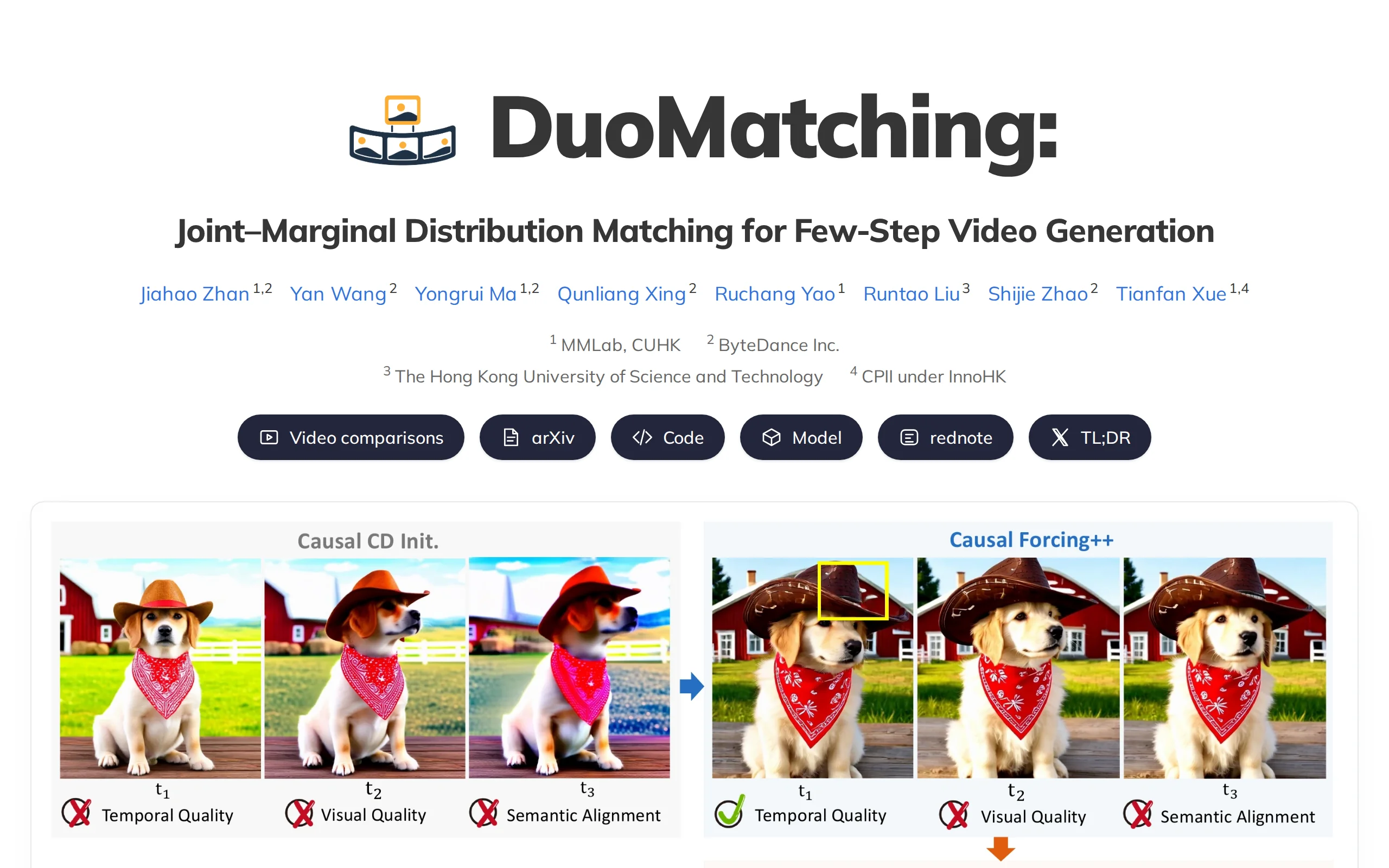
DuoMatching – A Video Generation Distillation Framework Jointly Open-Sourced by CUHK and ByteDance
DuoMatching is a low-step video generation distillation framework jointly developed by the MMLab at the Chinese University of Hong Kong and ByteDance. Its core objective is to address the issues of si...
MOSS-Image – A Text-to-Image Model Jointly Open-Sourced by Mosaic and OpenMOSS
MOSS-Image is a text-to-image model jointly open-sourced by Mosaic and the OpenMOSS team. Its core is composed of a single-stream diffusion Transformer (DiT) backbone with 5B parameters, paired with a...
FLUX 3 Max – In-Depth Review of the Video Generation Model from fal and Black Forest Labs
FLUX 3 Max is a post-training video generation model jointly developed by fal Research and Black Forest Labs, based on BFL's self-developed FLUX 3 multimodal foundation model. It supports three workfl...
© All Rights Reserved. Some content on this site is partially generated by AI with human review.