
In-Depth Review of OpenDots: Can the Open-Source AI Colleague Workspace from CopilotKit Replace OpenAI Dots?
Executive Summary:
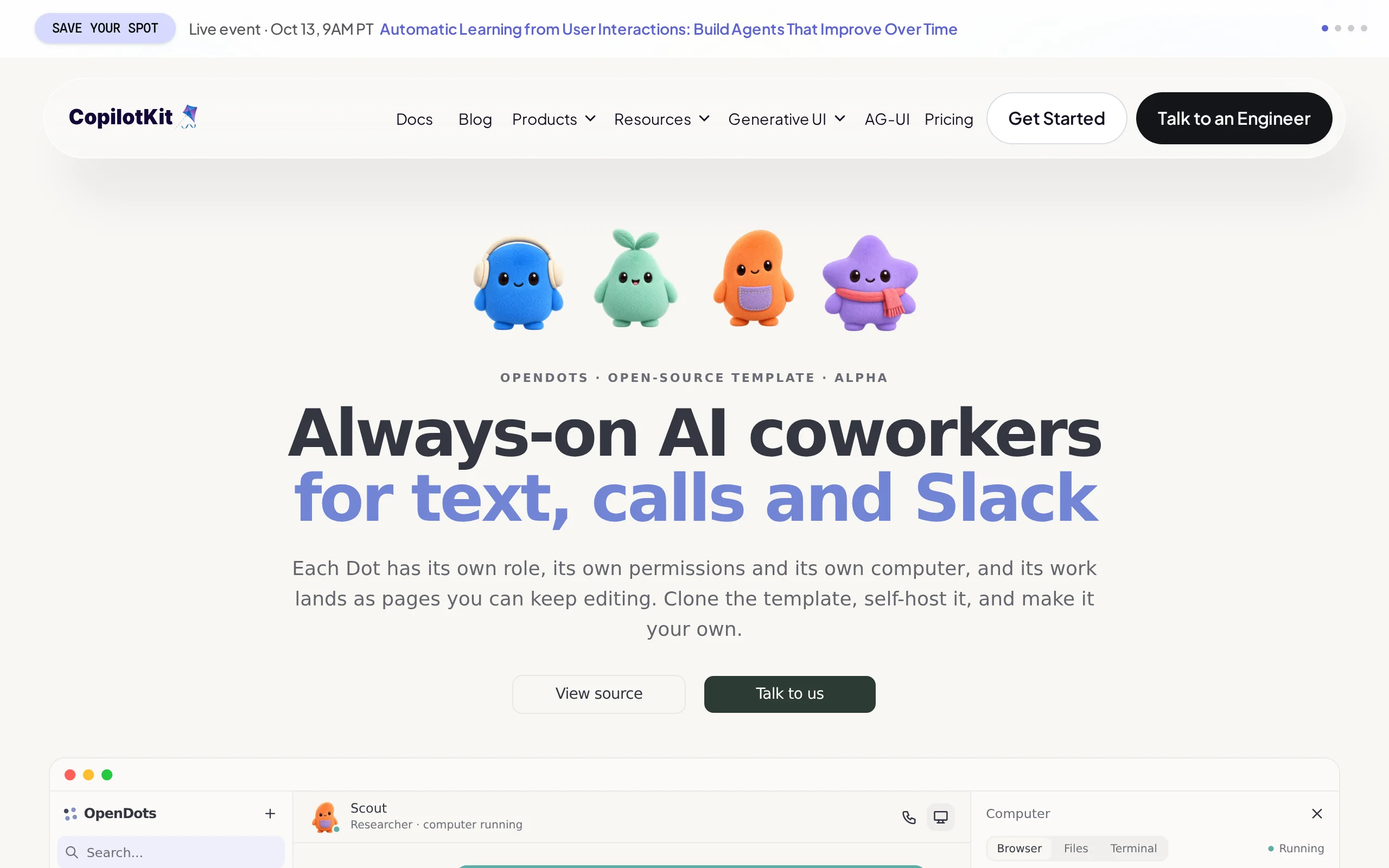
OpenDots is an open-source AI colleague workspace template launched by CopilotKit, supporting fully self-hosted deployment by users. This tool allows users to create AI employees (referred to as Dots)...
1. What is OpenDots
OpenDots is an open-source AI colleague workspace template launched by CopilotKit, supporting fully self-hosted deployment by users. This tool allows users to create AI employees (referred to as Dots) with independent roles, tool permissions, and dedicated workstations, and to connect with various large language models and MCP services via the AG-UI protocol. The core design philosophy of OpenDots is to elevate AI from a single-conversation assistant to a long-term online, task-executing, and context-aware collaborative colleague. Its features span multiple dimensions, including document archiving, real-time operation monitoring, manual approval, voice calls, and Slack collaboration.
Technical positioning and domain: OpenDots belongs to the AI Agent workspace and intelligent agent orchestration domain, located at the application layer of large language models. By providing each AI employee with an independent browser, file system, and terminal within a containerized environment, the tool achieves a transformation from a "chatbot assistant" to a "digital colleague capable of executing real tasks." The use of the AG-UI protocol makes it model-agnostic, allowing integration with any compatible model such as those from OpenAI and Anthropic, while the standardized MCP (Model Context Protocol) enables seamless integration with external tools and services.
Development background: OpenDots was developed by the CopilotKit team, which has long specialized in AI application development frameworks. Its core product, CopilotKit, is a widely popular open-source AI assistant framework. OpenDots is an extension of CopilotKit in the direction of Agent workspaces, with its name directly echoing OpenAI's Dots product. It can be seen as an open-source alternative to OpenAI Dots. The motivation behind its development is to enable developers and teams to build their own AI colleague systems in a fully controllable and customizable manner, addressing the lack of flexibility and privacy concerns associated with closed-source products.
Core value: OpenDots addresses three key issues in current AI Agent applications: first, the lack of persistent memory and cross-session continuity in AI assistants, which is resolved through CopilotKit Intelligence by persisting chat, tool calling, and page context; second, the absence of security boundaries when AI executes real tasks, which is addressed by balancing automation and control through fine-grained permission management and manual approval mechanisms; third, the closed and non-customizable nature of existing Agent products, which is overcome through full open-source and modular design, allowing teams to deeply customize and modify the system.
2. Key Features
Spaces Workspace: Provides searchable, nested, and version-controlled document pages for storing the collaborative outcomes between AI and users. Spaces addresses the issues of knowledge accumulation and traceability during Agent operations. Users can organize AI-generated content such as research reports, code analysis, and decision recommendations into structured documents and easily trace historical versions. The nested structure allows teams to build hierarchical knowledge repositories, while the search functionality reduces the cost of information retrieval.
Dedicated Dots: Each AI employee can be configured with an independent name, role, instructions, tool permissions, and memory permissions. This design breaks the limitations of traditional AI assistants that are "one-size-fits-all." Users can create AI colleagues with different roles, such as research specialists, code reviewers, and content editors, based on business needs. The personalized configuration of each Dot determines its role boundaries within the team. Independent control over memory permissions enables the isolation of sensitive information as needed.
Dot-Specific Workspaces: Based on the OpenBot container, provides an independent browser, file system, and terminal, supporting real-time monitoring and manual takeover. Each Dot has its own virtual working environment and can autonomously perform actions such as browsing the web, reading and writing files, and executing commands, rather than being limited to text generation. The real-time monitoring feature provides users with full operational transparency, while the manual takeover mechanism ensures human control in exceptional situations.
Manual Approval Before Saving: Important content creation, modification, and execution of non-read-only tools can be confirmed by users through the Approve & Save card. This feature acts as a safety valve for AI's autonomous operations, ensuring that sensitive actions such as file writing, data modification, and external API calls are reviewed by a human before execution. This mechanism is especially critical for production deployments and scenarios involving sensitive data.
MCP Tool Integration: Supports integration with email, calendar, GitHub, or custom services, allowing users to control the activation status of each tool on a per-Dot basis. MCP (Model Context Protocol) has become an open standard for AI tool calling. OpenDots' full support of this protocol means users can leverage the extensive MCP tool ecosystem. Independent configuration of tool permissions per Dot prevents the issue of "once authorized, everywhere accessible" permission sprawl.
Multi-Entry Collaboration: Supports text chat, WebRTC voice calls, and Slack threads, and allows background tasks to be delegated during calls. The multi-entry approach enables AI colleagues to integrate into users' existing workflows without forcing them to switch tools. Voice call capabilities are especially suitable for quick communication scenarios, while background task delegation during calls allows for simultaneous conversation and execution.
Persistent Conversation Threads: Saves conversations, tool calls, and page context through CopilotKit Intelligence, enabling continued collaboration across sessions. The persistence mechanism ensures that the context accumulated by AI colleagues during their work is not lost when a session ends. Users can seamlessly continue their collaboration tasks from the previous day, greatly enhancing the practicality of AI colleagues in long-term projects.
Scheduled Background Tasks: Allows Dots to perform repetitive tasks within the original conversation at scheduled times, with support for pause, interrupt, and retry mechanisms. The scheduled task capability enables AI colleagues to transition from passive response to proactive work, such as collecting industry news daily, checking system status regularly, or generating reports periodically. The flexibility of task control ensures reliable operations and maintenance.
3. How to Use
Prepare the environment: Install Node.js 24 and npm, and ensure your local machine can access GitHub and CopilotKit services. Node.js 24 is a relatively recent LTS version, and OpenDots has specific runtime version requirements. It is recommended to use nvm for version management.
Clone the project: Run
git clone https://github.com/CopilotKit/OpenDots.gitto download the project template. This project is fully open source and hosted in the CopilotKit organization's GitHub repository. Users can also review the source code to understand the internal implementation.Enter the directory and install dependencies: Run
cd OpenDotsto switch to the project folder, then executenpm cito install all dependencies based on the lock file. The key difference betweennpm ciandnpm installis that the former strictly installs packages according topackage-lock.json, ensuring consistent dependency versions across all developers.Create a configuration file: Run
cp .env.example .envto generate a local environment variable file. Then, edit the.envfile to configure model parameters such asOPENAI_API_KEYandOPENAI_MODEL. OpenDots supports any OpenAI-compatible interface, and users can also configure a local model service address.Start the application: Run
npm run devto launch the OpenDots development server. Then, visithttp://127.0.0.1:5173to create Spaces, edit pages, and configure Dots through the interface. The development mode supports hot updates, and the browser will automatically refresh after code changes.Log in to the Intelligence service: Run
npx copilotkit@latest loginto log in to your CopilotKit account, then executenpx copilotkit@latest project selectto select or create an Intelligence project. The system will automatically write the key into the.envfile. Note: The conversation persistence feature relies on the CopilotKit Intelligence cloud service. Even though the interface runs locally, this step still requires an internet connection.Configure the model and restart: After saving the configuration, run
npm run devagain to apply the model and Intelligence settings. You can then create AI employees in the interface, set names, roles, instructions, and permissions for each Dot (such as browser, file, and terminal access), and configure MCP services, voice calls, or Slack integrations.
4. Pros and Cons Analysis
| Pros |
|---|
| True AI colleague form: Each Dot has an independent role, tool permissions, memory, and dedicated computer, enabling an upgrade from a single conversation assistant to a long-term online collaborator. This is relatively rare in open-source projects. |
| Real execution environment: Through the OpenBot container, it provides an independent browser, file system, and terminal, allowing the Agent to perform tasks such as browsing, writing files, and running commands, rather than being limited to text output only. |
| Fine-grained permission control: Capabilities such as browser, file, terminal, research, and memory can be authorized on a per-Dot basis, significantly reducing the risk of AI overstepping its authority, making it suitable for teams with high security and compliance requirements. |
5. Comparative Analysis with Similar Tools
| Comparison Item | OpenDots | OpenAI Dots | Manus |
|---|---|---|---|
| Product Positioning | Open-source AI colleague workspace template for developers and teams, deployable and modifiable at will | Built-in resident AI agent within ChatGPT, hosted and managed by OpenAI | General-purpose AI Agent platform, emphasizing autonomous completion of complex tasks |
| Openness | Open-sourced under the MIT license, with full code viewable and modifiable | Closed-source commercial product, mainly open in terms of usage rules and interfaces | Partially open-sourced, with core capabilities relying on cloud services |
| Deployment Method | Can run on local machines, Docker, or private servers, but conversation depends on CopilotKit Intelligence | Runs directly on OpenAI's cloud, with users not needing to manage infrastructure | Cloud-based SaaS service, offering browser extensions as entry points |
| Model Selection | Can connect to any OpenAI-compatible model, facilitating vendor switching | Based on OpenAI's GPT-6 Astra | The underlying model is selected by the Manus platform, and users cannot directly specify it |
| Agent Configuration | Can create multiple specialized Dots, each configured with roles, permissions, and tools | Initially, each user has only one Dot, and enterprise-specific Dots are still in pilot phase | Can create multiple Agents, but role customization is limited in depth |
| Execution Environment | Each Dot can obtain an independent browser, file system, and terminal through OpenBot | Each Dot has a cloud computer and browser provided by OpenAI | Cloud-based execution environment, with specific isolation details not disclosed |
| Tool Ecosystem | Connects to external services via MCP, with tool permissions controllable per Dot | Can connect to over 4,000 applications through ChatGPT plugins, and supports entry points like Slack and Teams | Supports browser operations, file processing, and third-party tool calling |
| Manual Control | Content saving, execution of non-read-only MCP tools, and computer operations can be set for manual approval | Can set allowed, prohibited, or confirmed actions via Custom Rules, with an automatic review mechanism | The entire task execution process is visible to users, who can interrupt it at any time |
| Document Collaboration | Built-in Spaces page, search, version checking, and independent conversation threads per page | Used in conjunction with ChatGPT Space, Pages, and other products | Primarily delivers task results, with weaker capabilities for document accumulation |
Selection Recommendations: For development teams requiring deep customization of AI colleague behavior, strict data privacy requirements, or the desire to build their own Agent system, OpenDots' fully open-source nature, fine-grained permission control, and containerized execution environment make it a more favorable choice, especially for teams with prior experience using CopilotKit. If the team prioritizes out-of-the-box experience, a rich plugin ecosystem, and stable performance of OpenAI models, and is not concerned about vendor lock-in, then choosing a managed service like OpenAI Dots may be more cost-effective in the early stages. For individual users seeking lightweight task automation, local frameworks like AutoGPT may be easier to get started with.
6. Editor's Summary
OpenDots demonstrates a relatively complete open-source implementation approach in the direction of AI Agent workspaces. In terms of technological innovation, OpenDots' standout contribution lies in integrating containerized execution environments (OpenBot), standardized model integration (AG-UI), a unified tool protocol (MCP), and fine-grained permission control into a single cohesive workspace framework. This integration capability places OpenDots ahead of similar open-source projects. Particularly notable is its design philosophy that "each AI employee has an independent computer," which addresses environment isolation and security issues at the architectural level when Agents perform real tasks. The introduction of a manual approval mechanism before saving also achieves a reasonable balance between automation efficiency and human oversight.
In terms of practical value, OpenDots is highly appealing to teams with established engineering capabilities. Its scheduled background tasks, persistent conversation threads, and document management through Spaces enable AI colleagues to truly integrate into long-term workflows of daily operations, rather than merely functioning as temporary tools. The multi-entry collaboration design (text, voice, Slack) also reduces friction for teams adopting the tool.
Regarding target users, OpenDots is primarily aimed at developers, technical teams, and enterprise users with clear requirements for data privacy and customization. This tool is not suitable for individual users with no technical background to use directly, as its deployment and configuration process requires a certain level of engineering expertise. For AI product managers and technical leads, OpenDots provides a complete template for quickly building AI colleague prototypes, significantly reducing the workload during the proof-of-concept phase.
In terms of growth potential, OpenDots benefits from the existing open-source community foundation of CopilotKit and the market attention generated by OpenAI Dots, which could attract more developers to participate in the ecosystem. As the MCP tool ecosystem continues to expand, the range of external services that OpenDots can connect to will keep growing. However, how its dependency on CopilotKit Intelligence cloud services is handled in future iterations will be a crucial factor influencing the adoption decisions of fully self-hosted users.
7. Application Scenarios
Personal Research Assistant: Users can create a dedicated Dot to periodically track industry news and competitor updates. This Dot automatically browses web pages, reads article content, and organizes key information into structured notes stored in Spaces. Through scheduled background tasks, the Dot can perform information collection at fixed times each day. Users only need to periodically review new content in Spaces to stay updated on the latest industry trends, significantly reducing the time spent manually filtering information.
Content Creation Workflow: Editorial teams can configure a content creation Dot, whose responsibilities include gathering information, generating article drafts, and suggesting headlines. The content produced by the Dot is submitted for approval via the Approve & Save card. Once the editor confirms, it is written into the Spaces page. This process leverages AI's efficiency in information gathering and initial draft generation while maintaining human editors' final control over content quality, making it ideal for daily operations of self-media teams and content-heavy enterprises.
Product and Release Management: Product teams can create a product management Dot in OpenDots. This Dot integrates with task management tools (via MCP), email systems, and internal document repositories, automatically organizing user feedback, feature requests, and update logs. During the version release cycle, the Dot can automatically compile relevant information and generate release briefs and checklists for product managers to approve, significantly reducing the time required to integrate information across different systems.
Software Development Assistance: Development teams can configure a code assistant Dot, granting it terminal and file system access (restricted to specific directories). This Dot can inspect project file structures, run test commands, and compile summaries of build errors. Since all operations are executed within an isolated OpenBot container and require user approval before executing critical commands, this setup improves the efficiency of issue identification while preventing potential disruptions to the development environment caused by AI errors.
Sales and Customer Support: Sales teams can connect to OpenDots via Slack and create a customer support Dot to categorize and respond to customer inquiries. This Dot can read emails and CRM systems (via MCP), generate response drafts, and suggest resolution plans. All external communications must be manually confirmed before being sent. This achieves a balance between high response speed and content compliance, making it suitable for companies with high standards for customer service quality.
8. FAQ
Q: What is the core difference between OpenDots and OpenAI Dots?
A: OpenDots is a fully open-source (MIT License) project launched by CopilotKit, allowing users to access all source code and freely modify it, deploying it on local machines or private servers. OpenAI Dots is a closed-source commercial product that runs on OpenAI's cloud. Functionally, OpenDots supports creating multiple Dots with different roles and permissions, while OpenAI Dots initially allows each user to have only one Dot. Additionally, OpenDots is model-agnostic and can integrate with any OpenAI-compatible model, whereas OpenAI Dots only uses OpenAI's own models.
Q: Is OpenDots completely free to use?
A: The code of the OpenDots project is fully open-source and free, and users do not need to pay any licensing fees. However, there are two important considerations: first, the conversation persistence and Intelligence-related features depend on CopilotKit's cloud service, which has its own independent pricing strategy; second, accessing large language model APIs (such as OpenAI API) requires users to bear the associated costs themselves. Therefore, the overall cost depends on the model service and usage of CopilotKit's cloud service selected by the user.
Q: Can OpenDots be fully deployed and used offline?
A: OpenDots supports deployment on local machines and private servers, but it cannot be used completely offline. Its chat interface and core functions run locally, but conversation persistence relies on CopilotKit Intelligence's cloud service, and model invocation requires API access. If users deploy an open-source model locally (e.g., using Ollama or vLLM to provide an OpenAI-compatible interface), it can run without accessing external model APIs. However, the dependency on CopilotKit's Intelligence cloud service still exists.
Q: How can we ensure that AI employees in OpenDots do not perform dangerous operations?
A: OpenDots provides multiple layers of security mechanisms. The first layer is access control, where each Dot's browser, file, terminal, research, and memory capabilities can be independently authorized. The second layer is manual approval, where the creation or modification of important content and the execution of non-read-only tools will be paused via the Approve & Save card, waiting for user confirmation. The third layer is operational transparency, where the Agent's browser view, file changes, and terminal output are displayed in real time within the conversation, allowing users to monitor and take over operations at any time. It is recommended to retain the manual approval mechanism in sensitive environments.
Q: Which large language models does OpenDots support?
A: OpenDots implements model integration based on the AG-UI protocol, supporting all model services that provide OpenAI-compatible APIs. Users only need to configure the OPENAI_API_KEY and OPENAI_MODEL in the .env file to use OpenAI's GPT series models, Anthropic Claude (via a compatibility layer), Google Gemini, and open-source models (via local inference services), among others. The actual experience depends on the selected model's accuracy in tool calling and instruction-following capabilities.
Q: Is OpenDots suitable for non-technical users?
A: The current version is not very user-friendly for non-technical users. The deployment process requires installing Node.js 24, cloning the repository using git, executing command-line operations, and configuring environment variables, which necessitates basic development environment operation skills. For users without a technical background, it is recommended to wait for the official Docker containerized deployment solution or managed service before attempting to use it, or to consider ready-to-use commercial products like OpenAI Dots instead.
9. Project Links
- Project Website: https://www.copilotkit.ai/opendots
- GitHub Repository: https://github.com/CopilotKit/OpenDots
Related AI Model Articles
HeyGen Voice – HeyGen's Self-Developed Voice Model
HeyGen Voice is a self-developed voice model launched by HeyGen, an AI digital human company, on October 9, 2026. It has topped the Controlled Voice sub-list on the Artificial Analysis TTS leaderboard...
TalkLikeYou — In-Depth Review of the Open-Source Real-Time Digital Human Framework from the Institute of Automation, Chinese Academy of Sciences
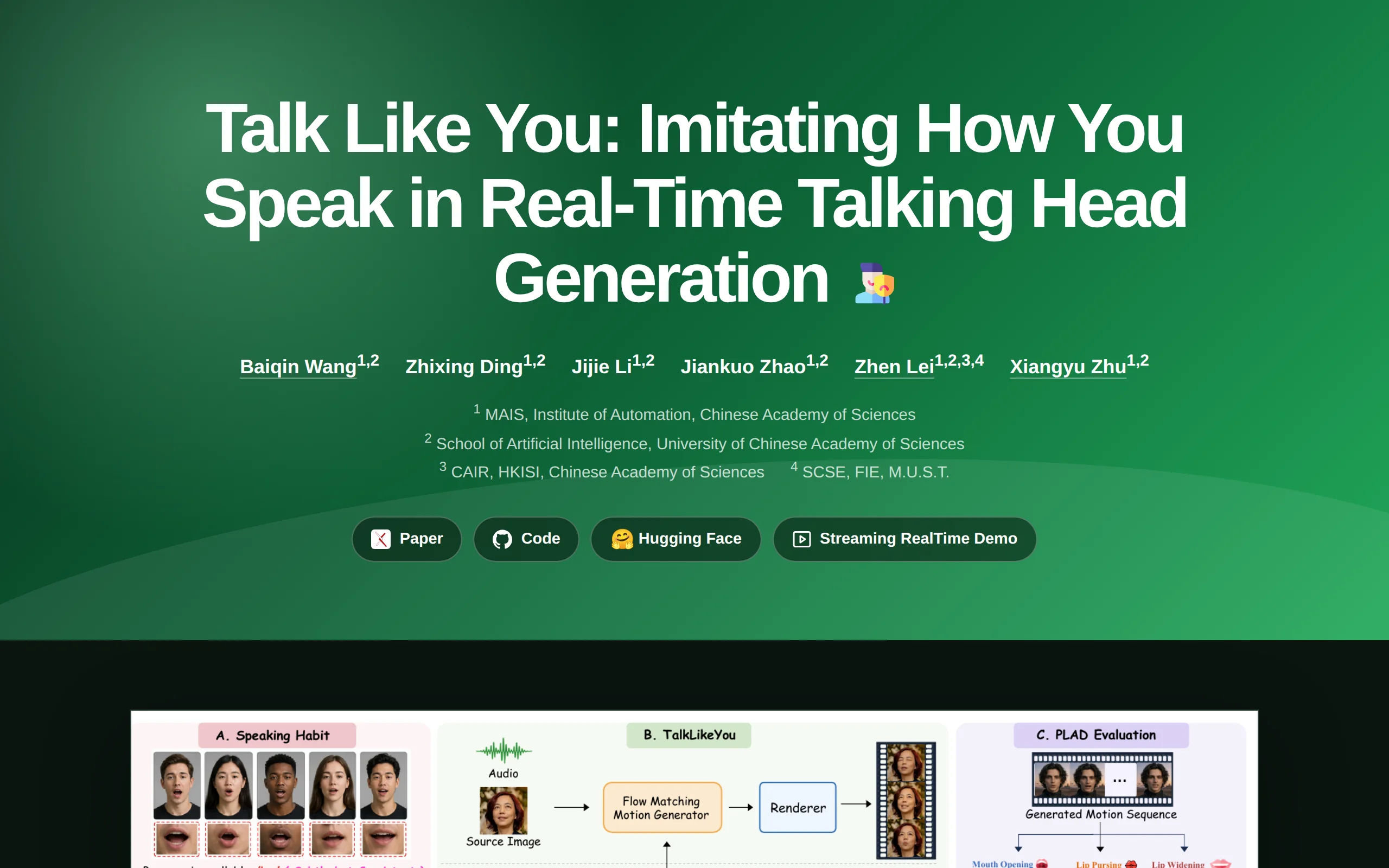
TalkLikeYou is an open-source real-time digital human (talking head) generation framework developed by the Institute of Automation, Chinese Academy of Sciences. Its core capability lies in generating ...
Vidu Q4 Preview: A Masterful Demonstration of Expressive Performance and Multi-Subject Consistency in ShengShu Technology's Flagship Video Generation Model
Vidu Q4 Preview is the first publicly available preview version of ShengShu Technology's next-generation flagship video generation model, launched on October 7, 2026. It emphasizes "expressive perform...
VoxMem – An Open-Source Audio Large Model Memory Benchmark from the University of Melbourne and Others
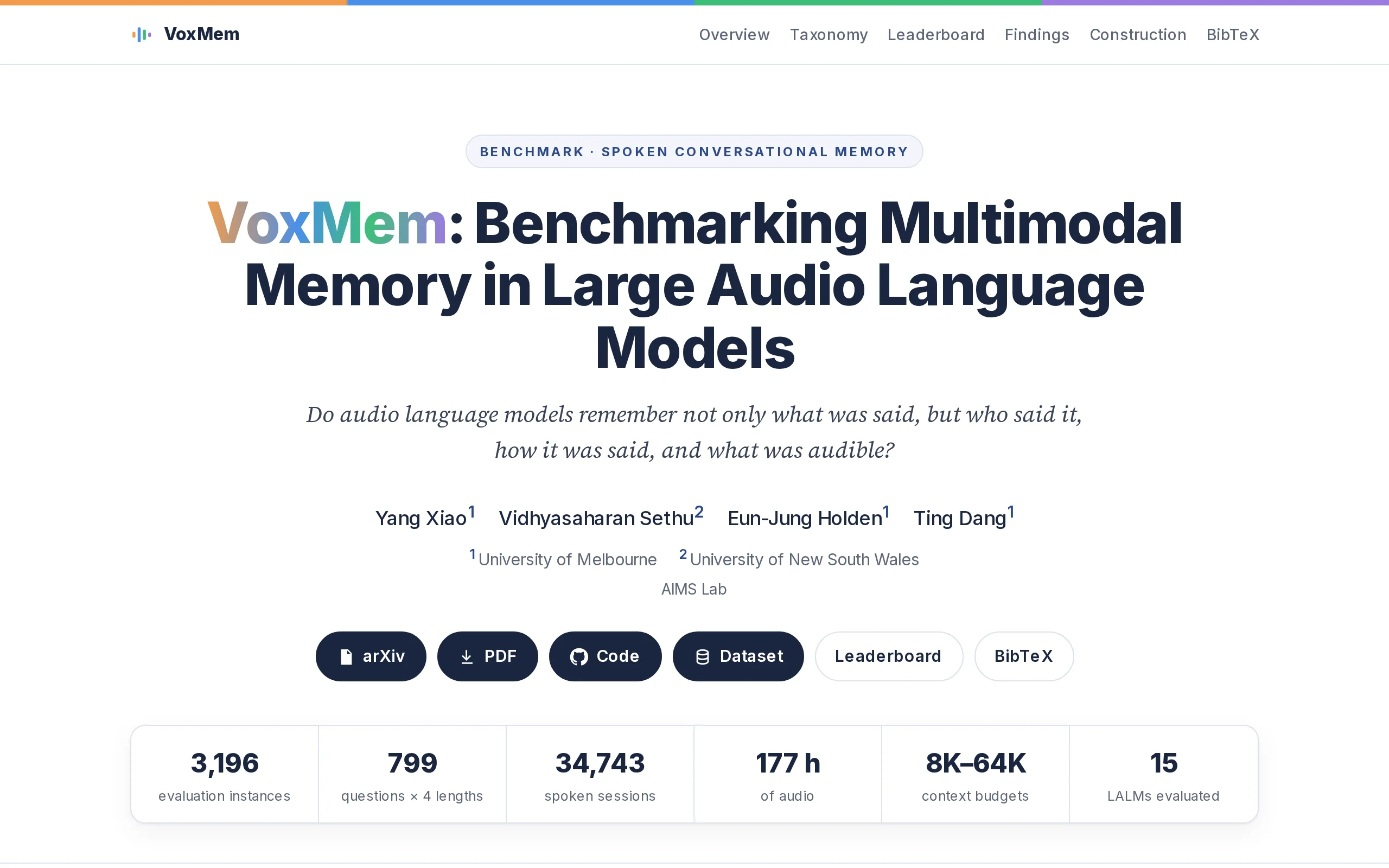
VoxMem is an audio large model memory benchmark introduced jointly by the research team from the University of Melbourne and the University of New South Wales. This benchmark pioneers a two-dimensiona...
© All Rights Reserved. Some content on this site is partially generated by AI with human review.