
OpenMotion – Open-Source AI Video Recreation Tool, Replicate Videos Using Brand Assets
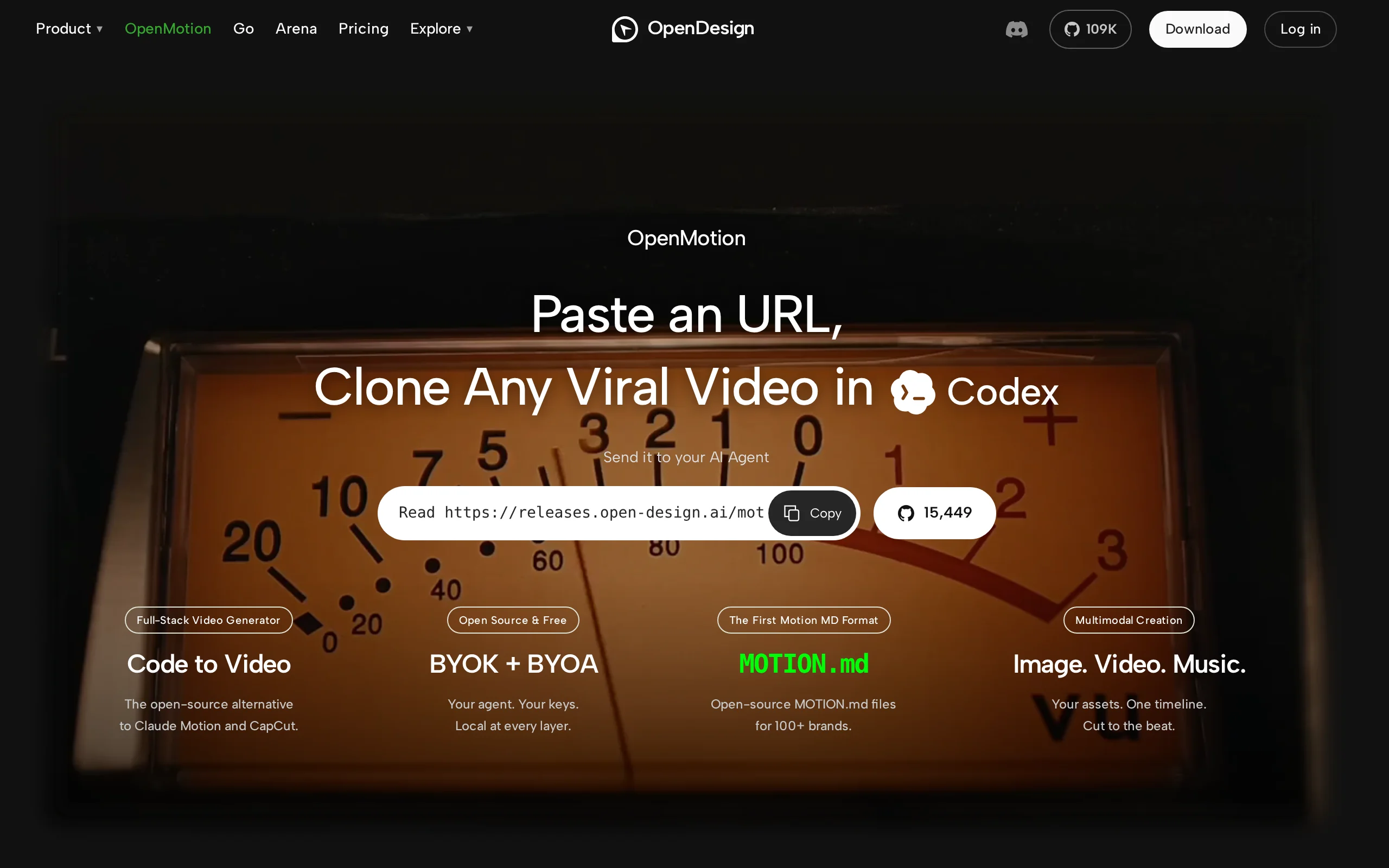
Executive Summary:
OpenMotion is an open-source intelligent video production tool. Its core capability lies in deeply analyzing reference videos through AI, extracting the sequence of shots, transition logic, and narrat...
1. What is OpenMotion
OpenMotion is an open-source intelligent video production tool. Its core capability lies in deeply analyzing reference videos through AI, extracting the sequence of shots, transition logic, and narrative pacing, and generating a structured Motion.md document. Users only need to provide their brand assets (such as logos, text, screenshots) to recreate high-quality videos at a low cost using this document. Technically, OpenMotion describes animations and visual effects using a web technology stack (HTML/CSS/JS), renders them through the browser, and exports them to MP4 using FFmpeg. The resulting works are essentially editable engineering files, supporting iterative refinement. This tool supports integration with 22 local AI assistants and provides over 300 deconstruction templates from major brands, making it suitable for high-frequency video production scenarios such as brand promotional videos, product demonstrations, and voice-over videos.
Technical Positioning and Domain: OpenMotion belongs to the domain of AI-assisted video generation and automated editing. It transforms the traditional video production workflow from "manual timeline editing" to an intelligent model of "extracting the structure of reference videos + automatically filling in assets," demonstrating strong potential for industrial-scale production.
Development Background: This project was developed and open-sourced by the nexu-io team, using the Apache-2.0 license. Its original design aimed to address the issues faced by brand teams in video content production, such as severe homogenization, obvious template usage, and high single-production costs, promoting video production toward a reusable and iterative engineering approach.
Core Value: Unlike traditional AI video tools that rely on "template stuffing," OpenMotion emphasizes deep learning and reuse of the original video's narrative rhythm, transition logic, and shot organization methods. This allows the output content to align structurally and stylistically with the reference video, while achieving differentiated expression through the replacement of brand assets.
Technical Features: By writing videos using the HTML/CSS/JS technology stack, the video engineering files are equipped with version control (diff) and programmatic reuse capabilities. At the same time, OpenMotion connects with 22 mainstream AI assistants through Skills and MCP (Model Context Protocol), and supports BYOK (Bring Your Own Key) integration with image, video, music, and voice model APIs, achieving a highly open ecosystem integration.
2. Key Features
Reference Video Recreation: After a user uploads a reference video or link, the system automatically breaks down its shot composition, transition methods, and narrative pacing to generate a Motion.md description document. The AI will mark positions where content can be replaced, allowing users to quickly rebuild a video with the same structure using their own branded materials (Logo, text, screenshots, etc.).
Editable Engineering Output: The output is not a traditionally rendered final video, but rather an engineering file with a complete timeline. Character appearances, subtitle bars, and transition animations can all be adjusted in a visual interface. Modifying one segment does not affect others, reducing the cost of rework.
Code-Based Video Creation: Use HTML/CSS/JS to describe visual elements and animation logic, which is then rendered by the browser. The final video is exported as MP4 via FFmpeg. The video engineering is saved in code form, offering features such as diffing, reusability, and version rollback, which facilitate team collaboration and secondary development.
AI Assistant Integration: Supports 22 local AI assistants, including Claude Code, Codex, and Kimi CLI, connecting to Studio via the Skills specification and MCP protocol. Users can either use natural language instructions to drive AI video decomposition and Motion.md generation, or directly command the AI to modify timeline content.
Bring Your Own Key (BYOK) Media Generation: Users can connect API Keys from various image generation, video generation, music synthesis, and voice synthesis models. After analyzing the original video, the AI automatically identifies missing materials and uses these models to generate the required visuals, background music, and voiceover, enabling full-chain content production.
Template Library: Includes over 300 templates for large brand video decomposition that contain Motion.md (such as styles from Kimi, Slack, etc.). These templates support keyword search and one-click copy of recreation instructions, significantly reducing the learning curve for animating from scratch.
Studio Visual Editing: Provides a side-by-side comparison view between the original video and the recreation version. Users can manually drag and adjust the timeline for fine-tuning, or directly issue text commands for the AI to make changes. This module is a critical part of the workflow for "manual refinement."
MP4 Export: Once the final effect is confirmed, the engineering file can be rendered into MP4 format while retaining the full source code engineering file for future version iterations. The direct publishing feature to social platforms is not yet available and requires manual upload to various distribution channels.
3. Application Scenarios
Brand Video Production: Replicate the structure and rhythm of animated videos from major brands like Kimi and Slack, replacing them with your own logo, brand colors, copywriting, and product images. Suitable for quarterly brand promotion, product concept dissemination, and other series content production that requires consistent tone and style.
Product Demo and Launch Videos: Choose product video templates that follow the "first pose a question, then provide a solution" structure. Replace the original interface demonstrations with your own product screen recordings and feature screenshots to quickly generate launch materials for events, official websites, and social media channels.
Voice-over Short Videos: Refer to the subtitle timing, keyword animations, and scene transitions of high-quality voice-over videos. Replace them with your own visual assets and script content to mass-produce knowledge-sharing or sales-oriented voice-over videos, improving content production efficiency and viewer experience.
Tutorials and Operational Demos: Replicate the transition effects, annotations, and picture-in-picture organization methods used in step-by-step instructional videos. Embed software operation processes or functional teaching content into the predefined structure to produce standardized tutorial videos for enterprise training and product education scenarios.
Data Storytelling and Chart Animations: Use data visualization templates that connect geometric shapes through smooth transitions. Convert report data, product growth curves, and similar content into dynamic chart videos, ideal for opening remarks at launch events or data sharing on social platforms.
4. How to Use
Environment Setup: Install the Node.js runtime environment and prepare a supported AI assistant client (such as Claude Code, Codex, Kimi CLI, etc.), ensuring that the network can access the required model API services.
Install Skill: Execute the command
npx skills add nexu-io/openmotion --skill openmotionwithin the AI assistant to complete the Skill installation, or let the AI assistant read the install.md file located in the root directory of the repository and configure step-by-step according to the instructions. Once completed, you will gain access to the relevant capabilities of OpenMotion.Integrate with AI Assistant: Import the connector in WorkBuddy, or configure mcp.json as a custom MCP service in clients like Claude Code, enabling the AI assistant to connect with the local Studio and achieve instruction dispatching and engineering data retrieval.
Select Reference Video: Upload a reference video or link, or choose a template from the template library that includes a Motion.md file. Click on "Replicate Template" to copy and send the instructions to the AI assistant, initiating the automatic breakdown process.
AI Breakdown and Material Replacement: After analyzing the original video, the AI will record the sequence of shots, duration, transitions, and audio cues into Motion.md, and mark the positions where materials can be replaced. Then, place brand assets such as logos, fonts, screenshots, and text into the brand package. The AI will rewrite each scene according to the original video's rhythm.
Supplement Missing Materials: When the brand package cannot cover certain visual or audio requirements, you can configure API Keys for image, video, and voice models, allowing the AI to call the corresponding models to generate the missing content.
Fine-tuning by Comparison: Compare the original video and the replicated version side-by-side in the Studio interface. Manually adjust the timeline by dragging to refine details, or directly issue dialogue instructions to the AI to make changes. Once the effect is confirmed, render and export the video as MP4.
5. Pros and Cons Analysis
| Pros |
|---|
| Replicating Rather Than Using Templates: It learns from the shots, pacing, and transition logic of the reference video, producing content that structurally aligns with the original but uses entirely original materials, avoiding the generic feel of traditionally AI-generated videos. |
| Editable Project Delivery: The output is a complete project file with a timeline, not just a single video file. Modifying a specific shot doesn't require redoing the entire sequence, supporting multi-version iteration and collaboration, significantly reducing long-term maintenance costs. |
| Open Ecosystem, No Vendor Lock-in: Supports 22 AI assistants and various media generation models. Users can work with existing accounts and API keys. Brand materials are stored locally, and sensitive data does not need to be uploaded to third-party cloud services. |
| Fast Template Library Start-up: Comes with over 300 built-in video breakdown templates with Motion.md, eliminating the need to start from scratch when designing motion structures. Users can directly reuse mature structures for material replacement. |
6. Comparative Analysis with Similar Tools
| Comparison Dimension | OpenMotion | CapCut (Jianying) | After Effects |
|---|---|---|---|
| Core Architecture | Web technology stack (HTML/CSS/JS) + browser rendering + FFmpeg export | Cross-platform commercial editing software with timeline-based editing architecture | Professional-level visual effects and motion graphics compositing software |
| Depth of AI Involvement | AI is integrated throughout the entire process of decomposition, reconstruction, and editing, with manual intervention possible at each step | AI-assisted features (subtitles, effects, chroma keying), with manual editing as the main approach | No native AI decomposition capability; requires third-party plugins |
| Output Format | Editable project files (HTML source code + timeline), allowing for repeated revisions and version control | Final video output as primary deliverable, project files are tied to its own editor with limited cross-platform migration | Rich project file formats, but limited programmatic collaboration capabilities |
| Deployment and Openness | Open-sourced under Apache-2.0, supports self-hosting, local deployment, and data ownership | Closed-source commercial product, dependent on vendor ecosystem and cloud storage | Commercially licensed paid software, data is localized but not open-sourced |
| Asset and Ecosystem Model | BYOK integration with various models, brand assets stored locally, not tied to a single vendor | Built-in asset library and templates, forming a content ecosystem around its own platform | Relies on Adobe ecosystem (Stock, fonts, plugins), with a large plugin system |
| Learning Curve | Suitable for users with basic command-line skills, requires some technical background | Zero-configuration, ready to use, intuitive operation | High learning curve, requires systematic learning |
| Usage Cost | Software is free, with costs associated with model API calls | Free + subscription model, with advanced features charged monthly | Subscription-based, personal edition costs hundreds of yuan per month, team edition is more expensive |
Selection Recommendations: For organizations with their own brand assets and technical teams that require high-frequency, batch production of consistently styled video content, OpenMotion offers a highly cost-effective, project-based solution, particularly suitable for scenarios requiring reusability of structures across different videos and ensuring brand consistency. The data-localized storage approach also provides greater compliance advantages. For content creators or small teams lacking technical personnel and prioritizing quick output, CapCut's plug-and-play approach and built-in asset ecosystem offer higher efficiency, though they must accept its closed-source ecosystem and asset lock-in issues. For professional film and advertising teams seeking strong visual impact, After Effects remains irreplaceable in terms of depth of effects and controllability, but this solution is not suitable for batch production of brand content. Generative AI platforms (such as Pika and Runway) are ideal for quickly producing creative short videos and concept previews, but they lack the capability for fine-grained control at the shot level and asset reuse.
7. Editor's Summary
From a technological innovation perspective, OpenMotion shifts video engineering from "binary timeline files" to "version-controlled code projects," a design that exhibits a distinct engineering-oriented approach within video production tools. By breaking down reference videos into structured Motion.md description documents and presenting visuals and animations in HTML/CSS/JS formats, the tool enables an abstract representation of video narrative logic. The same video structure can be repeatedly reused by simply replacing brand assets and copy, a capability that is difficult to achieve efficiently in traditional editing software. Its open integration solution based on the MCP protocol, which connects 22 AI assistants, also grants users significant authority in model selection, rather than binding them to a specific platform ecosystem.
In terms of practical value, OpenMotion does not address the basic question of "how to generate a video," but instead tackles the more advanced issue of "how to systematically and in bulk produce videos with clear content structures and brand consistency." For teams that need to continuously create brand promotional videos, product demo videos, and voice-over content, this tool transforms one-time video production into an iterative asset accumulation. The combination of a 300+ template library and the BYOK media generation mechanism also allows for a relatively smooth workflow from deconstruction, content supplementation, to final output. However, its requirements for a Node environment and AI assistant configurations mean that its primary target users are content teams or small studios with basic technical literacy. The learning curve and engineering collaboration costs for purely marketing roles remain one of the major constraints in practical use. Future iterations that further improve the automation level of the installation process, direct publishing channels, and multi-user collaboration features could enable this tool to realize greater utility within larger brand content production systems.
8. FAQ
Q: What is the difference between OpenMotion and directly using AI video generation tools (such as Runway, Pika)?
A: AI video generation tools focus on "generating visuals from nothing," which results in higher randomness and less controllability; OpenMotion's core capability is "recreating videos based on the narrative structure of a reference clip," emphasizing the precise extraction and reuse of shot order and transition pacing. Users fill in the visuals with their own materials, making the overall controllability significantly stronger.
Q: Can non-technical operations personnel use OpenMotion?
A: Yes, but there are some barriers. Setting up the environment and configuring MCP requires basic command-line operation skills. If the team has developers or technical operations personnel to handle the initial deployment, operations personnel can use the Studio interface for drag-and-drop editing and use natural language instructions to let the AI assistant perform material replacement and structural adjustments.
Q: How are missing shot materials handled during the recreation process when the reference video doesn't have them?
A: Through the BYOK mechanism, users can integrate their own image generation, video generation, music synthesis, and voice synthesis model APIs. After the AI breaks down the original clip, it will label the missing material types, and the corresponding models will be called to generate the necessary content. Alternatively, similar materials can be selected from existing brand libraries (screenshots, historical materials) as substitutes.
Q: How is the copyright of the generated videos determined?
A: The software itself follows the Apache-2.0 open-source license, allowing free use and modification of the code. The copyright of the generated video content depends on the source of the materials used by the user (own brand materials, purchased templates, AI-generated content service terms). It is recommended to pay attention to the usage restrictions set by each model API service provider regarding generated content.
Q: Does OpenMotion support collaborative editing of the same video project by multiple people?
A: Since the project exists in the form of HTML code and a timeline, it supports parallel development using version control tools like Git. However, real-time collaborative editing is not currently available, and scenarios where multiple people edit the same timeline online still require manual merging of changes, making it more suitable for asynchronous collaboration.
Q: Can MP4 videos exported from OpenMotion be directly published to platforms like Douyin or Bilibili?
A: No. The current version's export process ends with the rendering of the MP4 file. The feature for directly publishing to video platforms is not yet available, and users must manually upload the file to each distribution channel.
9. Project Links
- Product Website: https://open-design.ai/motion/
- GitHub Repository: https://github.com/nexu-io/openmotion
Related
Hy4 flash – Tencent HunYuan's High-Cost-Performance Large Model
Hy4 flash is a high-cost-performance large model launched by Tencent HunYuan, which employs a sparse mixture-of-experts (MoE) architecture with a total of 224B parameters and 12B active parameters. It...
WuJie·PhysCapBench – The First Unified Benchmark for Evaluating Cross-Domain Video Physical Description Capabilities Launched by Zhixin
WuJie·PhysCapBench is the first cross-domain video physical description evaluation benchmark introduced by Inverse Matrix in collaboration with the Zhixin Institute of Research and Peking University. ...
Aure – DeepL's Speech Translation Model
Aure is DeepL's next-generation speech translation model and serves as the core driving force behind all DeepL Voice products. Unlike traditional speech translation systems, Aure can continuously and ...
VoiceStudio – Open-Source Local AI Voice Studio, Generating Voice from Text Descriptions
VoiceStudio is an open-source, fully local AI voice studio that integrates multiple capabilities—such as voice cloning, sound design, video dubbing, speech-to-text transcription, and batch generation ...
© All Rights Reserved. Some content on this site is partially generated by AI with human review.