
SenseNova 6.8 Flash Review: Active Office Automation and Multimodal Design Generation Practices in SenseTime's Daily New Multimodal Agent Model
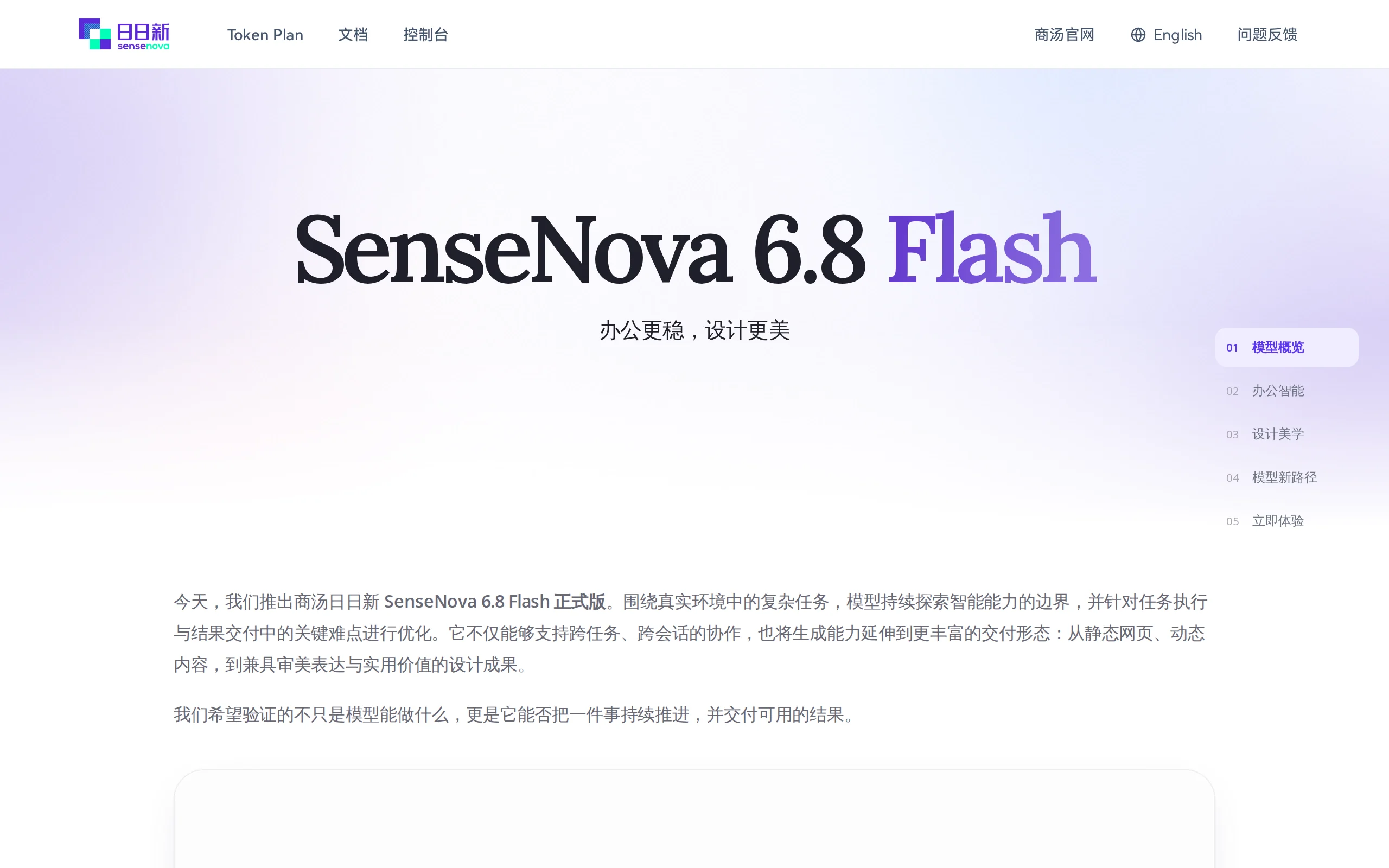
Executive Summary:
SenseNova 6.8 Flash is the flagship multimodal agent model launched by SenseTime's Daily New large model system. Its core positioning focuses on two main directions: active office automation and compr...
1. What is SenseNova 6.8 Flash
SenseNova 6.8 Flash is the flagship multimodal agent model launched by SenseTime's Daily New large model system. Its core positioning focuses on two main directions: active office automation and comprehensive multimodal design generation. This model relies on an explicit long-term memory mechanism, enabling it to accumulate customer background, collaboration progress, and preference information across sessions. When external conditions change, it proactively alerts users and generates adjustment recommendations, thereby shifting the work paradigm from "post-event remediation" to "proactive follow-up." In the design generation domain, SenseNova 6.8 Flash supports multiple delivery formats, including dynamic PPTs, dynamic posters, Blender 3D scenes, web pages, SVG vector animations, and Figma workflows. All outputs are editable engineering files, not one-time rendered images. The model also possesses cross-task and cross-session collaboration capabilities spanning hundreds of steps, demonstrating strong overall performance in agent collaboration, data analysis, and presentation generation scenarios.
Technical positioning and domain: SenseNova 6.8 Flash belongs to the field of multimodal agent models, spanning visual understanding, content generation, tool calling, and automated workflow orchestration. Unlike conventional conversational large models, this model treats "proactive service" as its core design goal. Its technical architecture is not a simple instruction-response system, but rather integrates long-term memory management, proactive interaction triggering mechanisms, and multi-tool collaborative scheduling capabilities, aiming to become an intelligent productivity infrastructure for office and design scenarios.
Development background: This model was developed by SenseTime's Daily New large model team. With deep expertise in computer vision, SenseTime has continuously iterated the SenseNova series since its release in 2023, gradually evolving from a general-purpose conversational model into a comprehensive platform with Agent capabilities and multimodal generation. The launch of SenseNova 6.8 Flash reflects SenseTime's strategic intent to extend its visual technology advantages into office automation and professional design toolchains, marking an important move in the competition for Agent-based large models.
Core value: SenseNova 6.8 Flash addresses the key pain points in office and design scenarios where AI tools often produce "unusable, uneditable, and non-continuable" results. Traditional AI generation tools typically output static images or text, making it difficult to integrate them into real workflows. This model delivers editable PPTX files, Blender projects, SVG vector files, and Figma-compatible outputs, allowing AI-generated content to be truly embedded into existing production pipelines of professionals. Additionally, by leveraging its explicit long-term memory system and proactive alerting mechanism, it provides new technical pathways for enterprise-level knowledge accumulation and long-term project management.
2. Key Features
Proactive Office Intelligence: Leveraging long-term memory and proactive interaction mechanisms, the model can remember background information such as the client's reasons for rejection, collaboration progress, and communication preferences. When relevant conditions change, it proactively reminds users to follow up and generates adjustment recommendations and new communication strategies, upgrading conventional AI's passive response to proactive service.
Cross-task and Cross-session Collaboration: Continuously advancing tasks based on user-defined goals and constraints, supporting long-range, multi-step collaboration across hundreds of steps. Task status is not lost after a session ends, and users can return to any intermediate node at any time to continue progress, making it ideal for complex work requiring multiple iterations.
Dynamic PPT Creation: Unlike the traditional approach of "static slides + post-production animation," the model incorporates narrative pacing into its generation objectives. It first identifies the key information to convey on each slide, the pauses and emphasized content, and then uniformly arranges transition types, element entry order, and chart growth methods, ensuring that animations and slide structure work in harmony to produce a presentation with logical storytelling.
Dynamic Poster Creation: The main visual, text hierarchy, and animations are designed in a single generation process. The timeline rhythm serves the information hierarchy, coordinating the movement of the main visual with the placement and timing of text appearance. It supports expansion into a series of promotional materials.
Agentic 3D Design: The Agent deeply collaborates with Blender, refining dynamic 3D scenes through iterative cycles of "generate—observe—feedback—modify." Users can progressively adjust details and add new requirements, and the final output is a Blender project file that can be further edited, rather than a static render.
Web and SVG Design: Comprehensive handling of layout, typography, color schemes, and material selection to produce visually cohesive web pages, as well as SVG vector animations that support lossless scaling and secondary editing, balancing visual quality with engineering usability.
3D Web Modeling: Handles spatial layout, material lighting, camera movement, and animation sequencing to generate real-time 3D interactive content that can be rendered on the web, suitable for product showcases, brand experience pages, and similar applications.
Figma Workflow Integration: Directly integrates AI-generated results into professional design tools like Figma, connecting the "generate—edit—iteration" workflow. The model is responsible for drafting and expanding concepts, while designers refine them in Figma, creating an efficient human-AI collaborative design process.
3. Application Scenarios
Sales Follow-up and Customer Management: Sales personnel can use the model to remember customers' reasons for rejection, collaboration progress, and changes in their focus points over the long term. When product capabilities are updated or external conditions change, the model proactively reminds users to re-engage with customers and automatically generates feature comparison materials and communication recommendations, thereby improving sales conversion efficiency.
Work Handover and Knowledge Transfer: When an employee is transferred or leaves, the model automatically organizes the customer background, communication habits, unresolved issues, and project status handled by the previous employee, helping the new colleague quickly establish contextual understanding and reducing business losses caused by information gaps.
Office Reporting and Presentation Generation: With a single-sentence input from the user, the model automatically organizes key data points and generates dynamic PPTs with narrative pacing and motion design, directly converting data analysis results into deliverable and editable presentation files, significantly shortening the time from data to final draft.
Marketing Design and Brand Communication: The marketing team can mass-produce dynamic posters and a series of extended materials with coordinated main visuals, text hierarchy, and motion effects, which can be directly used for social media distribution. The model supports the rapid generation of multiple versions of materials within a unified style framework, adapting to different advertising channels.
Web and Brand Website Construction: Enterprises can use the model to comprehensively handle layout, typography, color schemes, and material selection, generating visually consistent official websites, event pages, and scalable SVG visuals. This lowers the design threshold for website construction while ensuring maintainability in the future.
3D Interactive Content Creation: For product showcases, digital exhibitions, or brand experience scenarios, users can describe their requirements in natural language, and the model collaborates with Blender to generate real-time renderable 3D web interactive content, delivering editable engineering files for continued development.
4. How to Use
Online Experience: Log in to the SenseNova Token Plan platform (www.sensenova.cn/token-plan) or SenseNova Studio (unify.light-ai.top), and select the 6.8 Flash model for direct conversation experience. For design-related features, you need to access the Design experimental version, and for 3D-related features, you must use it locally with a Blender environment.
API Integration: Create an API Key on the SenseTime Open Platform console (platform.sensenova.cn), and request via the OpenAI-compatible protocol (
link to be updated after official release). Set themodelfield in the request parameters tosensenova-6.8-flashto integrate the model's capabilities into your own application or workflow.Office Scenario Configuration: For daily office scenarios, it is recommended to use the SenseTime Xiao Huan Xiong client application. This app has already integrated the proactive office intelligence capabilities of SenseNova 6.8 Flash, supporting direct calls for features such as sales follow-ups, report generation, and data analysis, making it suitable for users without a technical background.
3D Design Environment Setup: Before using the dynamic 3D features in Blender, you need to install Blender software locally and configure the Agent runtime environment. Users can input design requirements through conversation, and the Agent will generate an initial version of the scene. The actual rendering result from Blender is used as the observation signal, and combined with user feedback, multiple rounds of iterative modifications can be performed.
Figma Workflow Integration: Design teams can integrate the model's generation capabilities into their Figma workflow. The model is responsible for producing drafts and expanding on design proposals, while designers refine and iterate within Figma, forming a collaborative workflow of "AI generation—manual refinement."
Cost and Quota Management: The Token Plan uses a points-based billing system, offering a free quota (60,000 points every 5 hours, no bank card binding required); the SenseTime Xiao Huan Xiong client is free until December 1, 2026. API call costs can be viewed in real-time on the console.
Notes: Proactive interaction features are currently only demonstrated in the internal version of SenseTime Xiao Huan Xiong. The standard API call does not yet fully support this capability. The model weights are closed-source, and only peripheral resources such as Skills and Loop-9B-Preview are available. For private deployment, enterprises should follow the official announcements from SenseTime.
5. Pros and Cons Analysis
| Pros |
|---|
| Proactive Office Intelligence: Leveraging an explicit long-term memory mechanism, the model can remember customer backgrounds and project progress across sessions, and proactively issue warnings when information changes. This upgrades AI from passive response to proactive follow-up, significantly enhancing automation levels in office scenarios. |
| Full-Form Design Generation: Covers dynamic PPTs, dynamic posters, Blender 3D, web pages, SVG, and Figma workflows. The delivery form is relatively complete, and all outputs are editable engineering files, enabling true integration into professional workflows. |
| Cross-Session Long-Range Collaboration: Supports multi-step tasks spanning hundreds of steps, with task status preserved across sessions. Users can return to any intermediate node at any time to continue working, making it suitable for long-term project management and complex design tasks. |
| Agent and Professional Tool Collaborative Loop: Through a multi-round iterative mechanism of "generate—observe—feedback—modify" and deep integration with Blender and Figma, the model can iteratively refine details, producing high-quality, editable 3D scenes and design proposals. |
6. Comparative Analysis with Similar Tools
| Dimension | SenseNova 6.8 Flash | DeepSeek V4.1 Flash |
|---|---|---|
| Core Architecture | Native multimodal architecture, emphasizing integrated visual understanding and design generation | Native visual understanding architecture, image input billed by token, no additional visual costs |
| Agent Capabilities | Long-term memory + proactive interaction, cross-session collaboration, supports hundreds of steps for long-range tasks | Strong code and automation Agent capabilities, Terminal-Bench 2.1 score of 90.6, DeepSWE score of 74.2 |
| Design Generation | Core differentiating capability: full coverage of dynamic PPT, posters, Blender 3D, web pages, SVG, and Figma workflows | No built-in design generation capability, relies on external toolchains |
| Memory Mechanism | Explicit long-term memory, focuses on knowledge accumulation in office scenarios, actively alerts when information changes | 196B Engram external memory module, emphasizes efficiency in long context at the KV Cache level |
| Editable Output | Produces editable files such as PPTX, Blender projects, SVG vectors, etc. | Outputs plain text or code, does not involve visual engineering deliverables |
| Open Source Strategy | Model weights are closed-source, only Skills and Loop-9B-Preview are open-sourced | Fully open-sourced weights under MIT license, supports self-deployment and secondary development |
| API Pricing | Token Plan credit system, with free quota (60,000 credits every 5 hours), XiaoHuanXiong (Little浣熊) terminal free until December 1, 2026 | No free API quota, idle time input cache hit ¥0.02/M, miss ¥1/M, output ¥4/M, peak hours double |
| Ecosystem Integration | OpenAI-compatible API + XiaoHuanXiong + Studio, leaning towards office and design deliverables | OpenAI + Anthropic dual protocols, native Responses API, compatible with Codex/OpenClaw and other programming Agent ecosystems |
Selection Recommendations: For scenarios involving office automation, design delivery, and enterprise knowledge accumulation, SenseNova 6.8 Flash demonstrates significant advantages with its proactive office intelligence and comprehensive design generation capabilities. Sales teams, marketing departments, and design teams can directly utilize its dynamic PPT, poster, 3D scene generation, and Figma integration features to embed AI outputs into existing workflows, making it ideal for users seeking editable deliverables and professional-grade output quality. It should be noted that the proactive interaction feature is currently only demonstrated in the internal version of XiaoHuanXiong, and this capability is not yet fully available in standard API calls. Additionally, the model weights are closed-source, and private deployment is not supported.
For scenarios involving high-frequency API calls, programming Agent development, long-context automation, and low-cost self-deployment, DeepSeek V4.1 Flash's MIT open-source license, dual protocol compatibility, and code Agent capabilities are more appealing. Developers can freely customize and integrate it into their own systems.
7. Editor's Summary
SenseNova 6.8 Flash represents a significant product implementation by SenseTime in the field of Agent-based large models. Its technological innovations are concentrated in three aspects: first, introducing an explicit long-term memory mechanism into office scenarios, enabling the accumulation of cross-session context and proactive early warning triggers. This design goes beyond the limitations of traditional dialogue models that equate "session" with "context," moving closer to the form of a true intelligent assistant. Second, the narrative-based animation generation mechanism, which incorporates the narrative rhythm of PPTs and posters as part of the generation objective, completing animation arrangement during the generation phase rather than in post-editing. This feature is relatively rare among similar products. Third, the deep collaborative closed-loop between the Agent and professional tools such as Blender and Figma, producing editable engineering files through a multi-round "generate—observe—feedback—modify" mechanism, bridging the gap between AI-generated content and professional production.
In terms of practical value, this model covers a variety of scenarios ranging from sales follow-ups, job handovers, office reporting, to marketing design, website building, and 3D content creation. All deliverables are editable engineering files, making them suitable for integration into real workflows. The provision of free quotas also reduces the user's trial-and-error costs, and the policy of free access for the Xiao Huanhong (Little Badger) end until December 1, 2026, provides a window period for product promotion.
In terms of target users, this model holds high value for sales teams, marketing professionals, designers, enterprise managers, and knowledge workers who frequently need to produce presentation materials. It is especially suitable for scenarios that emphasize customer relationship management and the quality of visual deliverables. Developers can integrate it into their own applications via the OpenAI-compatible API, but they should be aware of the current status where model weights are closed-source and proactive interaction features are not yet fully open.
Looking ahead, the direction of proactive office operations and editable design generation represented by SenseNova 6.8 Flash is an important evolutionary path for AI tools transitioning from "content generation" to "workflow integration." With continuous iteration of long-term memory mechanisms and multi-tool collaboration capabilities, such models are expected to replace traditional manual processes in more professional scenarios, becoming one of the core infrastructures for enterprise digital operations.
8. FAQ
Q: Is SenseNova 6.8 Flash free to use?
A: The Token Plan provides free credits, with 60,000 points every 5 hours, without the need to bind a bank card. The SenseNova 6.8 Flash version on the Sensetime Xiaohuanxiang platform is free until December 1, 2026. After exceeding the free credit limit, API calls are billed according to the Token Plan credit system. Specific pricing can be viewed in the Open Platform console.
Q: Does SenseNova 6.8 Flash support private deployment?
A: Currently, the model weights are closed-source, and the official only open-sourced peripheral resources such as Skills and Loop-9B-Preview. For private deployment, enterprises should follow the official Sensetime release plan for future updates. A public self-deployment solution is not currently available.
Q: What is the difference between dynamic PPT and regular AI-generated PPT?
A: Dynamic PPT incorporates narrative pacing as a target during the generation phase, uniformly arranging transitions, element entry order, and chart growth methods, rather than adding animations to static pages afterward. The output is an editable PPTX file, where animations and page structure work together harmoniously.
Q: How is the proactive office intelligence feature triggered?
A: The model records information such as customer background and collaboration progress based on long-term memory. When external information changes, the system matches the new information with existing memory, identifies potentially affected matters, and proactively generates adjustment recommendations. This feature is currently demonstrated in the internal version of Sensetime Xiaohuanxiang, and the standard API is not yet fully open.
Q: Is a local environment required for the Blender dynamic 3D feature?
A: Yes, to use the Agentic 3D design feature, you must install the Blender software locally and configure the Agent environment. Users input their requirements through dialogue, and the Agent generates an initial scene. The actual Blender rendering result is then used as an observation signal for multiple rounds of iteration, ultimately delivering an editable Blender project.
9. Project Links
Related
Hyra 2.0 – AI Research Agent Launched by Tencent Huyan
Hyra 2.0 is an AI research agent launched by Tencent Huyan, an upgraded version of Hyra 1.0. Its core positioning has shifted from automatic problem-solving to research tool development. This agent ca...
DeepSeek Super-agent In-Depth Review: A System Architecture Leap from Passive Dialogue to Continuous Online Collaborator
Super-agent is a continuous online Agent system architecture introduced by the DeepSeek Harness team. Through a dual-layer design, event-driven mechanism, asynchronous multi-channel interaction, stora...
LongCat-2.5 – In-Depth Evaluation of Meituan's Native Multimodal Model
LongCat-2.5 is a native multimodal model introduced by Meituan's LongCat team, featuring a total of 1.6 trillion parameters, with approximately 480 billion parameters activated per token. Designed for...
Canva Brush – In-depth Review of Canva's Vision-Language Design Editing Model
Canva Brush is the first self-developed Vision-Language Model (VLM) officially released by the Canva Research team on October 29, 2026, specifically designed for design editing scenarios. This model c...
© All Rights Reserved. Some content on this site is partially generated by AI with human review.