
Canva Brush – In-depth Review of Canva's Vision-Language Design Editing Model
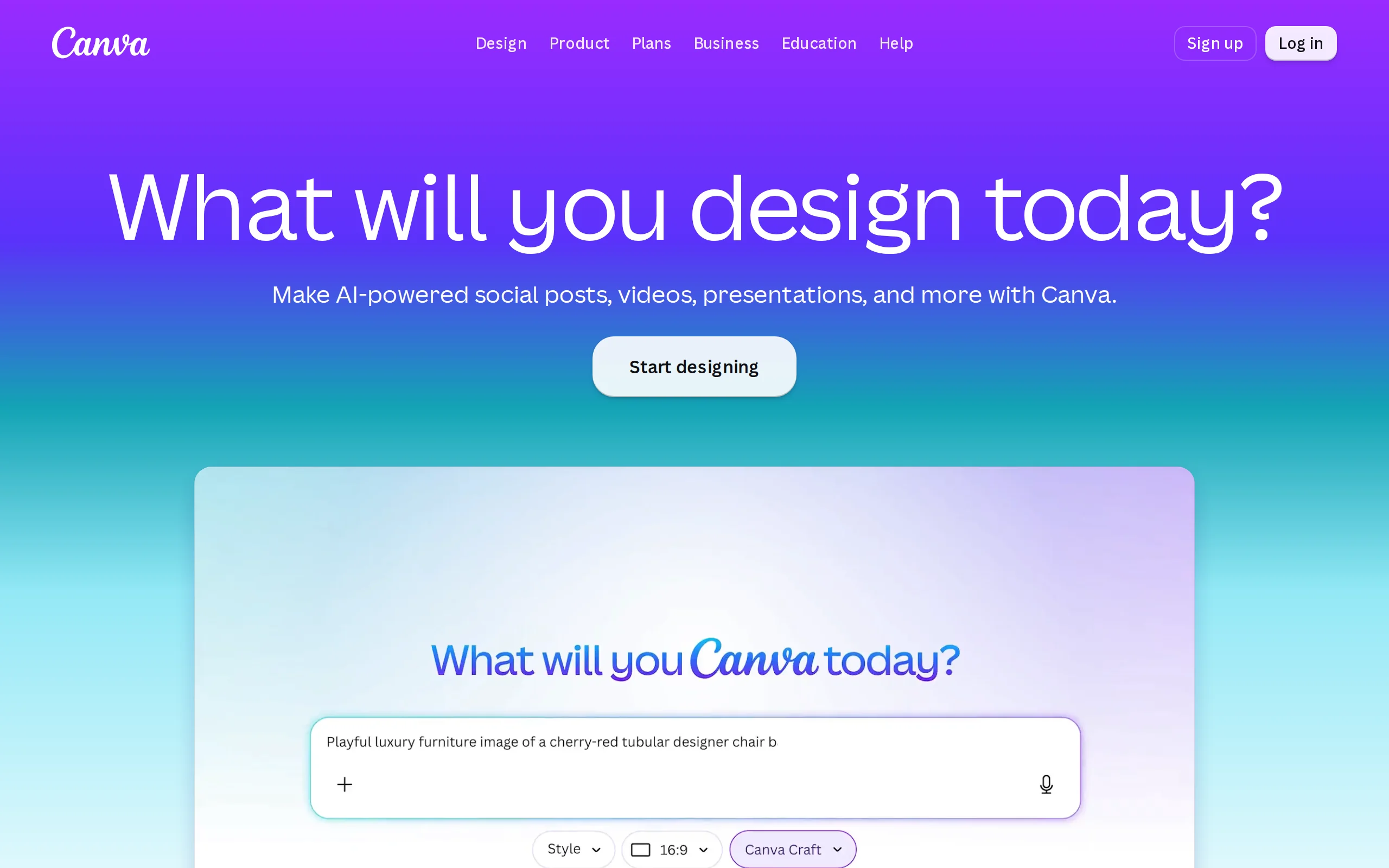
Executive Summary:
Canva Brush is the first self-developed Vision-Language Model (VLM) officially released by the Canva Research team on October 29, 2026, specifically designed for design editing scenarios. This model c...
1. What is Canva Brush
Canva Brush is the first self-developed Vision-Language Model (VLM) officially released by the Canva Research team on October 29, 2026, specifically designed for design editing scenarios. This model can understand the page structure of design drafts, identify the user's editing intent, and autonomously perform a variety of editing tasks—from modifying single lines of text to batch adjustments of entire presentation decks—through an intelligent agent loop mechanism. In contrast to Canva's concurrently launched image generation model, Craft, which is responsible for generating images from scratch, Brush focuses on precise editing and restructuring of existing designs. According to official data, Brush has improved editing task speed by 69% and reduced per-operation costs by 46% compared to the previous generation of design agents. Currently, the model is available to Canva Pro subscribers, marking Canva's strategic shift from "renting AI" to "developing its own engine."
Technical positioning and domain: Belongs to the Vision-Language Model (VLM) domain, focusing on the vertical application of design editing. Unlike traditional image generation models, Brush's unique positioning lies in "understanding design structure and performing precise edits," rather than generating new images from text. This has opened up a niche category in the AI design tool landscape known as "editing agents."
Development background: Self-developed by the Canva Research team, based on leading open-weight models and optimized through post-training and reinforcement learning. The motivation for its development stems from Canva's strategic need to transition from relying on third-party AI capabilities to building its own core technologies. Its training data integrates the knowledge of professional designers with anonymized real user editing behaviors.
Core value: Addresses the pain point of traditional AI design tools, which "can only generate, not make precise modifications." Users can now perform cross-page, cross-format batch design adjustments using natural language instructions, and all outputs are native editable elements. This upgrade transforms AI from a "content generator" into a "design collaborator," significantly lowering the design barrier for non-professional users.
Technical features: Employs a dual-modal understanding architecture combining a "visual encoder + language model," enabling a closed-loop execution process of "edit—check—re-edit" through an intelligent agent loop mechanism. Its core differentiating capability lies in its deep understanding of design structure—the model can accurately determine which elements need modification and which should remain unchanged, thereby avoiding the common "collateral changes" issue in traditional AI editing.
2. Key Features
Agent Iterative Editing: The model does not directly output the final design, but instead writes and runs code to adjust elements such as text, color, and layout, then reviews the page rendering results to evaluate the impact of the changes, forming a closed-loop execution mechanism of "edit—inspect—re-edit." This introspective editing approach enables the model to handle complex, multi-step design tasks, progressively refining from a draft to a polished, production-level quality, rather than generating the final result all at once.
Style Re-tuning: Users can explore different visual directions for existing designs or images, including adjusting color schemes, changing weather atmospheres, or describing entirely new styles. This feature is based on the model's deep understanding of visual semantics, allowing it to translate abstract style descriptions (e.g., "retro film look," "minimalist Nordic style") into specific visual parameter adjustments. It is particularly useful for brand visual refreshes and creative direction exploration.
Cross-page Batch Editing: A single instruction can uniformly update an entire multi-page design, including replacing all headers, titles, color schemes, or visual elements. This functionality relies on the model's consistent understanding of design structure, ensuring that fonts, colors, and typography remain unified across multiple pages, addressing the inefficiency of manually editing each page individually in traditional design software.
Multi-format Remixing: Supports quickly resizing and reformatting a design into another format, such as converting a presentation slide into an Instagram post or transforming a poster into a banner ad. The model automatically identifies the key visual hierarchy and information priority of the original design, rearranging elements during the format conversion to achieve multi-platform adaptation with a single design.
Preserve Original Design: The model has precise structural comprehension, enabling it to accurately determine which elements need modification and which should remain unchanged, effectively avoiding "collateral changes." This feature is especially critical for maintaining brand consistency, ensuring that modifying certain parts of a design does not affect the overall design language, brand colors, or typography style.
Fully Editable Workflow: All outputs are standard Canva elements, allowing users to manually take over and make changes at any time. This design philosophy ensures seamless integration between AI editing and traditional design workflows, enabling users to refine AI-generated content further as a starting point, rather than being forced to accept non-editable results.
Professional Quality Evaluation: Built-in reinforcement learning reward system defined by real designers, which evaluates the editing results from three dimensions: visual quality, layout rationality, and task completion. This mechanism ensures that the model's output is not only "correctly edited," but also "well-edited," balancing task completion with aesthetic quality.
3. Application Scenarios
Brand Visual Rebranding: Enterprise marketing teams can instantly replace existing designs with new color schemes or artistic styles, enabling rapid exploration of different visual directions. For example, in a brand renewal project, designers can input "Change the brand colors from the blue palette to a warm orange palette while maintaining a modern minimalist style," and Brush will synchronize the update across all relevant design elements, significantly shortening the creative exploration cycle.
Bulk Modification of Multi-page Documents: Issue a single instruction to an entire Pitch Deck to uniformly replace headers, titles, or visual elements across all pages, without the need for manual page-by-page editing. For instance, the sales team can input "Change the title font on all pages to Source Han Sans and add the company's new logo to the footers" before finalizing the presentation, and Brush will synchronize the update across the entire document within seconds.
Cross-platform Format Remixing: Resize and rearrange presentation slides into Instagram post formats, or convert posters into banner ads, adapting to multiple publishing channels in one go. Content creators can quickly derive multiple versions of a primary visual for use across social media, email marketing, and offline materials, ensuring consistent brand visuals across all channels.
Rapid Iteration of Marketing Materials: Small businesses can quickly generate and refine multi-page promotional content, seamlessly transitioning from a draft to a publish-ready version. For example, a bakery owner can input "Create a single-page flyer for Valentine's Day that includes product images, a price list, and the store address," and Brush will generate a complete design. The owner can then make minor adjustments and use it directly for in-store promotion.
Image Atmosphere Editing: Adjust the weather, color tone, and overall atmosphere of existing images to align with the design theme. Photographers or designers can reshape the mood of captured content, such as transforming a cloudy day scene into a warm sunset tone or changing the background of a product image to a gradient that matches the brand colors, without needing complex Photoshop operations.
4. How to Use
Verify Eligibility: Visit the Canva official website (www.canva.com or www.canva.cn) and confirm that your current account is a Canva Pro subscriber. Brush is currently available only to Pro subscribers; free version users cannot use this feature yet and must upgrade their subscription first.
Open or Create a Design: Open an existing design in the Canva editor, or attach/link a design file within the Canva AI interface. Brush supports editing starting from a blank canvas, template library, or user-uploaded local files. It is recommended to choose designs with clear structure and complete elements for better editing results.
Select the Brush Model: In the model dropdown list within the Canva AI interface, select "Brush" to ensure that the full editing experience is driven by this model. Be careful to distinguish it from the Craft image generation model — choose Craft if you want to generate new images, and choose Brush if you want to edit an existing design.
Enter Editing Instructions: Describe the desired modifications in the Canva AI dialog box using natural language. For example: "Change the color scheme to a Morandi palette," "Convert the entire presentation to a dark theme," or "Align the title text to the left and increase the font size." The more specific your instructions, the more accurate the editing results will be.
View and Further Adjust: Brush will automatically complete the editing task, and you can immediately view the results. If you are not satisfied with the outcome, you can continue to add instructions for iterative optimization, or switch to the editor at any time for manual fine-tuning, achieving a flexible combination of AI-assisted editing and manual refinement.
Directly Use the Output: The finished edited design is a standard editable design element, which can be freely modified, exported as an image or PDF, directly published on social media, or shared with team members for collaborative editing. All AI-generated outputs retain full editable properties and do not affect any subsequent operations.
5. Pros and Cons Analysis
| Pros |
|---|
| Significantly improved editing speed: According to official data, editing tasks are 69% faster compared to the previous generation of design agents. Users experience almost no perceptible delay from inputting instructions to receiving the final product, greatly enhancing the efficiency of design iteration. |
| Reduced single-edit cost: The cost per edit is 46% lower than the previous generation. This significantly reduces the marginal cost of AI design services while maintaining quality, making high-frequency and large-scale design editing tasks economically viable. |
| Accurate structural understanding: It can accurately understand the page structure of design drafts, distinguishing which elements need modification and which should remain unchanged, avoiding the common "collateral changes" issue in traditional AI editing. This is especially suitable for maintaining brand consistency. |
| Fully editable throughout the process: All outputs are native editable elements within Canva. Users can manually take over at any time, ensuring that creative control remains in the user's hands, enabling seamless integration between AI assistance and manual refinement. |
| Agent self-inspection mechanism: Through a closed-loop process of "edit—check—re-edit," the model can autonomously evaluate the editing results and continuously optimize, gradually advancing from sketch-level to finished product-level design quality, reducing the need for manual intervention. |
6. Comparative Analysis with Similar Tools
| Dimension | Canva Brush | Adobe Firefly | Canva Craft |
|---|---|---|---|
| Core Positioning | A visual-language "design editing" model, focused on modifying and restructuring entire designs | A generative image model, focused on creating new images and local retouching | An image generation model, focused on generating standalone images from text |
| Interaction Mode | Conversational, one instruction to modify across pages and formats | Manual selection + prompts, operation per area | Conversational, input description to generate images |
| Understanding Ability | Understands design structure, knows what to change and what to retain | Understands image content, identifies objects within the selected area | Understands text semantics, generates corresponding images |
| Output Results | Native editable design, with modifiable text, layout, and color | Generative layers, non-destructively overlaid in Photoshop | Standalone image files, can be imported into editors for further editing |
| Consistency Maintenance | Maintains font, color, and layout consistency across pages | Ensures style consistency in single-generation, manual effort required across files | Ensures consistent style in single images, manual adjustment needed for multiple images |
| Self-developed Degree | Single self-developed model, collaborates with Craft | Self-developed + integrates over 30 third-party models | Self-developed model, collaborates with Brush |
| Cost-effectiveness | Officially claimed to be 69% faster in editing and 46% lower cost per use | Charged by credits, third-party models consume more | Charged by Canva subscription, included in the Pro package |
| Copyright Safety | Trained on open-weight models, compliance needs verification | Trained on Adobe Stock licensed content + commercial liability guarantee | Training data sources to be officially disclosed in detail |
| Ecosystem Binding | Canva editor + extensive template library | Deep integration with Photoshop and other professional creative software | Canva editor + template library |
| Target Users | Marketers, small business owners, non-designers | Professional designers, photographers, and video creators | Marketers, content creators, non-designers |
Selection Recommendations: For marketers, small business owners, and content creators without a design background, Canva Brush offers a low learning curve and high production efficiency, thanks to its conversational interface, cross-page batch editing capabilities, and native editable output. It is particularly suitable for scenarios requiring frequent iteration of marketing materials. If brand visual consistency is a primary concern, Brush's structural understanding can effectively prevent "cascading changes," outperforming Firefly's manual per-area operation mode.
For professional designers and users requiring precise control over the creative process, Adobe Firefly remains a more reliable choice due to its deep integration with the Photoshop ecosystem, non-destructive editing with generative layers, and copyright protection from Adobe Stock licensed training data. If the workflow involves complex compositing, fine-tuning, or requires commercial liability guarantees, Firefly's mature ecosystem provides a clear advantage. DALL·E 3 excels in image quality and creative diversity, making it ideal for scenarios requiring high-quality standalone image generation, but it lacks design editing capabilities.
7. Editor's Summary
The release of Canva Brush represents a noteworthy technical exploration in the field of AI design tools. From an innovation standpoint, this model moves beyond the established paradigm of "text-to-image generation" and enters a new track focused on "understanding design structures and performing precise edits." Its agent-based loop mechanism—writing code to adjust elements, reviewing the rendered results, evaluating the outcomes, and then deciding on the next step—offers a more practically valuable interaction model for AI-assisted design. The officially announced 69% speed improvement and 46% cost reduction indicate that Canva has made quantifiable progress in optimizing model efficiency, which holds significant importance for the large-scale deployment of AI design tools.
From a practical value perspective, Brush precisely addresses the core pain points of non-professional users: traditional design tools have a steep learning curve, while general-purpose image generation models struggle to meet the high-frequency need of "modifying existing designs." By enabling batch editing across pages and formats through natural language instructions, and producing all outputs as native, editable elements, Brush effectively bridges the gap between "AI-generated" and "manually refined" design. Particularly notable is its ability to "preserve the original design," which is crucial for maintaining brand consistency and remains a challenge yet to be fully addressed by most competitors.
In terms of target audience, Brush is more suitable for marketers, small business owners, and content creators without a design background, rather than professional designers seeking pixel-level control. Its value lies in reducing the technical barriers to design editing, not in replacing professional design tools. The current limitation of being available only to Pro subscribers, along with pending validations such as Chinese scenario adaptation and support for complex designs, constitutes its main constraints at this stage.
Looking ahead, Canva's strategic direction toward developing its own proprietary engine is worth watching. From Craft to Brush, Canva is building a complete matrix of self-developed AI models. This vertical integration could create a differentiated competitive advantage in terms of cost control, functional depth, and ecosystem synergy. If Brush can later be expanded to more subscription tiers, improve its Chinese support, and open up API interfaces, its market influence is likely to grow further. Overall, Canva Brush marks an important step in the evolution of AI design tools from "generation" to "editing," offering the industry a valuable reference in terms of its technical approach and product philosophy.
8. FAQ
Q: What is the difference between Canva Brush and Canva Craft?
A: The two have clear roles: Craft is an image generation model focused on creating entirely new, standalone images from text descriptions; Brush is a visual-language design editing model focused on modifying, adjusting, and restructuring existing designs. In practice, users can first use Craft to generate image assets and then use Brush to integrate and edit them into a complete design, achieving a collaborative workflow of "generation + refinement."
Q: Who can currently use Canva Brush?
A: According to official announcements, Brush has been made available to Canva Pro subscribers since its release, supporting design editing features within Canva AI. Free users are not currently able to use it, and the company has stated that "broader availability is coming," though no specific timeline or details about partial feature access for free users have been disclosed yet.
Q: Does Canva Brush support Chinese instructions?
A: As an international product, Canva's AI features typically support multilingual input. However, the company has not yet released specific optimization details for the Chinese context. Chinese users are advised to use clear and specific instruction descriptions when using Brush, and to carefully review details such as Chinese fonts and formatting after editing, making manual adjustments when necessary.
Q: Can the results from Canva Brush be manually edited?
A: Yes. All outputs from Brush are native, editable Canva elements. Users can take over and make manual changes at any time in the editor, including adjusting text content, colors, layouts, fonts, and all other properties. This design ensures seamless integration between AI assistance and manual refinement, keeping creative control firmly in the user's hands.
Q: What is the source of Canva Brush's training data?
A: According to official information, Brush was fine-tuned using real editing task data on top of a base model. The training data includes professional designers' knowledge and anonymized user editing behaviors. Additionally, Canva expanded its training scale using its own design library and hundreds of thousands of simulated interaction data, and optimized model performance through a reinforcement learning reward system defined by real designers. Specific details about the data sources and copyright compliance have not yet been fully disclosed by the company.
Q: Will Canva Brush replace designers?
A: From a product positioning perspective, Brush aims to be a "design collaborator," not a "designer replacement." It excels at executing clear editing instructions and handling repetitive, batch modification tasks, but in areas requiring human creativity such as concept generation, brand strategy, and aesthetic judgment, designers are still needed. In fact, Brush is more suitable as an efficiency tool for designers, freeing users from tedious mechanical tasks.
9. Project Links
- Canva Official Website: https://www.canva.com/
- Canva China Official Website: https://www.canva.cn/
- Canva AI Product Page: https://www.canva.com/canva-ai/
- Canva Official Newsroom (Brush announcement): https://www.canva.com/newsroom/news/canva-brush/
- Canva Official GitHub Organization: https://github.com/Canva
- Canva Open Source Projects Organization: https://github.com/canva-public
Related
HelixHarness – AI Coding Engineering Framework Open-Sourced by Didi
HelixHarness is an AI Coding engineering framework open-sourced by the Didi Financial Technology team. It operates on top of Codex and Claude Code, positioned as a standardized infrastructure for team...
Cindy – Open-Source AI Agent Workbench Review: Multi-Engine Integration and Real Automation with Browser Login State
Cindy is an open-source AI Agent workbench that users can deploy on their own devices. It integrates multiple mainstream Agent engines, such as Claude Code, Codex, and Pi, through a unified graphical ...
Gemini 4 Carbon – Google DeepMind's Latest Flagship Large Model
Gemini 4 Carbon is the latest flagship large model introduced by Google DeepMind. As the next-generation product of Gemini 4 Argon, it ranks first globally in the Artificial Analysis Smart Index 5.0 w...
Genie 4 – A New Generation World Model from Google DeepMind
Genie 4 is a new generation world model introduced by Google DeepMind, capable of generating virtual worlds that can be freely explored in real-time. Users can control character movement via a keyboar...
© All Rights Reserved. Some content on this site is partially generated by AI with human review.